
Anonymous Instagram Viewer: View IG Stories Anonymously Without an Account (2026)
You want to check an Instagram story without your name appearing on the viewer list. Maybe it is an ex, a competitor, a recruiter, or a public creator you would rather watch quietly. Instagram has no anonymous mode, so the second you tap a story inside the app, your username lands on that account’s viewer list. An anonymous instagram viewer solves this: it is a web-based tool that pulls public stories through its own server, which means your account never touches the request and your name never shows up on the viewer list. Below, you get how Instagram story watcher tools really work, the 9 best anonymous viewers that still work in 2026, two tricks that need no tool at all, and the safety rules that protect your own privacy while you use them.
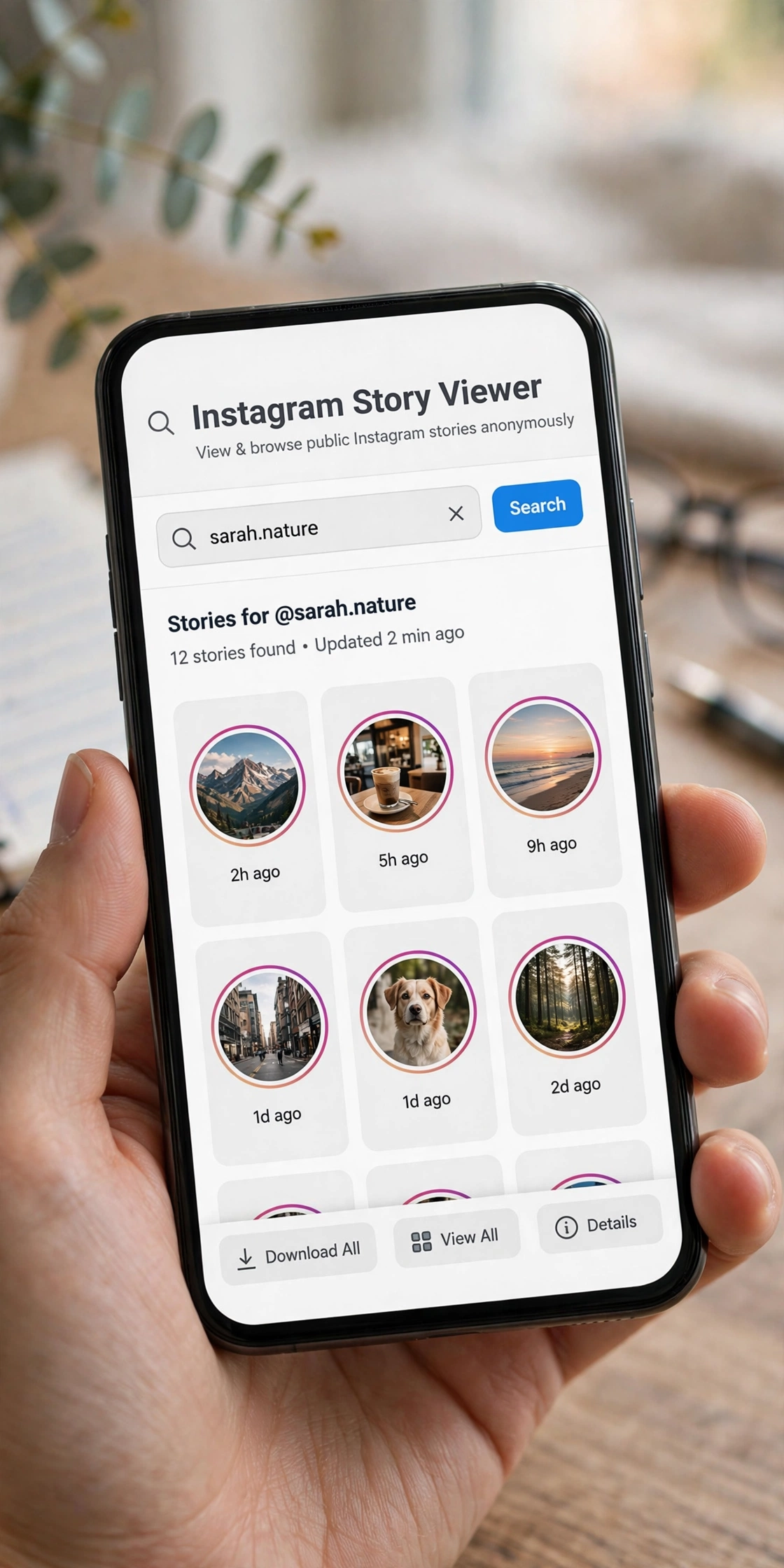
How the Instagram Story Viewer List Actually Works
Instagram builds the viewer list on its own servers. Every time your logged-in app or browser session loads a story, Instagram writes your username into that story’s viewer list. The creator can open the list and see exactly who watched, and that data stays visible for up to 48 hours after the story was posted. Watching the same story five times still counts as one view, but your name is there all the same.
One detail most guides get wrong: the viewer list is not a simple first-to-last order once a story passes a certain view count. Below roughly 50 views it is close to reverse chronological, with the most recent viewer near the top. Above that threshold, Instagram reorders the list using engagement signals, meaning how often you like, comment, DM, or visit that account’s profile. A high position on someone’s list reflects your relationship with them, not necessarily that you watched first. That ranking behavior is exactly why so many people want a way to view ig story anonymously in the first place: the native list reveals more than just a casual glance.
Stories posted as highlights keep their original viewer data, but new viewers are not added after the 24-hour window closes. Screenshotting a regular story, post, reel, or highlight sends no notification at all. Screenshot alerts on Instagram apply only to view-once and allow-replay photos or videos sent in direct messages. That is a separate system from the viewer list, and it is the viewer list that anonymous viewers are designed to bypass.
How an Anonymous Instagram Viewer Actually Works
Every legitimate anonymous instagram viewer uses the same mechanism, usually called a server-side fetch. Here is the sequence:
- You type a public username or paste a profile link into the tool’s search box.
- The tool’s own server, not your phone and not your Instagram account, sends a request to Instagram for that account’s public data.
- Instagram responds with whatever is publicly available: stories, highlights, posts, and reels.
- The tool shows that content in its own browser interface for you to tap through.
- Because your Instagram account was never part of the request, Instagram has nothing to log against your username. No viewer list entry, no notification, no trace.
This is not a hack or an exploit. It is the same category of access a logged-out visitor gets when opening a public profile in a browser. The tool simply performs that fetch for you and presents it in a cleaner layout. Three consequences follow from this design, and they matter more than any feature list:
- Public accounts only. Private accounts never serve their stories to an unauthenticated request. Any site claiming to open private stories is a scam, a survey trap, or a login harvester.
- No login needed, ever. A genuine instagram story watcher needs the target account’s public username and nothing about you. If a tool asks for your Instagram password “to verify you,” close the tab. That request defeats the entire mechanism and puts your own account at risk.
- It hides you from the account owner, not from Instagram. Instagram can still see that some server fetched the data. Your identity simply is not attached to the request.
The 9 Best Anonymous Instagram Story Viewers in 2026
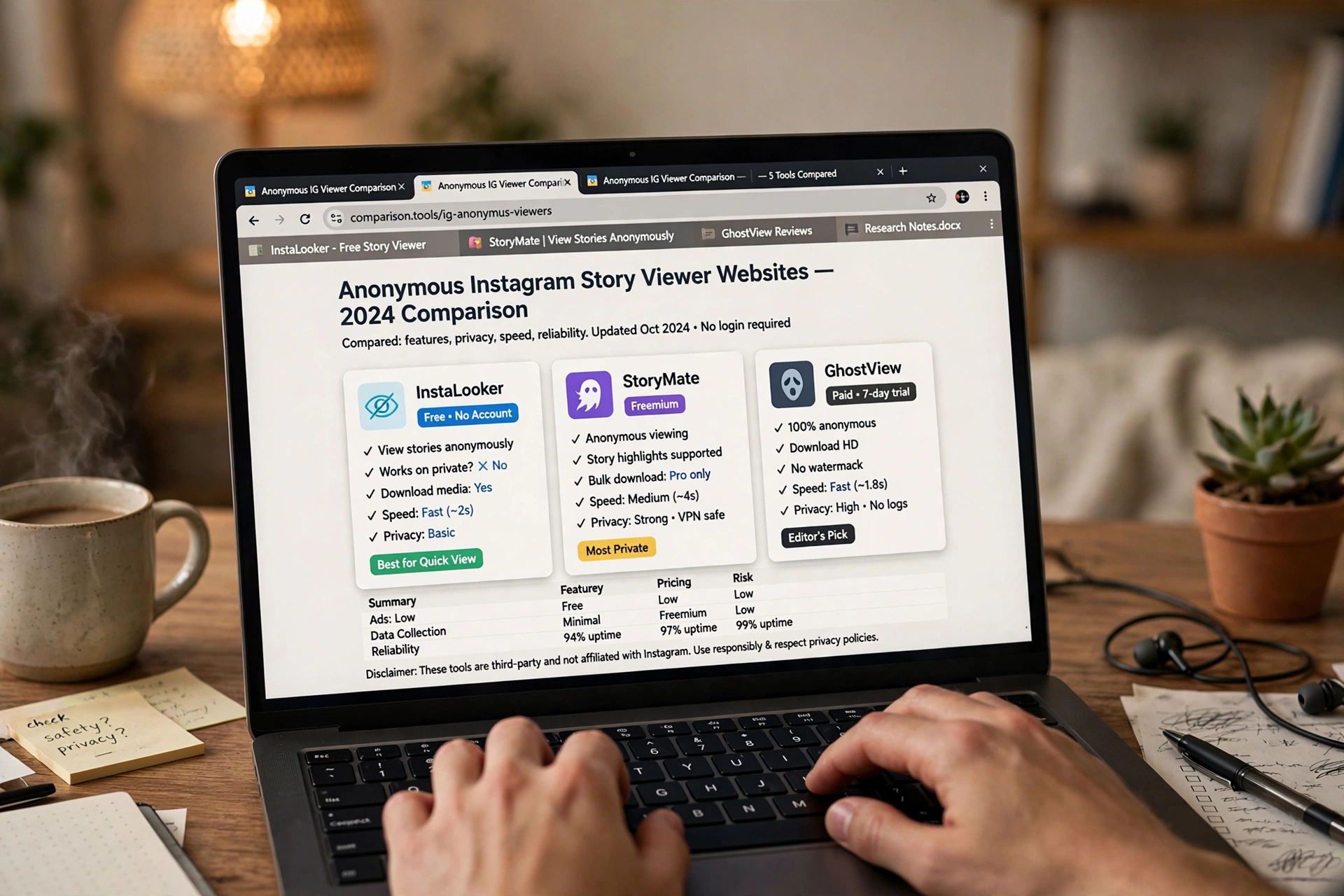
These tools were cross-checked against current 2026 testing sources. All of them fetch stories server-side, require no login, and work on public profiles from any modern browser. Pick based on the extras you care about, because plain story viewing is functionally the same across the whole list.
| Tool | Price | What it does best | Watch out for |
|---|---|---|---|
| StoriesIG | Free | Fastest all-round viewer; loads stories, highlights, reels, and posts | Ad-heavy without an ad blocker |
| AnonyIG | Free | Cleanest interface; instant story loading plus downloads | Occasional delays on stories posted in the last hour |
| Imginn | Free | Browsable archive of feed, tagged posts, and highlights | Can lag on very fresh stories |
| Inflact Story Viewer | Free (paid tools available) | Part of a bigger Instagram toolkit; HD downloads | Aggressive upsell toward paid plans |
| iGanony | Free | Lightweight and fast on mobile browsers | Minimal features, single-purpose design |
| GreatFon | Free | Story archive plus full feed archive; best on desktop | Mobile layout is cramped |
| Instanavigation | Free | Minimal no-frills interface; quick loads | Small top-banner ads in some sessions |
| Dumpor | Free | Long-running viewer with basic public-profile analytics | Intermittent downtime reported in 2026 |
| IG Story Viewer (igstoryviewer.to) | Free | Simple three-step flow with one-click downloads | Only handles live stories, no highlights |
StoriesIG
The default pick for most people. StoriesIG has the highest search volume of any anonymous viewer in 2026 and consistently loads across desktop and mobile browsers. Paste a username or profile URL and you get the account’s current stories, highlights, reels, and recent posts with no cap on views. The downside is ads, so run an ad blocker for a clean experience.
AnonyIG
The cleanest interface on the list. AnonyIG is single-purpose, focused on viewing and downloading stories, and it does not push paid tiers at you. It also handles highlights and posts. New stories can load a beat slower than StoriesIG, but the tradeoff is a much quieter page, which is ideal when you need to view ig story anonymously without wading through popups.
Imginn
Imginn goes beyond the 24-hour window. It keeps a browsable archive of a public profile’s feed, tagged posts, and highlights, which makes it the best choice when you are researching an account rather than just checking today’s story. The one weakness noted in recent 2026 retests: it can lag on stories posted within the last hour or two.
Inflact Story Viewer
The story viewer is the free front door to Inflact’s paid marketing toolkit. The upside is well-maintained infrastructure and reliable HD downloads. The downside is constant nudging toward scheduling, hashtag, and analytics tools. If you only want to view stories, ignore the upsell and use the viewer at the top of the page.
iGanony
A lightweight, mobile-friendly option that loads fast even on shaky connections. It does nothing StoriesIG does not do, but it does it with zero clutter, making it a good backup when your main pick is slow. Some viewers in this category also bundle extras like a full instagram follower tracker for deeper profile research, though iGanony stays deliberately single-purpose.
GreatFon
Best on desktop. GreatFon pairs story viewing with a story archive and a full feed archive in a clean gallery layout, which is a nicer way to research an account than swiping frame by frame. On mobile the layout gets cramped, so keep it as your desktop pick. A few tools in this space also pair story watching with an instagram likes viewer for checking post engagement, which is handy when the profile you are watching belongs to a creator or competitor.
Instanavigation
Minimal interface, minimal features. Paste a username and get the story tray. Small ads appear at the top in some sessions, but nothing that breaks the experience. It is the right choice when you want to check one story and leave.
Dumpor
One of the older tools, still functional. Dumpor adds public-profile analytics such as engagement rate and posting cadence on top of story viewing, which suits basic marketing research. Some 2026 retest sources report intermittent downtime, so keep a backup viewer bookmarked.
IG Story Viewer (igstoryviewer.to)
A straightforward three-step viewer: enter a username, watch the active stories, download before they expire. Video stories save as MP4 and photos as JPG with no watermark. The limitation is that it only handles live stories, not highlights or expired content.
Two Native Tricks That Need No Tool At All
Before reaching for a website, two built-in methods use Instagram itself. Neither requires a download or a third-party account, which makes them worth trying first for one-off views.
The Half-Swipe
The half-swipe previews the first frame of the next story without registering a view. Instagram only writes to the viewer list when a story fully opens, not during the swipe transition between stories.
- Open any story from an account you do not mind seeing your view, such as a friend or a brand.
- Slowly swipe toward the target profile’s story bubble in the tray and hold. Do not release.
- The first frame of that story appears at the edge of the screen as a preview.
- Slide back to the original story and release. Your view is never counted.
The catch is that you only see the first frame. If the story is a multi-frame reel, this trick shows the opener and nothing more. It works best for a quick glance at a single-frame update.
Airplane Mode
This one handles a full story reel, but it carries a timing risk. The idea is to load stories into memory, then cut the network before Instagram can sync your view back to its servers.
- Open the Instagram app and let your feed and story tray fully load.
- Turn on airplane mode.
- Tap the target profile’s story. It plays from the cached data.
- Close the app completely, swiping it out of recents, before turning airplane mode off. If Wi-Fi or cellular comes back with the app still active, the view can sync and register.
The catch: it is not fully reliable. Newer Instagram versions can queue the view and send it once the app reconnects, even after backgrounding. Treat this as low risk, not zero risk. If certainty matters, use a browser-based anonymous instagram viewer instead.
The Burner Account Option
If you find yourself checking the same account’s stories every day, a separate viewing account is often cleaner than logging in and out of viewer sites. Create a second Instagram profile with no photo and no bio, follow the target if it is public, and view normally. The viewer list shows your burner name, not your main account. It is not anonymous in an absolute sense, because Instagram can link accounts through device data and IP addresses, but it decouples viewing from your real identity. On private accounts, the burner sees nothing until the owner accepts its follow request.
How to Use an Anonymous Viewer, Step by Step
Using any of the tools above follows the same five steps:
- Open the tool in any browser. Desktop, tablet, or phone. No app installation is needed for standard anonymous viewing.
- Enter the exact public username, or paste the full profile link copied from Instagram’s share sheet. Both formats work on most tools.
- Wait for the fetch to complete. The tool queries Instagram’s public data and loads whatever stories and highlights are currently live.
- Browse normally. Tap or click through story slides the same way you would in the Instagram app. Your name stays off the viewer list the entire time.
- Download anything you want to keep using the download icon next to individual story slides, before the 24-hour window closes. Highlights do not expire, so there is no urgency there.
Most tools load stories first and posts second, since the story tray is the reason most people arrived. If a profile shows “no stories available,” it simply means nothing was posted in the last 24 hours, not that the tool is broken.
Free vs Paid: What You Actually Get
Nearly every anonymous viewer on the market offers free story viewing. Paid tiers exist, but they pay for extras, not for anonymity itself. Here is how the split usually works:
| Feature | Free tier | Paid tier |
|---|---|---|
| Anonymous story viewing | Yes, unlimited on most tools | Same |
| Highlights viewing | Yes on most tools | Same |
| HD downloads | Yes, often one at a time | Bulk downloads, original quality |
| Expired story archive | Rarely | Common; tracking starts the day you subscribe |
| Follower tracking and alerts | Basic or none | Daily checks, email alerts, multiple accounts |
| Ads | Usually present | Removed |
The honest takeaway: for plain anonymous story viewing, free is enough. Pay only if you need archiving or tracking features. A common trap is per-account tracking subscriptions, where what looks like a free tool becomes a recurring cost the moment you monitor more than one profile. Research-oriented users who want to compare instagram followers between two public accounts or pair viewing with an instagram unfollow checker to track follower changes over time should check whether those extras sit behind a paywall before committing to a tool.
The Limits: What No Viewer Can Do
Understanding the hard boundaries keeps you from wasting time on tools that promise the impossible:
- Private accounts are off limits. A web-based, login-free viewer can only access public accounts. This is a technical boundary, not a missing feature. Private account data is simply not returned to an unauthenticated request, no matter which tool asks.
- Stories older than 24 hours are gone unless the account saved them as a highlight or you were already running an archiving tool when they were live. No tool can recover a story that expired before it was first tracked.
- Close Friends stories, DMs, and private likes are never accessible through any anonymous viewer.
- Blocked accounts behave oddly. If someone blocked you, their content disappears for you inside the app, but a server-side viewer may still show it if the account is public, since the request is not tied to your identity.
- Mistyped usernames are the top cause of “it doesn’t work.” Double-check spelling, underscores, and periods before assuming a tool is broken.
The Privacy Risk Hiding Inside Some Viewer Tools
The least-discussed safety issue has nothing to do with Instagram. It is about the viewer tool’s own website behavior. Some anonymous story viewers maintain a public “recent searches” feed, a list of usernames other visitors recently looked up, visible to anyone who lands on the site. A tool marketed around your anonymity can simultaneously expose your search activity to the next visitor.
Check for this before searching anything sensitive:
- Look for any section labeled “recent searches,” “trending,” or “recently viewed” on the tool’s homepage.
- If usernames appear there that are not yours, assume your own searches could show up the same way for the next visitor.
- Prefer tools that explicitly state search history is stored locally in your own browser rather than on their server. Local storage keeps your activity private to you and clears when you clear browser data.
- If a tool’s privacy policy says nothing about this at all, treat that silence as a gap worth being cautious about.
This single check reveals more about a tool’s actual privacy practices than any “100% anonymous” marketing claim on its homepage. A VPN adds a further layer by hiding your IP address from the viewer site itself, though it does nothing to keep your name off an Instagram viewer list when you are logged in.
When a Story Will Not Load: Quick Diagnostic
Before blaming the tool, rule out the five common causes:
| Cause | How to tell |
|---|---|
| The account has no active story | Stories expire after 24 hours; if nothing was posted recently, there is nothing to fetch |
| The account is private and you are not an approved follower | The profile looks normal on Instagram but no third-party tool returns content |
| You have been blocked | Their content disappears for you in the app; a viewer may still show it if the account is public |
| The story is hidden from you specifically | Instagram allows selective hiding from a custom list; invisible to outsiders |
| The username was mistyped | The single most common cause; verify exact spelling |
If content loads for other public accounts but consistently fails for one specific account, that account is most likely private or has restricted its story audience. If nothing loads for any account, the tool itself is likely experiencing downtime, so switch to a backup from the list above.
Safety Rules Before You Trust Any Viewer
Run every tool through this checklist before entering a username:
- Does it ask for your Instagram password? If yes, stop immediately. This is the single disqualifying red flag.
- Does it claim to unlock any private account? That claim is technically impossible for a web-based viewer and always signals a scam.
- Is the connection HTTPS? Look for the padlock icon in the address bar before interacting with any third-party site.
- Is search history handled locally or displayed publicly? Check for a “recent searches” feed visible to other visitors, as described above.
- Are prices for extra features clear upfront, or does the site require entering a username before revealing a subscription?
- Does the download deliver original quality, or does it re-compress and watermark despite claiming otherwise?
Beyond the tool itself, keep your own habits clean. Use an ad blocker on ad-heavy viewer sites, never download executable files from a viewer page, and never enter personal details to “unlock” a result. The goal is privacy; make sure the solution does not create a bigger problem than the one you were trying to solve. If you prefer staying inside Instagram’s own app for quieter browsing, our guide to insta navigation covers a related in-app approach to watching stories with extra control.

Is Using an Anonymous Instagram Viewer Legal?
Viewing content an account has deliberately made public is not illegal. The tool is not bypassing a privacy setting or reaching anything a logged-out visitor to Instagram could not technically access anyway. Instagram’s Terms of Service restrict unauthorized scraping by third-party tools, but that is a matter between Instagram and the tool operators rather than something that creates legal exposure for someone simply viewing public content.
What you do with what you see is a separate question. Downloading and republishing someone’s content without permission raises copyright concerns independent of how anonymously it was viewed. And using anonymity as cover for harassment or stalking remains illegal regardless of which tool made the viewing anonymous. Anonymity carries no legal exemption. For creators, the flip side of this topic matters too: understanding who reposted your instagram post and who engages with your content is often more valuable than staying invisible, so weigh both sides before deciding how you browse.
Frequently Asked Questions
Will the account owner ever find out I viewed their story?
Not through the viewer list, if you use a genuine server-side browser tool or the half-swipe trick correctly. The airplane-mode trick is less reliable because newer Instagram versions can still send the view back to the server once the app reconnects. If certainty matters, use a browser-based anonymous instagram viewer.
Can any tool view private Instagram accounts anonymously?
No. Instagram does not serve private stories to unauthenticated requests, and no third-party site can bypass that server-side rule. Every “view private profile” claim is a scam, a survey trap, or a login harvester. If you need to see a private account’s stories, request to follow it.
Do I need my own Instagram account to use these viewers?
No. The browser viewers work without any Instagram account on your end. That is a design feature, not a limitation. If you have never made an Instagram account, you can still view public stories through any of the tools listed here.
Are anonymous Instagram story viewers safe?
The browser-based, no-login ones on this list are generally safe. They fetch public data server-side and never touch your Instagram account. Run an ad blocker to keep the ad ecosystem quiet, check that the site uses HTTPS, and never install a browser extension or mobile app that asks for your Instagram credentials.
Can I download stories with these tools?
Yes. Most viewers offer one-click downloads of individual story slides. Videos typically save as MP4 and photos as JPG, often with no watermark. Download before the 24-hour window closes, because expired stories cannot be recovered by tools that were not already tracking the account.
Does Instagram notify someone when I screenshot their story?
No. Screenshot notifications on Instagram apply only to view-once and allow-replay media sent in direct messages. Regular stories, posts, reels, and highlights can be screenshotted with zero notification. The viewer list is a separate mechanism, and it is specifically what anonymous viewers are built to bypass.
Can the account owner see that I used a viewer tool?
No. The server-side fetch is not tied to your identity, so nothing appears on their viewer list, in their insights, or as a notification. The only trace exists in the viewer tool’s own server logs, which is why checking how a tool handles search history matters.
Why does one tool work for some accounts but not others?
The usual reasons are that the failing account is private, has no active story, has hidden its story from a custom audience list, or was mistyped. If a tool fails for every account, the tool itself is down, so switch to another one from the comparison table above.
Anonymous Viewing on iPhone, Android, and Desktop
Browser-based viewers work the same way on every platform, but the experience differs slightly depending on where you open them.
On iPhone and Android, open the viewer in Safari or Chrome rather than inside Instagram’s in-app browser, because the in-app browser keeps you logged in. Mobile layouts on most tools are simplified: a single search bar up top, story slides you tap through, and a download button under each slide. Downloads land in your camera roll or downloads folder directly. iGanony and AnonyIG are the strongest mobile picks because their pages stay light on ad scripts that slow down phones.
On desktop, you get roomier story players and easier downloading, especially with tools like GreatFon that show a full feed archive alongside stories. Desktop browsers also make it easier to run an ad blocker and inspect whether a viewer page is loading suspicious third-party scripts before you trust it. Keyboard navigation, tabs for comparing multiple accounts, and larger previews make desktop the better choice when you are researching several public profiles in one session.
The one platform rule to remember: never open a story inside Instagram’s own app when anonymity matters. It does not matter whether you are on iOS, Android, or the web version of Instagram. Any view through a logged-in session writes your username to the viewer list. The anonymous part always happens in a separate browser tab on a no-login tool.
How Long Stories Stay Available
Timing matters more than most people expect. A standard Instagram story lives for 24 hours from the moment it is posted, and then it vanishes from every viewer, anonymous or not. Highlights are the exception: when a creator saves a story as a highlight, it stays visible on the profile indefinitely, and most viewer tools load highlights alongside live stories.
This creates a practical rhythm. If you check a public account once a day, you catch most of its stories inside their window. If you arrive an hour too late, the story is gone and no tool can bring it back, unless an archiving service was already tracking that account when the story went live. Archive tools only collect from the day you start using them, so they cannot fill in the past. For one-off checks, timing is everything: stories posted in the evening are best viewed the same night, not the next morning.
Final Word
The fastest reliable way to view ig story anonymously is a no-login browser viewer: paste a public username, watch the live stories, and your name never touches the viewer list. Native tricks like the half-swipe cover quick one-off glances, and a burner account covers daily check-ins, but neither matches the certainty of a server-side fetch. Stick to the tools and safety rules above, remember the hard limit on private accounts, and your curiosity stays your own business.


One Comment