How to See Deleted Messages on Instagram: 7 Real Recovery Methods (2026)
You opened your Instagram Direct inbox this morning and the conversation is gone. Maybe you deleted it by accident while clearing old chats, or the other person unsent a message before you got a chance to read it. Either way, that chat window is now empty, and the information inside it mattered to you. The honest answer to how to see deleted messages on Instagram is that Instagram itself offers no undo button, but deleted does not always mean destroyed. Copies of your messages can still exist in your official account data download, in your phone’s notification history, in your email alerts, or simply on the other person’s phone. This 2026 guide walks you through 7 real methods in order of reliability, starting with the official archive that Meta provides, and it ends with the situations where no method will work, so you never waste time on fake recovery apps.
Quick answer: There is no “recently deleted” folder for Instagram messages, so nothing can be restored inside the app itself. The most reliable way to see deleted messages on Instagram is to request your account archive from Settings and privacy > Accounts Center > Download your information, then open the messages folder inside the downloaded file. For recently unsent messages, Android notification history or email alerts can show the text instantly. And when the other person still has the chat, simply asking them remains the fastest fix of all.
Can You Still See Deleted Messages on Instagram?
Sometimes yes, sometimes no, and the difference comes down to how the message disappeared. Instagram treats two kinds of deletion very differently. When you delete a conversation on your own side, the messages vanish from your inbox only. The other person still sees the full chat on their phone, and Instagram’s servers may keep the records for a while longer. When someone unsends a message, it disappears from both sides at once, and there is no time limit on unsending. A message sent two years ago can be unsent today just as easily as one sent two minutes ago. That is why people who track quiet account changes with an instagram unfollow checker are rarely surprised by this: Instagram never announces removals, and message deletion works the same silent way.
What never exists is a recycle bin for chats. Instagram’s “Recently Deleted” section covers posts, reels, and stories, but it has never covered direct messages. Once a chat is gone from the app, no button inside Instagram will bring it back. Every real recovery method therefore works around the app rather than inside it: official data exports, device-level traces, or the copy sitting on the other person’s phone. The comparison table below ranks all 7 methods so you can pick the one that fits your situation instead of trying them at random.
One more thing to know before you start: the question of how to see deleted messages on instagram comes up most often in three situations. You deleted a chat by mistake and need it back. Someone unsent messages and you want to know what they said. Or an old conversation vanished after an account was deactivated. The methods below are ordered for the first two situations, which are by far the most common, and the FAQ at the end covers the deactivated-account case separately.
7 Real Ways to See Deleted Messages on Instagram
| Method | Best for | Speed | Success chance |
|---|---|---|---|
| 1. Data download | Official full archive | 24 to 48 hours | High, if messages existed before deletion |
| 2. Notification history | Recently unsent messages | Instant | Medium, Android only, needs history enabled |
| 3. Email notifications | Message previews | Instant | Medium, only if email alerts were on |
| 4. Ask the sender | Important chats | Minutes | High, if the other person cooperates |
| 5. Facebook Messenger | Linked accounts | Minutes | Medium, needs linked Meta accounts |
| 6. Second device | Very recent deletions | Minutes | Low to medium, time sensitive |
| 7. Recovery tools | Last resort cases | Varies | Low, often paid and risky |
Method 1: Request Your Instagram Data Download (The Official Method)
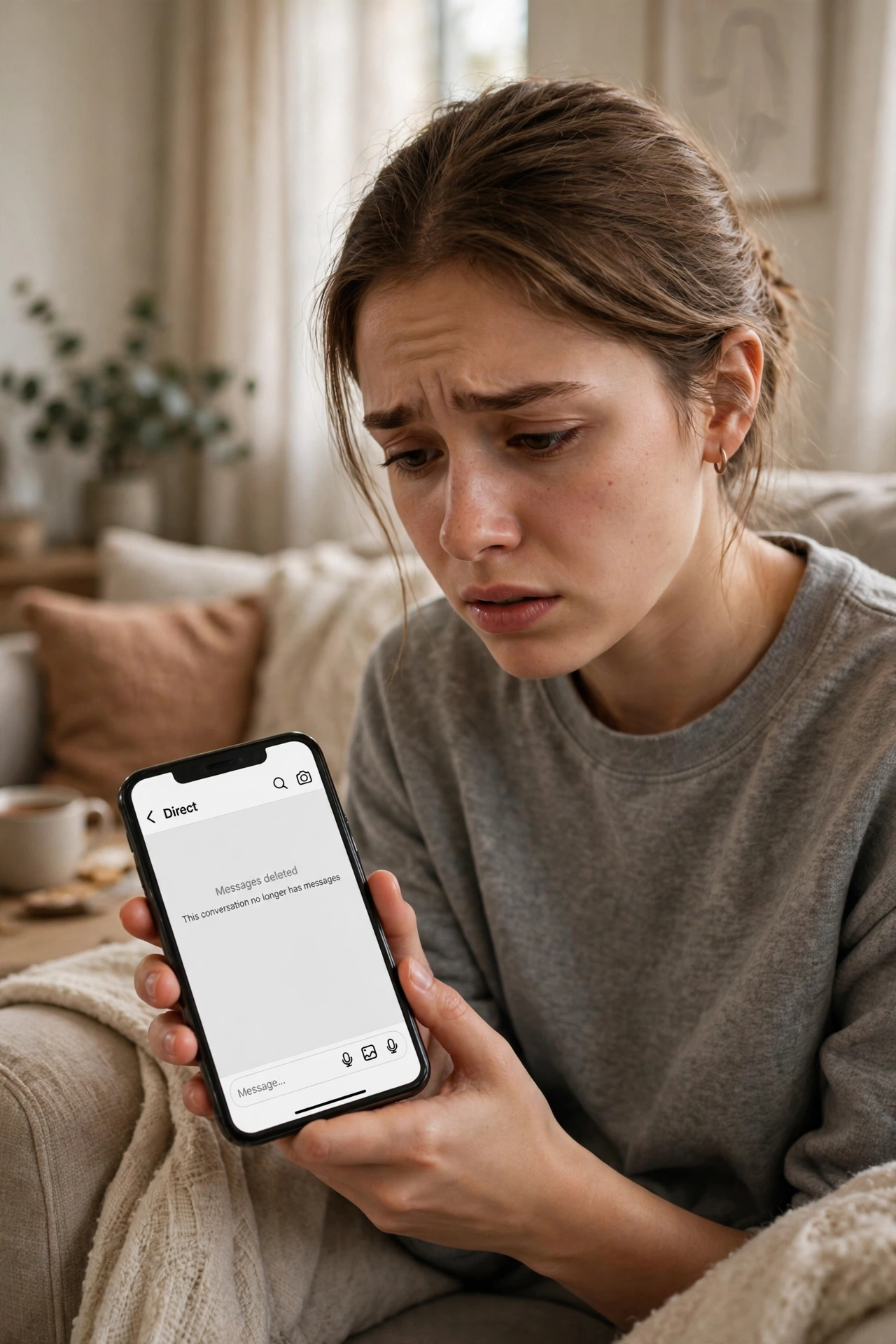
This is the only method Instagram itself supports, and it is the one you should try first. Meta lets every user download a full copy of their account information, and that archive includes your message history. If the deleted messages existed in your account before you removed them, there is a strong chance they are sitting inside this file. The archive can take anywhere from a few hours to 48 hours to prepare, and in rare cases Instagram says it may take up to 14 days, so start this request immediately even while you try the faster methods below.
On the Instagram app:
- Open your profile and tap the three lines in the top right corner.
- Go to Settings and privacy.
- Tap Accounts Center, then Your information and permissions.
- Tap Download your information.
- Choose Download or transfer information and select your Instagram profile.
- Pick Some of your information and check Messages to keep the file small, or choose all information for a complete backup.
- Set the date range to All time so older deleted chats are included.
- Choose HTML format if you want readable chat pages, or JSON if you are comfortable opening data files.
- Tap Create files and enter your password to confirm.
On a computer: log in at instagram.com, open Settings, find the same Download your information option, and follow the same screens. The desktop flow is identical and sometimes faster to navigate with a keyboard.
Instagram will email you a download link once the archive is ready. Open that email, download the ZIP file, and extract it on your computer. Inside you will find a messages folder, and within it an inbox folder holding one subfolder per conversation. Open the conversation you need: the HTML version shows the chat in a readable page, while the JSON version can be opened in any text editor and searched with Ctrl+F for a name or keyword. Scroll through the history and look for the messages that no longer appear in your app. People who run an instagram follower tracker on their accounts tend to request this archive every few months anyway, which quietly doubles as a message backup for exactly this kind of emergency.
What the archive contains: the messages folder holds every conversation thread tied to your account, including ones you deleted from the app, as long as Instagram’s servers still retain them. Media files are referenced rather than embedded, so you will see filenames and timestamps for photos and voice notes instead of playable copies. Group chats appear as their own folders with every participant listed. If a particular thread is missing from the archive, it usually means the data aged out of Instagram’s retention window, which is one more reason this guide on how to see deleted messages on instagram puts the official download first: it is the only method that can reach back months instead of minutes.
One important detail: this method recovers messages that were part of your account data. If the other person unsent a message very recently, it may not have made it into the archived copy yet. That is why the instant methods below are worth trying in parallel while you wait for the download link.
Method 2: Check Your Phone’s Notification History
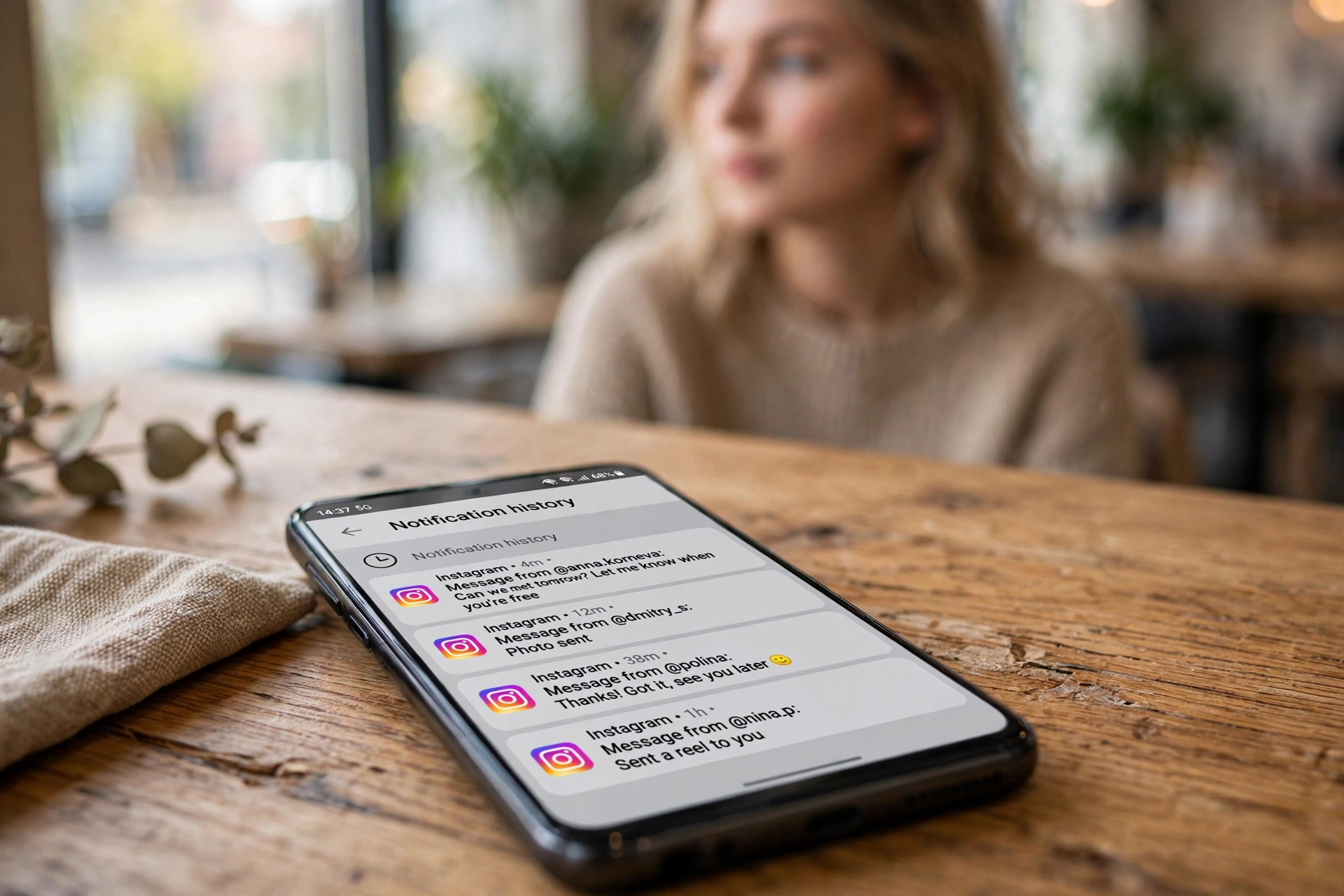
When someone sends you an Instagram message, your phone usually shows a notification containing the first lines of that message. If the sender unsends it seconds later, the chat copy disappears, but the notification copy on your device may still be there. This is the fastest way to see a deleted message on Instagram, and it works best within minutes or hours of the deletion.
On Android: open Settings, go to Notifications, then tap Notification history. If the toggle was already on, you will see a log of recent notifications including Instagram message previews with the sender’s name and the message text. If the toggle was off, turn it on now so you are protected next time. Some phone brands hide this under Settings > Apps & notifications > Notifications > Notification history, and a few older Android versions need a third-party notification log app from the Play Store.
On iPhone: iOS does not keep a searchable notification history the way Android does. Your only option is the Notification Center: swipe down from the top of the screen and look for Instagram alerts that have not been cleared yet. Once you dismiss them or they expire, they are gone. This is one of the few recovery tricks where Android users have a clear advantage.
Keep two limits in mind. First, notification history only shows messages you received, never ones you sent and then deleted yourself. Second, you only get a preview, usually the first 100 characters or so, not the full conversation and not photos or voice notes. Still, for a quick “what did that unsent message say” moment, this method beats waiting two days for a data archive.
Pro tip for next time: several free notification-log apps on the Play Store can save a permanent history even on phones whose built-in log is limited. If unsent messages are a recurring headache in your chats, installing one of these turns Method 2 from a lucky catch into a reliable system. Just check the app’s permissions carefully and pick one with a long track record and strong reviews.
Method 3: Search Your Email for Message Notifications
Instagram can email you when you receive direct messages, and those emails survive even after the chat is deleted or unsent. Open your inbox and search for emails from Instagram containing the person’s name or username. The notification email usually includes the opening lines of the message, which is often enough to recover the key information you lost.
This only works if email notifications were turned on before the message arrived. To enable them for the future, go to your profile, tap the three lines, open Settings and privacy, tap Notifications, and look for the email options under the message categories. Turn on email alerts for direct messages. Your inbox then becomes a permanent, searchable backup of every important DM preview. It will not save full threads or media, but for text messages it is a surprisingly reliable safety net, and unlike every other method here, it requires zero effort after the one-time setup.
A practical tip: create a Gmail label or Outlook folder called “Instagram DMs” with a filter that auto-files these notification emails. Months later, when a chat disappears, you will find the preview in seconds instead of digging through a crowded inbox.
For anyone researching how to see deleted messages on instagram after the fact, email alerts are the method most people wish they had enabled sooner. Unlike the data download, there is no waiting period, and unlike notification history, the record never expires or gets cleared by accident.
Method 4: Ask the Other Person for Screenshots
The simplest method is also the one people overlook because it feels awkward. If you deleted a conversation on your side, the other person still has the entire chat on their phone. A short, honest message explaining what happened is usually all it takes: tell them which conversation you lost, which part you need, and why it matters. Most people will happily send screenshots or copy and paste the missing messages.
Make the request easy to say yes to. Be specific about the date or topic instead of asking for “everything.” If privacy is a concern on their side, promise you will keep the content between the two of you, and offer to return the favor with screenshots from your own chats if they ever need them. When the relationship is strained and a direct ask feels impossible, a mutual friend who was part of a group thread can sometimes share the relevant part. Stick to conversations you were part of, though. Trying to recover someone else’s private chats without consent crosses into snooping, and no legitimate guide will help with that. And do not confuse this with tools like an anonymous instagram viewer, which only displays public stories and never touches anyone’s private direct messages.
Method 5: Check Facebook Messenger If Your Accounts Are Linked
Instagram and Facebook are both owned by Meta, and their messaging systems are connected when you link the two accounts. If your Instagram profile is linked to your Facebook profile through Accounts Center, some of your Instagram conversations may also exist inside Facebook Messenger. Open Messenger on your phone or at messenger.com, search for the person’s name, and check whether the thread is still there.
This method assumes your accounts are already connected. If you are still learning how to use instagram beyond the basics, open Settings and privacy, tap Accounts Center, and confirm that both your Instagram and Facebook profiles sit under the same login. Cross-app messaging only syncs when that link exists, and it only covers conversations from after the accounts were connected. It will not resurrect chats from years before you linked them. Still, for linked users this check takes less than a minute and occasionally surfaces a thread that looks deleted on the Instagram side.
While you are in Messenger, also check the message requests and archived chats folders. Threads sometimes get filtered or archived rather than truly deleted, and both apps share similar filtering behavior for unknown senders.
Method 6: Check Instagram on a Second Device Before It Syncs
If you use Instagram on more than one device, a phone and a tablet, or the phone app and the desktop site, one of them might still show the deleted conversation. Apps only refresh their data when they sync with Instagram’s servers, so a device you have not opened in a while can lag behind reality by hours or even days. Before you open Instagram anywhere else, grab that second device and look for the chat first. The moment the app refreshes, the deleted state syncs over and the window closes.
There is a small trick that buys you time: put the second device in airplane mode before opening the Instagram app. With no connection, the app cannot sync and will show whatever it last cached, which may include the deleted messages. Screenshot everything you need while offline, because the messages will vanish the instant the device reconnects. This method is time sensitive and unreliable for deletions older than a day or two, but when it works, it preserves the full formatting, timestamps, and media of the original chat, which no other quick method can do.
Desktop users get one extra angle here. If you have ever chatted through instagram.com in a browser, your browser cache may hold fragments of recently viewed conversations. It is a long shot compared to the app cache on a second device, and digging through cache storage takes some technical comfort, but for a message you viewed on desktop yesterday and lost today, it is worth ten minutes before you give up.
Method 7: Third-Party Data Recovery Tools (Last Resort)
Several desktop programs claim to recover deleted social media data by scanning your phone’s storage for leftover fragments. Names you will see mentioned include Fonelab for Android and iOS, Dr.Fone, and EaseUS MobiSaver. The typical flow is: install the software on your computer, connect your phone with a cable, run a deep scan, preview whatever fragments it finds, and save the results. In rare cases these tools surface pieces of recently deleted app data that the phone has not yet overwritten.
Treat this method as a last resort and go in with open eyes. The effective tools are paid, success rates vary wildly by device and timing, and some require rooting an Android phone, which can damage the device and void warranties if done wrong. Worse, the internet is full of fake “Instagram message recovery” apps whose real business is harvesting logins. Never type your Instagram password into a random recovery tool or website, and be aware that aggressive third-party access can trigger Instagram’s security systems and get your account flagged. If you try this route, use a well-known desktop brand, read recent reviews first, and stop immediately if anything asks for credentials it should not need.
Unsend vs Delete: What Actually Happens to Your Messages
Half the confusion around this topic comes from mixing up two different actions. Instagram lets you unsend individual messages and delete whole conversations, and they behave nothing alike. Understanding the difference tells you instantly which recovery methods are even worth trying.
This distinction is the foundation of every working answer to how to see deleted messages on instagram. Match your situation to the right column in the table, then jump straight to the methods that fit. Trying notification history for a chat you deleted yourself, for example, will only waste your time.
| Unsend a message | Delete a conversation | |
|---|---|---|
| Removes it from your side | Yes | Yes |
| Removes it from the other person’s side | Yes | No, they keep everything |
| Time limit | None, works on years-old messages | None |
| Other person is notified | No notification is sent | No notification is sent |
| Best recovery chance | Data download, notifications | Just ask the other person |
| Appears in “Recently Deleted” | No | No |
The practical takeaway: if you deleted the chat, your fastest path is the other person’s phone, because their copy is untouched. If the other person unsent messages, your paths are the data download, notification history, and email alerts, because their action wiped both sides. Knowing which situation you are in saves you from trying methods that cannot possibly work.
When You Cannot See Deleted Messages on Instagram
Honest guides include the dead ends, so here they are. First, Instagram’s Recently Deleted folder will never help you. It holds deleted posts, reels, and stories for 30 days, but direct messages were never part of it, and no setting changes that. Second, messages deleted a long time ago may be purged from Instagram’s servers entirely. Meta does not publish an exact retention period, but the older the deletion, the thinner your chances with the data download. Third, if the other person unsent a message and then deleted their own account or blocked you, the remaining copies dry up fast. Fourth, Instagram support will not recover messages for you. Unlike a hacked account, which support can sometimes restore, deleted chat content is not something customer support can or will pull back. Anyone promising guaranteed recovery through “Instagram support contacts” is selling you something.
Finally, be skeptical of any app or website that claims it can show you deleted messages from someone else’s account, or from conversations you were never part of. Those are scams by definition. Legitimate recovery only ever concerns your own chats, your own device traces, and your own account archive. Everything else is either a phishing attempt or a violation of someone’s privacy, and often both.
There is also a scenario nobody warns you about: the disappearing group chat. If you leave a group conversation, or the admin removes you and the thread is later deleted, your data download may still contain your portion of the history, but asking a remaining member is usually faster. The same logic applies to every method in this guide on how to see deleted messages on instagram: the more copies of a chat that exist outside your phone, the better your odds.
How to Never Lose Important Instagram Messages Again
Recovering deleted messages is stressful, and the smartest move is making sure you rarely need to. These five habits take minutes to set up and they protect every important conversation from now on.
Think of it this way: every method above for how to see deleted messages on instagram is a rescue operation, but the habits below are insurance. Rescues sometimes fail. Insurance almost never does, because you control it completely.
1. Screenshot important conversations right away
It is not elegant, but it is undefeated. When a chat contains an address, a payment detail, a promise, or anything you might need later, take a screenshot the moment you read it. Save it to a dedicated album on your phone so it does not drown in your camera roll. Screenshots survive unsends, deletions, deactivated accounts, and every other disaster on this list.
2. Archive chats instead of deleting them
Most people delete conversations just to declutter the inbox, and Instagram offers a better tool for that: archiving. Swipe left on a conversation and choose archive instead of delete, and the chat disappears from your main inbox while staying fully accessible from the archived folder. You get the clean inbox and you keep the messages. Make this your default whenever your finger hovers over the delete button.
3. Request your data download every few months
Think of the official data archive as a backup, not just a recovery tool. Requesting it quarterly gives you a rolling snapshot of your entire message history. Store each archive in a cloud folder with the date in the filename. If a chat ever disappears, you will know exactly which backup to open instead of waiting 48 hours for a fresh one during a crisis.
4. Turn on email notifications for direct messages
As covered in Method 3, email alerts create a permanent, searchable record of message previews outside Instagram entirely. Enable them once under Settings and privacy > Notifications, add a filter that files them into their own folder, and you will have a backup that works even if you lose your phone. An instagram story downloader can auto-save public stories for you, but no equivalent exists for private DMs, so this email habit is the closest thing to an automatic message backup Instagram allows.
5. Keep notification history enabled on Android
Android’s notification history is a free safety net for unsent messages, but only if the toggle is on before you need it. Turn it on today under Settings > Notifications > Notification history. iPhone users should instead make sure Instagram notifications are allowed and set to persist on the lock screen, so previews stay visible as long as possible.
FAQs About Deleted Messages on Instagram
Can you see deleted Instagram messages without any app?
Yes. The official data download needs no third-party app at all: request your archive from Settings and privacy > Accounts Center > Download your information, open the messages folder, and read the chat history. Notification history and email alerts also work with zero extra software.
Does Instagram have a recently deleted folder for messages?
No. Instagram’s Recently Deleted section stores deleted posts, reels, and stories for 30 days, but it has never included direct messages. Once a chat is deleted, it cannot be restored from inside the app.
If someone unsent a message, can I still see what it said?
Sometimes. Unsending removes the message from both sides, but it cannot erase copies that already left Instagram: your phone’s notification history may hold the preview, an email alert may contain the text, and your data download may include it if the archive captured it before the unsend. Asking the sender directly also works when the relationship allows it.
Are deleted Instagram messages gone forever?
From inside the app, effectively yes. But “deleted” on Instagram means removed from your view, not instantly wiped from every system. Traces can remain in your account data archive, on the other person’s device, in notification logs, and in email alerts for some time after deletion. The longer you wait, the fewer of these traces survive, which is why speed matters more than method-hopping: start the data download first, then work through the instant checks.
Can Instagram support recover my deleted messages?
No. Instagram support does not restore deleted chat content, even if you contact them directly. Support can help with hacked or disabled accounts, but message recovery is not something they offer. Anyone claiming to recover messages through insider support contacts is running a scam.
Is it safe to use third-party apps to recover Instagram messages?
Mostly no. While a few well-known desktop data recovery brands are legitimate software, the “Instagram message recovery” niche is packed with scams designed to steal logins. These apps can also violate Instagram’s terms and get your account flagged. Use them only as a last resort, never enter your Instagram password into an unknown tool, and prefer the official data download in every case.
Will the other person know if I try to recover deleted messages?
No. Requesting your data download, checking notification history, and searching your email are all completely private. Instagram sends no alert to the other person. The only method they will notice is asking them directly, which is also the most honest one.
Can I see messages from a deleted or deactivated Instagram account?
Often yes, on your side. When someone deletes or deactivates their account, their messages in your inbox usually remain visible, with the sender shown as “Instagrammer” instead of their username. Your data download may also still contain those threads. What you lose is the ability to open their profile or continue the conversation.
Final Verdict
Learning how to see deleted messages on Instagram comes down to acting in the right order. Start the official data download immediately, because it takes the longest and covers the most ground. While it prepares, check your notification history and email for instant previews. If you deleted the chat yourself, message the other person and ask for the thread, since their copy is untouched. Skip the shady recovery apps unless every legitimate path has failed, and never hand your login to a tool that promises miracles. Then lock in the prevention habits: archive instead of deleting, screenshot what matters, and let email notifications quietly back up your inbox. With your chats protected, you can get back to the fun part of Instagram, like growing your audience with our guide on how to increase instagram followers, instead of worrying about losing it.
Bookmark this page. The next time a chat disappears, you will know exactly which method to try first instead of panicking or trusting a random recovery app, and the next time a friend asks how to see deleted messages on instagram, you will have the real answer ready.