How to See Who Blocked You on Instagram: 7 Checks (2026)
Suddenly their profile is nowhere to be found. You type their username into Instagram search and nothing comes up, an old tagged photo leads to a blank page that says “User not found,” and the conversation you had last week now shows a name you cannot tap. The uncomfortable question is whether they blocked you or simply deleted their account. The honest answer is that Instagram has no official list or notification for blocked accounts, but you can still find how to see who blocked you on Instagram with a handful of free checks that anyone can run in a few minutes. This guide walks you through all 7 checks in order, shows you how to tell a block apart from a deactivated or deleted account, and warns you about the risky third-party apps that claim to reveal your blockers. Everything below uses normal Instagram behavior, your own profile, a browser, and one trusted friend, so no shady tool is needed.
Quick Answer: How to See Who Blocked You on Instagram
No, Instagram never shows you a direct list of people who blocked you, and it sends no notification when someone does it. Instagram treats blocking as a privacy feature, so the blocker can quietly disappear without starting a confrontation. What you can do instead is look for a pattern of side effects. If a person blocked you, several things break at once: their profile stops appearing in search, their posts and follower counts vanish from your view, your old likes and comments from them disappear, and tags or mentions turn into dead text. When all of these signs appear together, and a mutual friend can still see that same profile normally, you have your answer. A single sign alone is never enough, because a deactivated, deleted, banned, or renamed account can look identical from your side. The table below gives you the full 7-check sequence at a glance, and the sections after it explain each one with exact steps.
| Check | What You Look For | Blocked Looks Like |
|---|---|---|
| 1. In-app username search | Exact username in the Instagram search tab | No result, or result opens to an empty page |
| 2. Direct profile URL | instagram.com/username in a browser | “Sorry, this page isn’t available” or “No Posts Yet” |
| 3. Old DM thread | Your past conversation in the inbox | Thread exists but name is “Instagram User,” photo gone, links dead |
| 4. Tag and mention test | Typing @username in a caption or story | No autocomplete, tag never turns blue |
| 5. Logged-out browser test | Same profile URL with no account signed in | Profile loads fine when logged out, broken when logged in |
| 6. Friend’s account check | A mutual friend searches the same username | They see the profile normally, you cannot |
| 7. Old likes and comments | Your own posts where they commented or liked | Their interactions are wiped from your view |
How to See Who Blocked You on Instagram: 7 Free Checks
Run these checks in order. Each one takes under a minute, and together they take less than five. You do not need any app, website, or payment, just the Instagram app, a web browser, and optionally one person you trust.
Check 1: Search Their Exact Username in the App
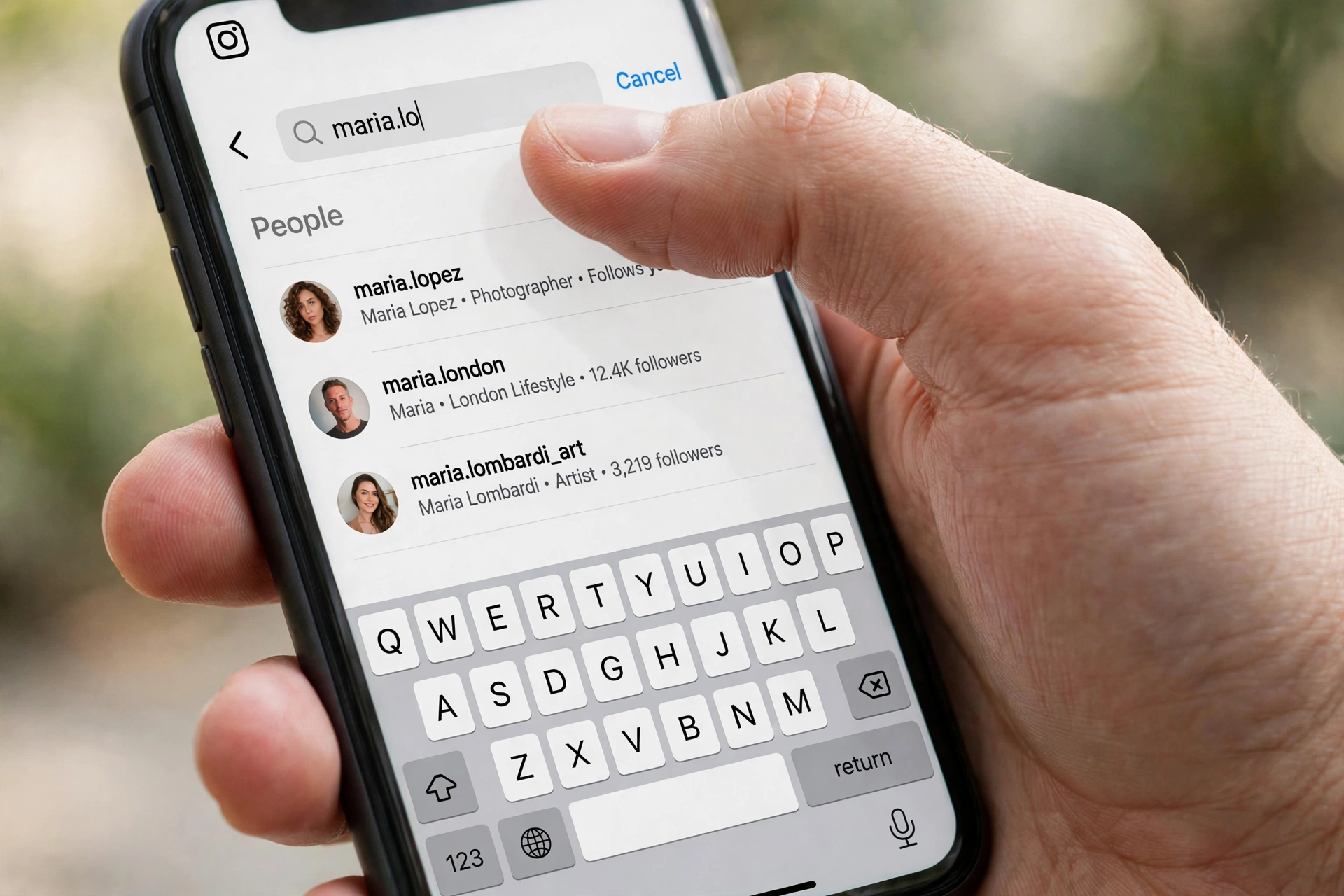
Open Instagram, tap the search tab at the bottom, and type their full username exactly as it was, including every number, dot, and underscore. Spelling matters here, because searching for “alex.photo” when the handle is “alex_photos” will return nothing even if nobody blocked you.
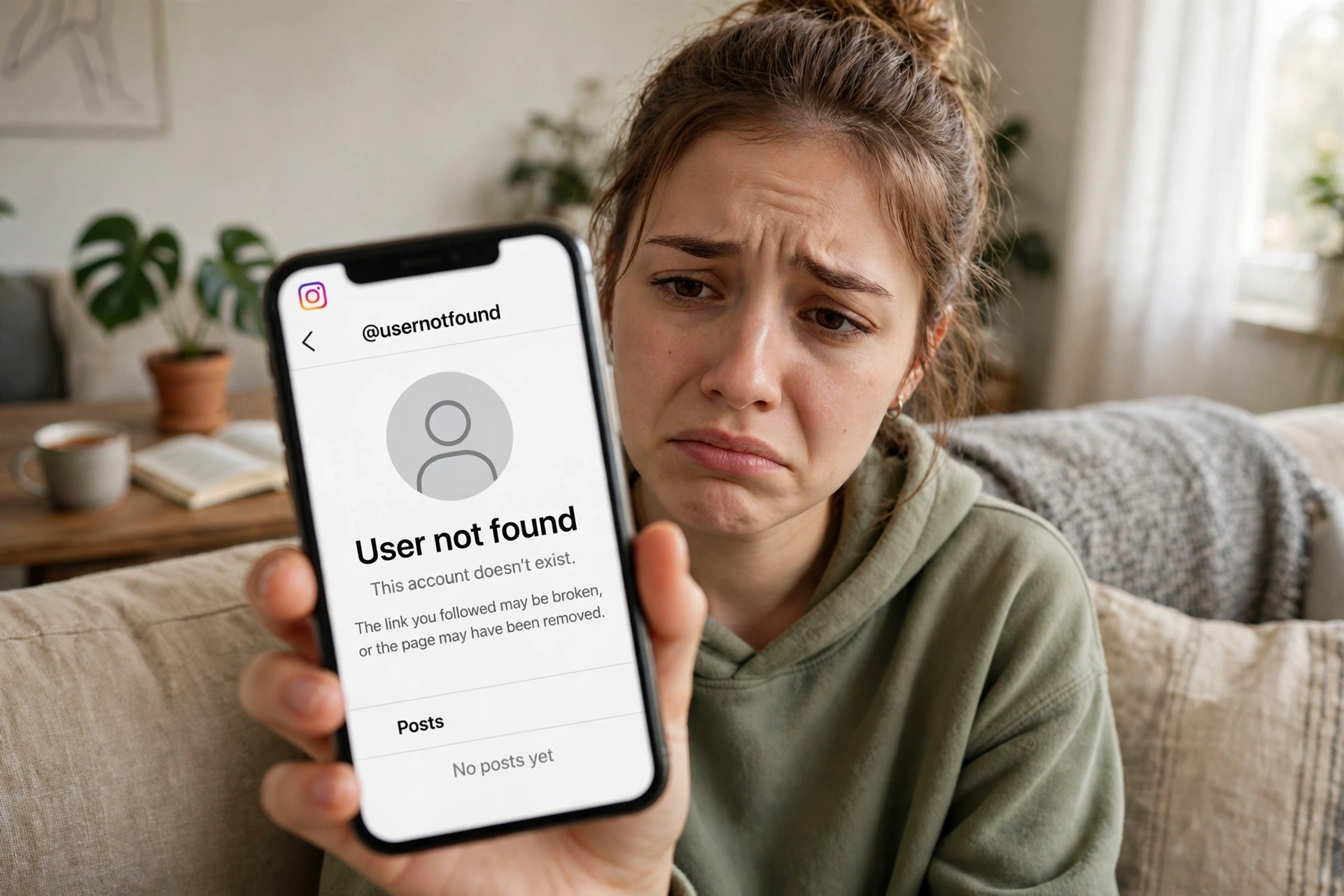
If you have been blocked, one of two things happens. Either the account does not appear in the results at all, or it appears but tapping it opens a blank profile with “User not found” or “No Posts Yet.” Do not jump to conclusions yet, because they might also have deactivated, been banned by Instagram, or changed their username since you last checked. The remaining checks separate those cases from an actual block.
Check 2: Open Their Profile Link Directly
Every Instagram account has a direct web address in the form instagram.com/username. If you ever saved their profile link, shared it, or remember the exact handle, paste it into your phone or computer browser while you are logged into your own Instagram account.
A profile that blocked you usually loads with the username at the top but shows “Sorry, this page isn’t available,” “User not found,” or a grid that says “No Posts Yet” with zero followers and zero following. The giveaway detail is the mismatch: the account clearly exists, but your logged-in account is treated as if it has no content. Keep this tab open, because Check 5 uses the exact same link in a logged-out window and that comparison is the strongest single test you can do.
Check 3: Look at Your Old DM Thread
Open your Direct Message inbox and find an old conversation with the person. When someone blocks you, the thread does not disappear, but several things change inside it. Their display name often turns into the generic label “Instagram User,” their profile picture goes blank, and tapping their name or photo no longer opens a profile. New messages you send sit undelivered with no “Seen” receipt, and voice or video calls fail to connect.
The important nuance is that a deleted account can look very similar in the DM list, which is why the friend check later on matters so much. What the DM thread does tell you reliably is that something changed with that account on Instagram’s side, and it points you to keep investigating. If you also want to track broader changes in your follower relationships over time, an instagram unfollow checker helps you spot exactly who quietly stopped following you, which is a different and much more common event than a block.
Check 4: Try to Tag or Mention Them
Start a new post or story and type @ followed by their username in the caption. Before a block, Instagram’s autocomplete would suggest their account as you typed. After a block, their name never appears in the suggestions, and if you type the full handle manually the tag never turns blue into a clickable link.
The same dead-tag behavior shows up on old content. Open a photo where a mutual friend tagged them, or a caption where they were mentioned. If the username is now plain unlinked text that goes nowhere when tapped, that is another signal pointing the same way. This check is quick and it rarely produces a false positive, because renamed accounts usually still autocomplete under their new handle while blocked ones simply refuse to link at all.
Check 5: The Logged-Out Browser Test
This is the single strongest test you can run by yourself. Take the same profile URL from Check 2 and open it in a private or incognito browser window where you are not logged into any Instagram account. Do not sign in, just load the page as a stranger.
Read the result carefully. If the profile loads normally with posts, a follower count, and a bio while logged out, but shows “User not found” or an empty grid while you are logged in, you have been blocked. Your account is being hidden specifically, while everyone else sees the account fine. If the profile is broken in both views, logged in and logged out, the account was deactivated, deleted, or banned, and it has nothing to do with you. If it loads fine in both views, nobody blocked you and the earlier weirdness was probably a search glitch or a username change. A similar logged-out trick is exactly what an anonymous instagram viewer relies on to show public stories and posts without an account, which proves how much of Instagram is still visible from outside your own login.
Check 6: Ask a Friend to Look From Their Account
The logged-out test only works well for public profiles, because a private account shows little to a stranger either way. The fix is to ask someone who follows the person, or at least someone with a normal active account, to search the username from their own phone. This is the definitive confirmation for private profiles.

The logic is simple. If your friend can see the profile, posts, and stories normally while you see “User not found” or an empty page, the account is alive and well, and you have been blocked specifically. If your friend cannot find the account either, then nobody was singled out and the account was deactivated, deleted, or suspended. Pick a friend who is not involved in whatever happened between you two, keep the request short, and do not put them in the middle of the situation. One screenshot from their screen is all the proof you need.
Check 7: Look for Your Old Likes and Comments From Them
Scroll through your own posts and look for comments or likes this person left. After a block, their past interactions with your content are hidden from your view as if they never happened. Comments disappear, likes vanish from the count you see, and their @mentions of you in captions remain as dead unclickable text.
This sign is useful because a deactivated account behaves differently: your side of the conversation and most old interactions stay intact. So if their comments evaporated from your posts but their account still seems to exist for other people, that combination points strongly at a block rather than a deactivation. It is a slower check than the others, but it adds confidence when you are on the fence. If you regularly audit your audience, pairing this habit with an instagram follower tracker makes it much easier to notice when specific people quietly disappear from your follower list, which is how most blocks start.
Blocked vs Deactivated vs Deleted vs Restricted vs Private
Most of the confusion around how to see who blocked you on Instagram comes from these states looking identical at first glance. The table below lines them up side by side so you can tell exactly which situation matches what you are seeing.
| Situation | Can You Find Them in Search? | What the Profile Shows You | Can You DM Them? |
|---|---|---|---|
| Blocked | No, or a broken result | “User not found” or “No Posts Yet” with empty counts | Old thread stays, new messages never deliver |
| Restricted | Yes, normally | Normal profile with all posts visible | Yes, but your messages land silently in their message requests |
| Deactivated | No | “User not found” for everyone, not just you | Thread stays visible, messages do not deliver |
| Deleted or banned | No | “User not found” for everyone, permanent | Same as deactivated, permanent |
| Private and not following | Yes | “This Account is Private” with a real follower count | Only after they accept your follow request |
| Unfollowed or removed you | Yes | Fully normal profile, all posts visible | Yes, normally |
Two rows in that table cause almost every mistake. A restricted account looks completely normal, which is why people mix up restrict and block, but restriction never hides the profile. And a private account you do not follow shows “This Account is Private” with a real follower count, which is very different from the empty “No Posts Yet” grid a blocked profile shows. If you are still unsure after the table, the logged-out browser test plus the friend check together separate a block from every other state with no ambiguity. For a broader overview of how blocking fits into the rest of the app, the basics in how to use instagram cover the privacy controls that interact with blocks, including restrict and mute.
What “User Not Found” on Instagram Actually Means
The “User not found” message is the vaguest error Instagram shows, and it appears for at least six different reasons. It means the block happened, but it also means the account was temporarily deactivated, permanently deleted, banned for violating Instagram’s terms, renamed to a new username, or that Instagram’s search is having a temporary glitch. The message itself never tells you which one, which is why anyone asking how to see who blocked you on instagram runs into this wall first.
Here is how to narrow it down without guessing. First, wait a few hours and check again, because Instagram outages and search glitches usually fix themselves the same day. Second, search their display name instead of the exact username, because a renamed account often still shows up under the name. Third, run the two decisive tests from above: the logged-out browser test and the friend’s account check. If everyone else sees the account fine and only your logged-in account gets “User not found,” that is a block. If nobody can open it, it is deactivation, deletion, or a ban. That pair of tests resolves the ambiguity the error message alone cannot.
Should You Use a “Who Blocked Me on Instagram” App?
No, and this warning deserves its own section because these apps are everywhere. Search the app stores and you will find dozens of tools promising to show you exactly how to see who blocked you on instagram, who viewed your profile, or who unfollowed you with secret data. Instagram publishes no such data through its official API, so every one of these apps is either guessing from public signals, showing you fake results, or collecting your login credentials for other purposes.
The risks are real and specific. Most of these apps ask for your Instagram username and password, and handing that to a third party can lead to your account being compromised, spammed, or permanently flagged by Instagram. Even the ones that do not ask for a login often charge subscriptions for information they cannot actually know. Instagram’s terms explicitly forbid automated data collection, and accounts caught using these tools can face action blocks or suspension. The seven manual checks above are free, take about five minutes, and use only real Instagram behavior, which makes them more accurate than any app claim. Skip the apps entirely.
How to Unblock Someone on Instagram
If you were on the other side of this situation and want to reverse a block you placed, Instagram makes it straightforward. You can see everyone you have blocked in one place, and only the person who placed the block can remove it. Nobody can unblock themselves from your account.
- Open Instagram and go to your profile tab, then tap the menu icon in the top right corner.
- Tap Settings and privacy, then scroll to Blocked under the “Who can see your content” section.
- You will see a list of every account you have blocked. Find the one you want to unblock.
- Tap Unblock next to their name and confirm when Instagram asks.
A few things happen after you unblock. The follow relationship is gone in both directions, so you will need to follow them again if you want their posts back in your feed. They receive no notification that you unblocked them, and their old likes and comments may or may not reappear, since Instagram has behaved inconsistently on that point over the years. If you blocked someone by accident and want to reconnect, unblocking and sending a normal follow request is the cleanest path.
What to Do After You Confirm a Block
Finding out who blocked you on Instagram is only half the battle, and the next step matters more than the discovery. Once you have worked through how to see who blocked you on instagram and confirmed it, the honest advice is to respect the block. A block is a boundary someone set on purpose, and trying to route around it almost always makes things worse.
- Do not create a second account to spy or message them. Instagram actively flags accounts used to evade blocks, and the person will usually notice, which defeats the purpose.
- Do not pressure mutual friends to pass messages. It puts them in an awkward position and rarely changes the outcome.
- If it is a real relationship, give it time. One short, calm message through a completely different channel, like a text or an email you already share, is far better than anything Instagram-adjacent.
- If it was a business account, check the reason. Large accounts sometimes use mass-block tools that sweep up innocent followers by mistake. A polite message from another channel can fix a wrongful block.
- Focus on your own audience instead. Losing one follower stings, but the followers who stay are the ones worth growing. Guides on how to increase instagram followers show free methods that attract the right people without drama, and an instagram story downloader lets you save the content you care about from the accounts that still want you around.

FAQs: How to See Who Blocked You on Instagram
Does Instagram notify someone when you block them?
No. Instagram sends no push notification, no email, and no in-app banner. Instagram’s own wording is that people are not notified when you block them. They only find out by noticing the signs in this guide, like their search returning no results while a mutual friend sees the profile normally.
Can a blocked person still see my posts if they log out?
Yes, if your account is public. A block only affects logged-in interactions between your two accounts. Anyone, including someone you blocked, can view a public profile from a logged-out browser. If you want your content fully private, switching to a private account is the extra step.
Do my old DMs get deleted when someone blocks me?
No. The conversation thread stays in your inbox with its message history intact on both sides. You just cannot send new messages, and their name and photo may turn into the generic “Instagram User” label.
What is the difference between being blocked and being restricted?
Blocking hides your profile entirely and prevents all interaction. Restricting is softer: the restricted person can still see your profile, posts, and stories, but their comments are visible only to them until you approve them, and their DMs land silently in your message requests folder.
Can I unblock myself if someone else blocked me?
No. Only the person who placed the block can remove it through their own Settings and privacy, Blocked list. There is no action on your end that reverses someone else’s block.
Will they know if I unblock them later?
No notification is sent. However, a block removes the follow relationship in both directions, so you will need to follow them again, and they may notice the new follow request.
Can I see a list of accounts that blocked me?
No. Instagram gives you a list of accounts you have blocked under Settings, Privacy, Blocked accounts, but never the reverse. Any app or website claiming to show who blocked you on Instagram is faking the data or violating Instagram’s terms.
Why did an account I never interacted with block me?
Many large accounts run third-party tools that mass-block suspected bots, competitors, or spam followers, and innocent accounts get caught in the sweep. It is usually nothing personal. If the account matters to you, reach out once through a different channel and explain.
Final Verdict
Instagram will never hand you a list of your blockers, but it does not need to. The pattern of a block is unmistakable once you know what to look for: their profile vanishes from your search, old interactions go dead, tags stop linking, and yet the same account loads perfectly for a friend or in a logged-out browser. Run the checks in order, skip the third-party apps, and accept the result for what it is. Whether the answer is a block or just a deactivated account, the healthiest response is the same: respect the boundary, stop checking, and put your energy into the audience that chose to stay. If you want to grow that audience the right way, the free methods in our how to increase instagram followers guide are a far better use of the next five minutes than running block checks ever again.