
Instagram Reels Viewer: Watch Reels Without an Account
Instagram blocks reel browsing behind a login wall, and that wall shows up at the worst moment. You tap a reel link a friend sent, the video starts for a second, and then a sign in screen covers it. An instagram reels viewer removes that wall for public content. It opens the same public reels in a browser, with no account, no app install, and no password, so you can watch what was shared with you instead of fighting a login screen. Instagram, Reels, and public accounts are the whole story here, and Meta owns the platform, so the rules below follow what Instagram itself allows for public posts.

What Is an Instagram Reels Viewer?
An instagram reels viewer is a browser tool or website that shows public Instagram Reels without asking you to log in to Instagram. You open the tool, paste a reel link or type a public username, and the reels from that public account appear in a grid or a feed you can scroll. You tap a reel, it plays with sound, and you can read the caption, see the audio name, and check the view count. Nothing is installed on your phone, and you never hand over your Instagram password.
The idea is simple because Reels themselves are public by design when the account is public. Instagram made Reels to be shared, discovered, and watched far beyond the app. A viewer leans on that public nature. It fetches the public reel page or the official embed that Instagram provides, and it shows it in a clean browser layout. That is why the best viewers feel fast and light. There is no feed algorithm pushing the next video, no suggested accounts sidebar, and no login prompt interrupting the video halfway through.
A good viewer keeps three things clear. First, it only works with public accounts. If an account is private, its reels stay private, and no honest viewer can show them. Second, it never asks for your Instagram login. A tool that asks for your password is not a viewer, it is a trap. Third, it shows what Instagram already makes public: the video, the caption, the audio, the date, and the public counts. It cannot show a viewer list, because Instagram does not publish one for Reels. Creators see only totals, such as views, likes, comments, and shares.
People sometimes confuse a viewer with a downloader, and the two do different jobs. A viewer is for watching. A downloader is for saving. If you want to keep a reel for offline viewing, you need a separate tool built for that job, and our guide to the instagram reel downloader explains how saving works and what to check before you download anything. A viewer, by contrast, is for the moment you only want to watch, check, or preview something quickly.
Why People Use an Instagram Reels Viewer
People use an instagram reels viewer for reasons that have little to do with each other, and that is why the tool stays useful. The most common reason is the simplest one. Someone sends a reel link in WhatsApp, Telegram, or email, and the person who receives it does not have Instagram. They should not need to create an account to watch a 30 second video a friend shared. A viewer lets them tap, watch, and move on with their day.
Creators and small business owners use viewers as a research tool. They open a competitor or a creator in their niche, scan the latest reels, and note which topics get views. They check captions, audio choices, and posting patterns without the app pulling them into their own feed. A social media manager who handles five client accounts can preview public reels on a work laptop without logging in and out of accounts all day. That saves time and avoids the risk of posting from the wrong account by mistake.
Marketers use viewers to check trends before they plan content. A reel format that is working in one niche often works in another with a small change. Watching the public reels of top creators in a niche shows the format, the hook, the length, and the style that is getting attention right now. The viewer keeps the research clean because it shows the reels in order, with view counts visible, and without the app mixing in unrelated content.
Some people use a viewer for privacy. They do not want Instagram to log every reel they watch, build a profile of their interests, or show them ads based on that history. Watching through a browser viewer leaves far less of a trail inside the Instagram app. It is not full anonymity, because your browser and network still leave traces, but it is a clear step away from the logged in feed. If privacy is your main concern, combine a viewer with the habits in the safety section below, and never log in through a third party tool.
Others use a viewer because the Instagram app is heavy on their phone. Older phones, low storage, and slow connections all make the app frustrating. A browser viewer loads one reel at a time, uses less data, and does not ask for storage space or background permissions. For someone on a limited data plan, that difference matters. They can watch the one reel they care about and close the tab, instead of letting the app preload the next ten videos.
How to Watch Instagram Reels Without an Account
Watching reels without an account takes less than a minute once you know the steps. The process is the same on a phone, a tablet, or a laptop, because every good viewer works in the browser. Follow the steps below, and stop at once if any tool asks for your Instagram password or asks you to install an unknown app.

- Step 1: Copy the reel link or the username. If a friend sent you a reel, long press the link and copy it. If you want to browse an account, copy the exact username from the profile, including the spelling, because one wrong letter opens the wrong account.
- Step 2: Open a trusted viewer in your browser. Pick one of the seven tools reviewed below. Type its address yourself or open it from a bookmark you trust. Avoid random viewer sites from search ads, because ad heavy clones are the ones most likely to push fake download buttons.
- Step 3: Paste the link or username into the search box. Most viewers have one clear box on the home page. Paste the reel URL or type the username, then tap the search or view button. Do not type your Instagram email or password anywhere on this page.
- Step 4: Pick the reel you want from the grid. The viewer shows the public reels in a grid with a cover image and a view count on each one. Tap the reel that matches the one you were sent, or scroll to find the newest upload.
- Step 5: Watch with sound on. Tap the reel to play it. Turn your sound on, because music and voice are half of most reels. If the video stutters, pause it for a few seconds to let it load, or switch from mobile data to Wi-Fi.
- Step 6: Read the caption and audio details if you need them. Good viewers show the caption, the audio name, and the posting date under the reel. This helps when you are checking a trend, a recipe, a product, or a song name you want to remember.
- Step 7: Close the tab when you are done. Do not create an account on the viewer, do not save a password in it, and do not grant it extra permissions. A viewer that needs nothing from you is a viewer you can trust.
If you want to watch reels from the same creator often, bookmark the viewer page for that username instead of searching every time. Some viewers keep the profile page address in the browser bar, so the bookmark takes you straight back to the same grid. This is faster than typing the username again, and it avoids typos that send you to a lookalike account.
One more habit is worth building. When a reel matters to you, note the creator name and the posting date, not just the video itself. Reels get reposted, clipped, and re-uploaded by other accounts, often without credit. The original creator page is the reliable source, and the viewer shows you that page directly. If you later want to save the reel, use a proper saving tool rather than a screen recording, and our guide to the instagram video downloader covers the safe way to do that.
7 Best Instagram Reels Viewer Tools in 2026
Not every instagram reels viewer is built the same way. Some are simple public profile browsers. Some are monitoring tools that belong on a device you own and control. Some play reels through the official embed, and some focus on downloads. The seven tools below cover that full range, so you can match the tool to your actual need instead of picking the first name in a search result. Each review uses only facts verified from Google search results, so you can check every claim yourself. Prices are given where they were published, and limits are stated where the tool states them.

1. PeekGhost
PeekGhost is the simplest tool on this list, and for many people that simplicity is the point. You open it, type a public username, and it shows the reels and the post grid of that public account with no login. There is no app to install and no account to create. The reels play with sound, and you can scroll the grid the way you would scroll a profile, just without the Instagram app around it.
What makes PeekGhost useful is that it keeps the profile view intact. You see the reels alongside the posts, so you get a sense of what the account actually publishes, not just one viral clip out of context. Photos and videos save in the quality Instagram serves, which means you get the version Instagram itself delivers, not a recompressed copy. For someone checking a creator before following, that profile view is more useful than a single reel page.
The limit is the same as every honest viewer. Private accounts are not available. If the account is private, PeekGhost cannot show its reels, and any tool that claims otherwise is lying. PeekGhost also does not add monitoring or alerts, so it is a viewer, not a tracking tool. If you only want to watch public reels without a login, that is enough. If you need alerts or history, you need a different kind of tool.
Pros:
- No login needed to view public reels and post grids.
- Reels play with sound, in the quality Instagram serves.
- Clean profile view that shows reels in context.
Cons:
- Private accounts are not available.
- No monitoring, alerts, or history features.
2. Xnspy
Xnspy is a different kind of tool from the rest of this list, and it is important to say that clearly. It is a parental monitoring tool, not a public reel browser. It captures Instagram screens every 5 seconds on an authorized device, which means it records what happens on a phone or tablet that you own or that you are legally allowed to monitor, such as a child’s device with proper consent. It does not let strangers browse public reels without an account.
The pricing is published and straightforward. The Basic plan starts from $4.99 per month billed annually, and the Premium plan is $7.49 per month. It works on Android and iOS. Those prices put it in the same range as other parental control tools, and the annual billing is what keeps the monthly figure low. Check the current price on the official site before you buy, because monitoring tools change prices often.
Xnspy fits one specific need: a parent who wants to know what a child does on Instagram, including reels, without standing over the child’s shoulder. The screen capture every 5 seconds builds a record of activity that a parent can review later. That is a monitoring job, and it comes with responsibilities. You must only install it on a device you own or have clear legal authority to monitor, and you must follow the laws where you live. Installing monitoring software on someone else’s phone without permission is not a shortcut, it is a legal problem.
Pros:
- Captures Instagram screens every 5 seconds on an authorized device.
- Works on Android and iOS, with Basic from $4.99 per month billed annually.
- Built for parental monitoring, with a full activity record.
Cons:
- Not a public reels browser, so it cannot help you watch a reel without an account.
- Requires installation on a device, and only with proper authorization.
- Paid plans only, with Premium at $7.49 per month.
3. Scrape Everything
Scrape Everything is a straightforward public viewer with a clear limit that actually helps you plan. It shows the latest 12 reels of a public account, with a view count on each cover. That is enough to judge what a creator is posting right now, which reels are getting attention, and whether the account is active. You are not scrolling through years of old posts, you are looking at the current dozen.
The free limit is generous for casual use. You get up to 30 free lookups a day per visitor. That means you can check 30 different public profiles or reel links in a day without paying anything. For most people, that is far more than they need. A social media manager checking a handful of competitors each morning will not hit the limit. A researcher scanning dozens of accounts in one session might, and then waiting until the next day is the honest fix.
View counts on the covers are the feature that sets this tool apart. You do not need to open each reel to see which one performed best. The grid tells you at a glance. That makes it useful for trend research, where the question is not just what a creator posted, but what the audience actually watched. A reel with ten times the views of its neighbours is worth opening first.
Pros:
- Shows the latest 12 reels with a view count on each cover.
- Up to 30 free lookups a day per visitor, which covers most daily use.
- Quick way to spot which recent reels performed best.
Cons:
- Private accounts and stories are not viewable.
- Only the latest 12 reels are shown, not the full history.
4. FluxGrowth
FluxGrowth takes a different technical route from most viewers, and that route has a real advantage. It plays reels through Instagram’s official embed, with no login, no app, and no sign up. Because the video comes through the official embed, you are watching the reel the way Instagram itself serves it, just inside a simpler page. That keeps playback reliable and keeps the video quality true to the original.
The length limit is worth knowing. Reels can now be up to 3 minutes long, because Instagram raised the limit from 90 seconds to 3 minutes in January 2025. That change matters for tutorials, mini vlogs, product demos, and story style reels that need more than a minute. FluxGrowth plays those longer reels through the same embed, so you do not hit an old 90 second cut off.
The limit follows from the method. Private accounts cannot be embedded, because Instagram does not allow private content in a public embed. If the account is private, the embed will not load, and no viewer that uses the official embed can change that. FluxGrowth is also a player, not a downloader or a profile browser, so if you want to save the reel or browse a full grid, pair it with a tool built for that job, such as the guide to the instagram story downloader when you need to save stories, or a grid viewer when you want to browse.
Pros:
- Plays reels through Instagram’s official embed, so playback is reliable.
- No login, no app, and no sign up needed.
- Supports reels up to 3 minutes long, the current Instagram limit.
Cons:
- Private accounts cannot be embedded, so their reels will not play.
- Built for watching, not for browsing a full profile grid or saving reels.
5. IGViewr
IGViewr is built for one job and it does that job well: watch any public account’s reels in the browser. You type a username, and the reels appear in a grid. There is no account step and no sign up pop up blocking the page, which is the annoyance that drives most people to a viewer in the first place. The grid makes browsing fast, because you can scan covers and pick the reel you want instead of watching them one by one in order.
The detail under each reel is what makes IGViewr useful for research as well as casual watching. The grid shows the view count, and under each reel you can see the caption, the audio name, and the date. That combination answers the questions people actually ask about a reel: how well did it do, what did the creator write, what sound did they use, and when was it posted. A creator studying a niche can note the audio names that keep appearing, because a trending audio is often the reason a format spreads.
The limits are the standard ones. It works with public accounts only, and it cannot show private reels. It is also a viewer, not a downloader. If you want to keep a photo from a public post, you need a saving tool, and our guide to the instagram photo downloader explains that process step by step. For watching and browsing, though, IGViewr is one of the cleanest options on this list.
Pros:
- Watch any public account’s reels in the browser, with no account and no sign up pop up.
- Grid with view counts, plus caption, audio name, and date under each reel.
- Good default viewer for both casual watching and niche research.
Cons:
- Public accounts only, private reels are not shown.
- No download feature built in.
6. Inflact
Inflact is a browser based viewer for public reels with captions, posting dates, and engagement stats. It sits on the more detailed end of this list. You do not just watch the reel, you see the context around it: what the creator wrote, when they posted it, and how the audience responded. That makes it useful for marketers and creators who want numbers, not just a video.
Free access is limited. In testing, only one profile was available for free, which is enough to try the tool but not enough for regular research across many accounts. Paid plans start from about $22 per month. That price puts Inflact in the professional bracket, not the casual bracket. Check the current plans on the official site, because prices and free limits change, and the free tier is the part most likely to change without notice.
Inflact makes sense if you do this research every week. A social media manager who reports on competitors, a creator who plans content around proven formats, or a small agency that needs engagement data for client reports will get value from the paid plan. If you only watch a reel now and then, the free viewers above will serve you better, and you should not pay $22 a month for a job a free tool does well. If you do need to save content you find during research, our guide to the instagram post downloader covers how to save public posts properly.
Pros:
- Browser based viewer with captions, posting dates, and engagement stats.
- Useful for marketers and creators who need numbers, not just video.
- No app install needed to browse public reels.
Cons:
- Limited free access, with only one profile in testing.
- Paid plans from about $22 per month, which is high for casual use.
7. PvGram
PvGram offers free repeated reel viewing with captions and downloads. The word repeated matters here, because some viewers limit how many reels you can watch in a session or how many times you can reload a profile. PvGram lets you come back and watch the same reels again without hitting a paywall, which is handy when you are studying a format or showing a reel to someone else later in the day.
Captions and downloads in the same tool are convenient. You can read what the creator wrote, watch the reel, and save it if you need it for reference, without switching to a second site. For a creator collecting references, that saves time. For a casual viewer, the download option is a bonus, though you should still respect the creator and only save content for personal use.
The trade off is performance. PvGram loads slowly at times, and the play counts are sometimes inaccurate. Slow loading is annoying when you want a quick watch, and inaccurate counts are a problem when you are using views to judge performance. If you are doing serious research, cross check the view count in another viewer or in the app before you quote a number. If you are only watching for fun, the slow load is the main issue, and patience or a refresh usually fixes it.
Pros:
- Free repeated reel viewing, with captions and downloads included.
- No payment needed for regular watching.
Cons:
- Slow loading at times.
- Play counts are sometimes inaccurate, so cross check numbers that matter.
Instagram Reels Viewer Tools Compared
The comparison below puts the seven tools side by side so you can choose in seconds. The columns answer the four questions that matter most: does it cost money, does it need a login, and what is it best for. Read the row that matches your need, not the row with the longest feature list, because the best viewer is the one that fits the job you actually do.
If you only watch public reels now and then, pick a free browser viewer such as PeekGhost, IGViewr, or FluxGrowth. If you research competitors every week, Scrape Everything and Inflact add the view counts and engagement stats that make research faster. If the job is parental monitoring on a device you control, Xnspy is the only tool on this list built for that, and it should only be used with proper authorization. PvGram works as a free backup when your first choice is slow or limited.
| Tool | Free or Paid | Login Needed | Best For |
|---|---|---|---|
| PeekGhost | Free | No | Quick public profile and reels check |
| Xnspy | Paid, Basic from $4.99 per month billed annually | Install on authorized device | Parental monitoring on an authorized device |
| Scrape Everything | Free up to 30 lookups a day | No | Latest 12 reels with view counts |
| FluxGrowth | Free | No | Reliable playback through official embed |
| IGViewr | Free | No | Browsing public reels with captions and audio |
| Inflact | Free limited, paid from about $22 per month | No | Engagement stats and creator research |
| PvGram | Free | No | Repeated viewing with captions and downloads |
Is an Instagram Reels Viewer Safe to Use?
A viewer for public reels is safe when it asks nothing from you. That is the short answer, and the rest of this section explains how to tell the safe ones from the traps. The risk is not in watching a public reel. The risk is in the sites that pretend to be viewers while they collect passwords, push fake downloads, or install unwanted software.
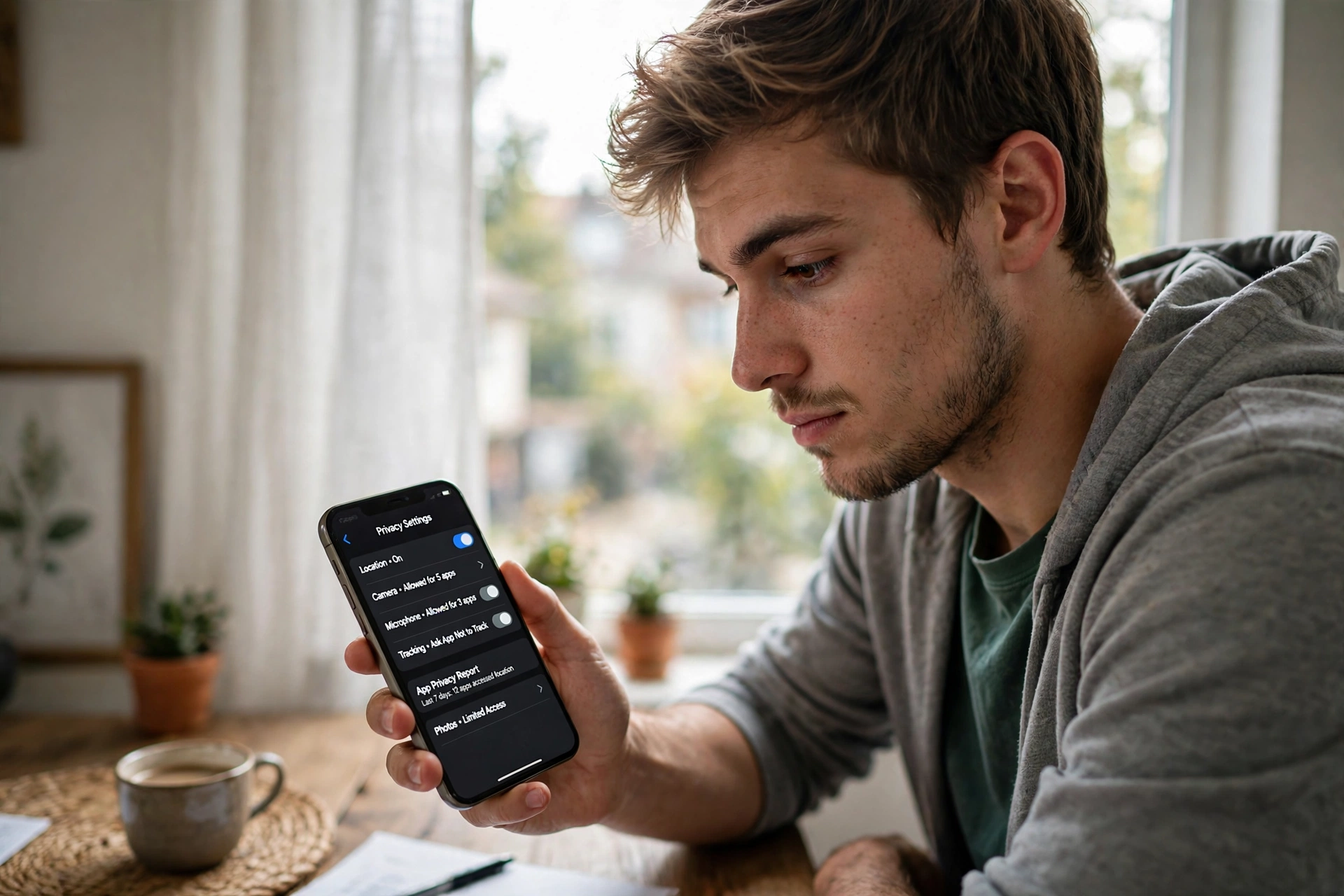
The first safety rule is absolute. Never enter your Instagram password on a viewer site. Instagram does not need a third party site to show you public reels, and a real viewer does not need your login. A viewer that asks for your Instagram password is a red flag, walk away at once. The same applies to any site that asks you to log in with Instagram to continue watching. Close the tab, do not enter anything, and use one of the tools reviewed above instead.
The second rule is about downloads. Only download a file when you clicked a clear download button for that specific reel, and only when the file type matches what you expect, such as a video file. Fake download buttons are the most common trick on low quality viewer sites. They are often large, bright, and placed above the real player, and they lead to installers or unrelated apps. If a page shows three download buttons, none of them is the real one. A clean viewer has one clear action, not a wall of ads pretending to be buttons.
The third rule is about personal data. A viewer should not need your email, your phone number, or your date of birth. If a site asks for those details before it shows a public reel, it is collecting data, not serving video. Close it. The tools in this guide work without an account, and that is the standard you should hold every viewer to. If a site cannot show a public reel without your email, it is not a viewer worth using.
Reels never show a viewer list. That fact protects you and limits what any viewer can claim. Creators see only totals: views, likes, comments, shares. No viewer can tell a creator that you watched their reel, because Instagram does not publish that information. Any site that claims it can show who viewed a reel, or that it can reveal anonymous viewers, is lying. Treat that claim as a warning sign, not a feature.
Private account reels cannot be viewed by any viewer. This is not a limit of one tool, it is a limit of Instagram itself. Private content stays private, and a site that promises to unlock private reels is either lying or trying to steal a login. Do not pay for private access, do not enter a username and password to unlock it, and do not install an app that promises it. The honest answer is that private reels stay private, and any tool that says otherwise is unsafe.
The table below makes the difference easy to spot at a glance. Safe viewers share the same traits: no password, no account, no personal data, and a clear player. Unsafe viewers share the opposite traits, and they often share them all at once.
| Sign | Safe Viewer | Unsafe Viewer |
|---|---|---|
| Instagram password | Never asks for it | Asks you to log in with Instagram |
| Account or sign up | No account needed | Forces sign up before showing reels |
| Personal data | No email or phone needed | Asks for email, phone, or date of birth |
| Download buttons | One clear button for the reel | Many bright fake download buttons |
| Private reels | Says private accounts are not available | Promises to unlock private reels |
| Viewer list | Says no viewer list exists | Claims it can reveal who watched |
If you follow the table above, you will avoid nearly every bad viewer on the internet. The safe tools are boring in the best way: they ask for nothing, they show the reel, and they let you leave. The unsafe ones are loud, urgent, and full of promises. Trust the boring ones.
Instagram Reels Viewer vs the Instagram App
A viewer and the app show the same public reels, but they serve different purposes. The app is built for logged in users who want the full Instagram experience: following, liking, commenting, messaging, and discovering new content. A viewer is built for one task only, which is watching public reels without an account. The table below shows the trade off, so you can pick the right one for the moment you are in.
Use the app when you want to interact. Liking, commenting, saving to a collection, sharing to your story, and following a creator all need an account, and the app is the proper place for those actions. Use a viewer when you only want to watch. If you are checking a reel a friend sent, previewing a creator, or researching a niche, the viewer is faster and lighter. Many people use both: the viewer for quick checks, and the app when they decide to engage. If you want to watch without leaving a trace in your own feed, the anonymous instagram viewer guide explains the privacy side in more detail.
| Feature | Instagram Reels Viewer | Instagram App |
|---|---|---|
| Login needed | No | Yes |
| Watch public reels | Yes | Yes |
| Like and comment | No | Yes |
| Follow accounts | No | Yes |
| Ads and suggestions | None or very few | Ads and suggested posts mixed in |
| Install needed | No, works in the browser | Yes, app install needed |
| Private account reels | Not viewable | Viewable only if the account accepts your follow request |
What an Instagram Reels Viewer Cannot Do
An honest instagram reels viewer has clear limits, and knowing them saves you from scams. First, it cannot show private account reels. Private means private on Instagram, and no website, app, or payment can change that. Any tool that promises private access is lying. Second, it cannot show a viewer list. Reels never show who watched them, and creators see only totals, so no viewer can reveal anonymous watchers. Third, it cannot let you like, comment, follow, or message. Those actions need a logged in Instagram account, and a browser viewer does not log you in.
It also cannot download stories or posts on its own, and it cannot bypass Instagram limits. If a viewer hits a temporary fetch limit, it will show an error until Instagram allows more requests. It cannot show deleted reels, because a deleted reel no longer exists on Instagram. It cannot show reels from accounts that blocked the viewer service, and it cannot guarantee that every reel will load on the first try. These are normal limits of a tool that reads public pages, not faults you need to fix by paying or installing something.
Frequently Asked Questions
Can I watch Instagram Reels without an account?
Yes. An instagram reels viewer lets you watch public reels in a browser with no account and no login. Open a trusted viewer, paste the reel link or username, and watch. Private account reels cannot be watched this way.
Is an Instagram Reels Viewer free?
Most viewers are free, including PeekGhost, IGViewr, FluxGrowth, and PvGram. Scrape Everything is free up to 30 lookups a day. Inflact has limited free access and paid plans from about $22 per month, and Xnspy is a paid monitoring tool, not a free viewer.
Can the creator see that I watched their reel?
No. Reels never show a viewer list. Creators see only totals: views, likes, comments, and shares. Watching through a viewer does not add your name to any list, because no such list exists.
Can an Instagram Reels Viewer show private accounts?
No. Private account reels cannot be viewed by any viewer. Any site that promises to unlock private reels is a scam. Do not enter your password or pay for private access.
Do I need to install an app to use a Reels viewer?
No. The viewers in this guide work in the browser on phone and laptop, with no app install. Be careful with viewer apps that ask for extra permissions, because a browser viewer needs none of those.
How long can Instagram Reels be in 2026?
Reels can be up to 3 minutes long. Instagram raised the limit from 90 seconds to 3 minutes in January 2025, and viewers that play reels through the official embed support the full length.
Can I download a reel with a viewer?
Some viewers, such as PvGram, include downloads, but most viewers are built for watching only. For saving, use a tool made for that job, and save content only for personal use while respecting the creator.
Is it safe to enter my Instagram password on a viewer site?
Never enter your Instagram password on a viewer site. A real viewer never asks for it. A viewer that asks for your Instagram password is a red flag, walk away at once and change your password if you already entered it.
Sources
Reel facts in this guide, including how Reels work, what creators can see, and the rules for public and private accounts, follow the Instagram Help Center.





One Comment