Instagram Ads: Types, Cost, Examples and How to Create Them in 2026
You post good photos and Reels on Instagram every week, yet your reach stays flat and new followers barely move. Organic reach alone no longer gets a small business or creator in front of enough people, and that is exactly the problem Instagram ads solve. Instagram ads are paid posts that put your product, service or profile in front of a chosen audience across Feed, Stories, Reels and Explore, and you build and control them inside Meta Ads Manager with your own budget, targeting and creative. This guide explains what Instagram ads are, how much they cost in 2026, every ad type that works right now, and the exact steps to create your first campaign without wasting money.

What Are Instagram Ads?
Instagram ads are paid posts that brands use to reach a specific audience on Instagram. They look almost identical to normal posts, but they always carry a Sponsored label, and they can include buttons and links that organic posts cannot, such as Shop Now, Learn More, Sign Up or Send Message. An ad can be a single photo, a short video, a swipeable carousel, a full screen Story or a Reel, and it can appear in Feed, Stories, Reels, Explore and search results.
The main reason businesses pay for Instagram ads is control. With organic posts you hope the algorithm shows your content to the right people. With Instagram ads you choose who sees it, where it appears, how much you spend and what action you want people to take. A local bakery can show a cake offer only to people within 10 kilometres. A clothing brand can show a new collection only to women aged 22 to 35 who follow fashion pages. A creator can promote a Reel to people who already watched similar videos. That level of targeting is what makes paid reach different from posting and hoping.
Instagram ads also give you shopping power that organic posts do not match. Product tags in ads take a shopper straight to a product page, and collection ads open a full screen storefront inside the app where people can browse and buy without leaving Instagram. For ecommerce brands this shortens the path from seeing a product to buying it, and that shorter path is often the difference between a view and a sale.
How Instagram Ads Work
Instagram ads run through an auction, not a fixed price list. When you create an ad, you enter that auction with a budget, an audience and a bid. Meta then compares your ad against other advertisers who want the same people, and it shows the ads that balance bid amount, ad quality and how likely a person is to respond. A higher budget does not guarantee a win. A relevant ad with a clear message often beats a bigger budget with a weak creative, because Meta rewards ads that people actually engage with.
Every campaign in Meta Ads Manager follows a three level structure, and understanding it saves you from most beginner mistakes. The campaign sets the objective, such as sales, leads, traffic or awareness. The ad set defines the audience, the budget, the placements and the schedule. The ad itself is the creative, the image or video plus the headline, text and call to action that people see. If your ad performs badly, you can usually trace the problem to one of these three levels, and fixing the right level is faster than rebuilding the whole campaign.
There are two main ways to create Instagram ads. The first is Meta Ads Manager, which is the full tool for building campaigns with detailed targeting, A/B testing, placement control and complete reporting. The second is boosting a post directly from the Instagram app, which is faster but gives you far less control. Beginners often start with a boost because it takes two minutes, then move to Ads Manager once they want real control over who sees the ad and what it should achieve. Both routes use the same auction, but Ads Manager wins on targeting and measurement every time.
Before you spend anything, one step matters more than the rest: connect your Instagram account to a Facebook Page and set up the Meta Pixel on your website if you sell online. The Pixel tracks what people do after they click your ad, so you can see which ads bring sales and which ones only bring cheap clicks. Without it you are guessing, and guessing is the fastest way to burn an ad budget.
Types of Instagram Ads
Instagram offers eight main ad formats, and each one fits a different goal. Choosing the right format matters more than most beginners think, because a format built for brand awareness rarely drives direct sales, and a sales format rarely builds a new audience. Here is what each type does best, and when to use it.
Image Ads
Image ads are single static photos promoted in the Feed or Explore. They work best when one strong visual can tell the whole story, such as a product shot, a before and after result, or a bold offer with a clear headline. Keep overlaid text minimal, because Instagram recommends limiting text on the image for accessibility and for better delivery. A clean photo, one short benefit and a clear call to action beat a crowded design almost every time. Use image ads for simple offers, announcements and retargeting people who already know your brand.
Video Ads
Video ads combine motion, sound and storytelling in the Feed, and they suit products that need a quick demonstration. Show how the product works, show the result it creates, or let a real customer explain why they bought it. Keep Feed videos short, ideally under 30 seconds, and put the key message in the first three seconds, because most people decide whether to keep watching almost instantly. Add captions, since around half of users scroll with the sound off, and a video that only makes sense with audio loses half its audience before it starts.
Carousel Ads
Carousel ads let you show up to 10 images or videos in one swipeable ad, and each card can have its own headline and link. They are perfect for showing a range of products, walking through a step by step process, or telling a short story across several frames. A skincare brand can show each product in a routine. A furniture store can show one room from five angles. A course creator can break one lesson into five cards. Carousels also unlock dynamic product ads, which pull products from your catalog automatically and show each viewer the items they are most likely to buy, based on what they browsed or added to cart. That makes carousels one of the strongest formats for retargeting.
Story Ads
Story ads are full screen vertical ads that appear between the organic Stories people already tap through. They run up to 60 seconds as video, and they take up the whole phone screen, which makes them hard to ignore. The best Story ads look and feel like normal Stories, with native stickers, polls and quick cuts, instead of a polished TV style commercial. Keep key visuals and text inside the safe zone, roughly the middle 65 percent of the canvas, so the profile icon at the top and the call to action at the bottom do not cover your message. Story ads now sit second only to Reels in impression share, which makes them a strong choice for awareness and for limited time offers.
Reels Ads
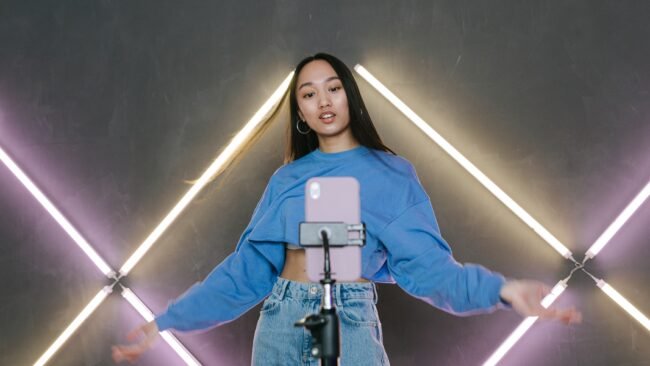
Reels ads are full screen vertical videos that appear between organic Reels, and they now account for about 33 percent of all Instagram ad impressions, the largest share of any placement. Viewers can like, comment, share and save them just like any other Reel, and the format loops until someone scrolls past. Meta found in its own split tests that Reels videos built in 9:16 with audio and key creative inside the safe zone delivered a 34.5 percent lower cost per result than image ads on Reels. That is a big gap, and it explains why most advertisers now start their creative testing with Reels. Keep them under 15 seconds when you can, open with movement or a bold claim, and design them to work with the sound off.
Collection and Shopping Ads
Collection ads blend a hero image or video with a grid of products pulled straight from your catalog. When someone taps, the ad opens an Instant Experience storefront inside Instagram where they can browse products and check out without leaving the app. Shopping ads work the same way with product tags, taking a tap straight to a product page. These formats are built for ecommerce, and they perform best when the catalog is clean, prices are current and product photos look consistent. If you sell physical products, collection ads should be part of every sales campaign, because they remove steps between discovery and purchase.
Explore Ads
Explore ads appear in the Explore tab, where users go to discover new accounts and content based on their interests, and they also appear when someone taps a photo and starts scrolling through related posts. They look like normal Explore posts with a Sponsored label, and you do not need to create anything new for them, because Meta can reuse your existing Feed creative. Explore ads are useful for reaching people who are in discovery mode and open to finding new brands, which makes them a good fit for awareness campaigns and for growing a new account.
One more placement worth knowing is Instagram search results, where ads appear after someone searches for a keyword. These catch people with clear intent, similar to search ads, and they work well for brands whose customers actively look for a product or service on Instagram. If you are already running Feed ads, adding search placement costs nothing extra to test.
How Much Do Instagram Ads Cost?
There is no fixed price for Instagram ads, because every ad competes in an auction and the price depends on your objective, your audience, your industry and the time of year. A broad awareness campaign in a small market can cost a few cents per click, while a lead generation campaign in a competitive US market can cost several dollars. What you can plan around are the current average benchmarks, which give you a realistic starting point before you set a budget.
| Metric | 2026 Average | Typical US Range |
|---|---|---|
| Cost per click (CPC) | $1.31 | $0.50 to $2.50 |
| Cost per 1,000 impressions (CPM) | $15.26 | $8 to $20 |
| Cost per engagement (CPE) | $0.067 | $0.03 to $0.15 |
| Cost per lead (CPL) | $11.31 | $5 to $30 |
Several factors push your costs up or down. Audience size matters first: small, narrow audiences cost more per result because fewer people compete for the same inventory. Industry matters too, because beauty, finance, wellness and apparel advertisers bid aggressively for the same users. Seasonality is the third factor, and costs climb sharply during Black Friday, Christmas and other big shopping moments, when every brand raises its budget at once. Placement also changes the price: Reels generally carry lower CPMs than Feed and Stories, which is one reason Reels ads have grown so fast. Your bidding strategy is the last lever, and automatic bidding usually keeps costs steadier for beginners than manual bids set too high or too low.
For a first campaign, a practical starting budget is $5 to $20 per day per ad set, running for at least seven days before you judge the result. That gives Meta enough data to leave the learning phase, which usually needs around 50 results per week per ad set. A $5 daily test over two weeks costs $70 and tells you far more than a $50 one day blast that never lets the algorithm learn. Once an ad set proves it can hit your target cost per result, scale it slowly, raising the budget by 20 percent at a time instead of doubling it overnight, because sudden jumps often reset the learning phase and spike your costs.
Two budget settings control how Meta spends your money. A daily budget keeps the campaign running continuously while Meta spends roughly the same amount each day, and it suits campaigns with no fixed end date. A lifetime budget spreads a total amount across a start and end date, and it suits promotions tied to a launch or a sale. Meta can spend up to 75 percent over your daily budget on a strong day, but never more than 175 percent in a single day and never more than seven times the daily budget across a week, so your total spend stays close to what you planned.
How to Create Instagram Ads in Meta Ads Manager
Follow these ten steps to launch your first campaign in Meta Ads Manager. The whole setup takes about 30 minutes once your accounts are connected, and you can reuse the same structure for every campaign after that.
Step 1: Create a New Campaign
Open Meta Business Suite, click Ads Manager in the left sidebar, then select Campaigns and click Create. If this is your first campaign you will see a blank list, which is normal. Make sure you are working in the right ad account, because businesses with more than one account often create campaigns in the wrong one by mistake.
Step 2: Select Your Buying Type
Choose Auction for almost every campaign. Auction gives you flexibility, lets you change budgets and audiences at any time, and works across Facebook, Instagram, Messenger and the Meta Audience Network. Reservation locks in placement and frequency in advance and suits large brands with fixed launch dates, but it costs more and offers less control for small advertisers.
Step 3: Choose Your Ad Objective
Meta offers six objectives: Awareness, Traffic, Engagement, Leads, App Promotion and Sales. Pick the one that matches the action you need, not the action you hope for later. Purchases call for Sales. Email signups call for Leads. Profile visits call for Traffic. Choosing the wrong objective is one of the most common beginner mistakes, because Meta optimizes delivery for the objective you pick, and an awareness campaign will happily show your ad to people who never click.
Step 4: Choose Your Campaign Setup
Meta asks whether you want recommended settings or a manual setup. Beginners should start with recommended settings, which apply Meta automation to budget, placements and audience. Experienced advertisers who want full control should choose manual setup, which lets them set every option themselves. You can switch approaches later, so start simple and add control only when you know what each setting does.
Step 5: Check Special Ad Categories
Confirm whether your ad falls into a special category such as credit, employment, housing or social issues, because these categories restrict targeting options by law. If you are unsure, click Categorize Your Ads for a quick breakdown. Skipping this step can get your ad rejected during review, which wastes the time you spent building it.
Step 6: Set Your Performance Goal
Your performance goal tells Meta what a good result looks like. For a traffic campaign you might maximize link clicks. For a sales campaign you might maximize purchases or value. The options change with your objective, so read them carefully and choose the goal that matches the business result you actually want, not the vanity metric that looks good in a report.
Step 7: Set Your Budget and Schedule
Choose a daily budget or a lifetime budget, then set your start and end dates. For a first test, use a daily budget of $10 and let it run for seven days. Turn on Advantage Campaign Budget if you have more than one ad set, because it shifts spend automatically toward the ad sets most likely to hit your goal. You can also turn on A/B testing here to compare two versions of an audience or creative and keep the winner running.
Step 8: Define Your Audience
Build your audience from location, age, gender, interests and behaviors, or let Meta find the audience with Advantage+ audience targeting. You can also build a custom audience from people who visited your website, watched your videos or engaged with your profile, and then create a lookalike audience of people who resemble your best customers. Start with one clear audience per ad set instead of stacking five interests together, because a single clean audience tells you exactly what worked when the results come in. Broad targeting works better than it used to, thanks to Meta automation, but a beginner learns faster with a defined audience they can understand.
Step 9: Choose Your Placements
Meta recommends Advantage+ placements, which lets the system place your ad wherever it performs best across Feed, Stories, Reels and Explore. For a first campaign, accept this recommendation, because it gives the algorithm more room to find cheap results. To run the ad only on Instagram and not on Facebook, choose manual placements and tick only the Instagram options. Manual placement is also useful when your creative is built for one format only, such as a vertical video made for Reels.
Step 10: Create Your Ad and Publish
Pick your Instagram account from the dropdown, upload your image or video, and fill in the primary text, headline, website URL and call to action button. Check the live preview on the right to see exactly how the ad looks in each placement, because a headline that fits in Feed may get cut off in Stories. When everything looks right, click Publish. Meta reviews the ad, usually within a few hours, and once approved your campaign starts spending. Do not edit the ad in the first 48 hours unless something is clearly broken, because every edit restarts the learning phase.
How to Boost a Post from the Instagram App
Boosting is the fastest way to run Instagram ads, and it needs no Ads Manager. Switch to a Professional account, open any post or Reel you published, tap Boost Post, choose a goal such as profile visits, website visits or messages, pick an audience, set a budget and schedule, then publish. Meta reviews the boost and it goes live within hours. Boosting works well for giving a strong organic post extra reach, promoting an event, or testing whether an audience responds to a piece of content before you build a full campaign around it.
The tradeoff is control. Boosted posts do not support detailed placement control, A/B testing, custom conversions or the full set of objectives, and you cannot build lookalike audiences from a boost. That is why experienced advertisers treat boosting as a quick test and Ads Manager as the real campaign tool. If a boosted post performs well, rebuild it as a proper Ads Manager campaign with the same creative and a proper objective, and it will usually perform even better with the extra targeting and optimization.
Instagram Ads Targeting: How to Reach the Right People
Targeting decides whether your money reaches buyers or strangers, so spend real time on it. Meta offers four main targeting routes, and most strong campaigns combine at least two of them. Interest targeting reaches people based on pages they follow and topics they engage with, such as fitness, fashion or home decor. Demographic targeting narrows by age, gender, location, language and life events. Custom audiences retarget people who already know you, such as website visitors, past buyers, email subscribers or people who watched 75 percent of your videos. Lookalike audiences find new people who behave like your best customers, and a 1 percent lookalike of your buyers is often the strongest cold audience you can build.
Two targeting mistakes cost beginners the most money. The first is targeting everyone, which sounds safe but tells Meta nothing about who should see the ad, so the budget spreads across people who will never buy. The second is stacking too many interests in one ad set, which makes it impossible to know which interest drove the result. Test one audience idea per ad set, keep the audience size above one million for cold campaigns in large markets, and let the winning audience get the budget. Retargeting deserves its own campaign with its own budget, because people who already visited your site convert far better than cold traffic, and mixing the two in one ad set hides that difference.
Instagram Ads Specs and Sizes
Using the wrong size is an easy way to waste a good creative. Meta crops or shrinks ads that do not fit the placement, and a cropped headline or a cut off product looks unprofessional. Build your creative to these specs from the start, and check the preview for every placement before you publish.
| Placement | Size | Aspect Ratio | Notes |
|---|---|---|---|
| Feed image or video | 1080 x 1350 px | 4:5 | Portrait claims more screen space than square |
| Stories ad | 1080 x 1920 px | 9:16 | Keep key content in the middle 65 percent safe zone |
| Reels ad | 1080 x 1920 px | 9:16 | Video up to 60 seconds, shorter usually performs better |
| Carousel ad | 1080 x 1080 px | 1:1 | Up to 10 cards, each with its own link |
| Explore ad | 1080 x 1080 px | 1:1 | Reuse existing Feed creative |
For video, keep files under 250 MB, use MP4 or MOV, and add captions as a separate SRT file or burned into the video. For images, use JPG or PNG at the highest quality you have, because Meta compresses everything and a low quality source becomes a blurry ad. Text on the image should stay under 20 percent of the frame where possible, and the primary text above the image should stay short, because most people read one or two lines before they decide to tap or scroll past.
Instagram Ad Examples That Work
The best Instagram ads rarely look like ads at all. Study what successful brands actually run, and you will see the same patterns repeat: a clear hook in the first seconds, a real product in use, social proof in the creative, and one obvious next step. Here are three patterns that keep working, drawn from brands running large campaigns in 2026.
The Simple Product Ad
A rolling tote brand runs a clean single image Feed ad with a discount code, a five star rating and a short feature list under a Shop Now button. Nothing about it is fancy, and that is the point. The photo shows the product clearly, the testimonial adds trust, and the offer gives a reason to click now instead of later. Simple product ads like this work best for retargeting, because the viewer already knows the brand and only needs a nudge. If you sell one hero product, start here before you try anything complicated.
The Founder Led Reels Ad
A beauty brand built its growth on short Reels ads where the founder demonstrates a product on camera in an unpolished, organic style, mixed with testimonial clips from everyday customers. The ads look identical to the brand organic Reels, which is exactly why they work: people watch them as content first and as an ad second. Founder led creative builds trust faster than studio shots, because viewers feel they are buying from a person, not a logo. If you are the face of your business, film yourself using the product and let that be your first Reels ad.
The Lifestyle Image Ad
A cookware brand runs magazine quality image ads where the product sits inside a styled kitchen scene, with warm colours and a clear Shop Now button. The creative sells a feeling, a beautiful kitchen and a calm morning, rather than listing product specs. Lifestyle ads work best for cold audiences who have never heard of the brand, because the image earns attention before the viewer reads a single word. Pair a lifestyle image with a short caption that names one benefit, and you have an awareness ad that also drives clicks.
Before you launch any of these formats, study your own account first. Check Instagram insights to see which of your organic posts already get the most saves and shares, then turn those winners into ads instead of guessing with brand new creative. An organic post that already performs is a proven ad waiting to happen. The same idea applies to planning: use Instagram templates to keep your ad creative consistent, so people start recognising your brand after two or three impressions instead of ten.
7 Tips for Instagram Ads That Actually Convert
1. Think Mobile First
Instagram lives on phones, so build every ad for a vertical phone screen from the start, not as a desktop design resized later. Shoot vertical video, use large readable text, and check the preview on a real phone before you publish. An ad designed for a laptop screen looks cramped and distant on mobile, and mobile is where almost all of your audience will see it.
2. Assume the Sound Is Off
Adam Mosseri, Head of Instagram, has shared that roughly half of users scroll with the sound off. That means your ad must make sense in total silence and still feel rewarding if someone turns the sound on. Add captions to every video, use text overlays to carry the message, and let the visuals tell the story on their own. If your ad only works with audio, you have already lost half your audience.
3. Hook in the First 3 Seconds
The first three seconds decide whether someone watches or scrolls past. Open with the result, a bold claim, a question, or movement that stops the thumb. Save your logo and brand introduction for later, because nobody waits around to find out who you are before they know why they should care. Test three different hooks on the same ad and keep the one with the highest thumb stop rate.
4. Make It Look Native, Not Like an Ad
Ads that look like organic posts outperform polished commercials, because people scroll past anything that feels like an interruption. Use real customers, real settings and casual filming instead of studio lighting and scripted voiceovers. User generated content style creative, where a creator films on a phone in their own home, consistently beats brand produced video for cold audiences, and it costs far less to make.
5. One Ad, One Message, One Action
Every ad should ask for one thing only. If the goal is a purchase, the button should say Shop Now and the landing page should be the product page, not the homepage. If the goal is a signup, the button should say Sign Up and the form should be one step. Ads that try to explain everything and ask for three actions at once convert worse than simple ads with a single clear next step. Before you publish, read the ad once and ask yourself what you want the viewer to do. If you cannot answer in one sentence, simplify it.
6. Test Creative Before You Scale Budget
Never scale a campaign that has only one ad in it. Launch each ad set with three to five creative variations, such as different hooks, different images or different headlines, and let them run for a few days. Kill the losers, keep the winner, and only then raise the budget. Testing creative first is cheaper than testing budget first, because a strong creative can cut your cost per result in half, while a bigger budget on a weak creative only buys more expensive failures.
7. Retarget Warm Audiences Separately
People who visited your website, watched your videos or added a product to cart are far more likely to buy than strangers, so give them their own campaign with its own budget and message. Show them the product they viewed, add a small discount or a reminder of free shipping, and use a clear call to action. Retargeting campaigns usually deliver the lowest cost per purchase in the whole account, and they are the first place to spend money when a cold campaign is still learning.
How to Measure Instagram Ads Results
An ad that looks good but sells nothing is a failed ad, so measure the numbers that tie to money. In Ads Manager, watch reach and impressions to see how many people saw the ad, click through rate to see how many found it interesting enough to tap, cost per click and cost per result to see what each action costs, and conversion rate and return on ad spend to see whether the campaign pays for itself. A healthy Feed ad usually holds a click through rate between 0.5 and 1.5 percent, while Stories and Reels click differently because the format invites swipes instead of taps.

Set up the Meta Pixel and the Conversions API on your website before you judge any result, because without them Meta cannot tell you which ads drove purchases and which ones only drove clicks. Check performance every two to three days during a test, not every hour, because early numbers swing wildly and hourly checks lead to panicked edits that restart learning. Judge a test after seven days or after it has gathered about 50 results, whichever comes first. If an ad set spends twice your target cost per result with no conversions after that point, pause it and test a new creative or audience instead of raising the budget and hoping.
Common Instagram Ads Mistakes to Avoid
Most wasted ad spend comes from a short list of avoidable mistakes. Boosting posts with no goal is the first, because a boost without an objective optimizes for nothing and spends your money on the cheapest attention available. Targeting too broadly is the second, because an audience of everyone is an audience of no one. Running one creative with no test is the third, because you never learn whether a different hook would have halved your cost. Judging a campaign after one day is the fourth, because the algorithm needs time to learn and early results mislead. Ignoring creative fatigue is the fifth: even a winning ad wears out after a few weeks, so refresh your creative regularly or your costs will climb while results fall. Finally, sending ad traffic to a slow or confusing landing page wastes every click you paid for, so fix the page before you scale the ad.
One more mistake deserves its own warning: running ads to a profile that is not ready. If your profile has no clear bio, no recent posts and no highlight covers, paid traffic arrives and leaves without following. Before you spend on ads, make sure your profile explains what you offer in one glance. New advertisers can follow an Instagram sign up checklist to set up a clean professional account first, then run ads to a profile that converts visitors into followers. If anything in Ads Manager confuses you during setup, the Instagram help center covers account, billing and ad review questions in plain steps.
Instagram Ads vs Boosted Posts
Both options buy reach from the same auction, but they suit different jobs. Use this comparison to pick the right one for your goal.
| Feature | Instagram Ads (Ads Manager) | Boosted Post |
|---|---|---|
| Setup time | About 30 minutes | About 2 minutes |
| Objectives | All six: Awareness, Traffic, Engagement, Leads, App Promotion, Sales | Limited: profile visits, website visits, messages |
| Targeting | Detailed interests, custom and lookalike audiences | Basic interests and saved audiences only |
| Placements | Full control, including Instagram only | Automatic, limited control |
| A/B testing | Built in | Not available |
| Reporting | Full breakdowns by age, placement, creative | Basic reach and engagement only |
| Best for | Sales, leads and serious campaigns | Quick reach for a strong organic post |
Instagram Ads for Different Business Types
Not every business should run the same campaign. The format, objective and budget that work for an online store will waste money for a local salon, and the other way round. Match your campaign to your business type and the results improve without spending more.
Ecommerce Stores
Online stores should build around the catalog. Run collection and carousel ads for bestsellers, use dynamic product ads to retarget people who viewed a product but did not buy, and choose the Sales objective with purchase as the performance goal. Keep the product feed clean and current, because an ad that shows an out of stock item or a wrong price burns trust and budget at the same time. A small daily budget on retargeting often returns more than a large budget on cold traffic, so fund the retargeting campaign first and scale cold prospecting only after it proves itself.
Local Businesses
A restaurant, gym, salon or clinic should target by location first and interest second. Set a radius around your address, choose an objective that matches the action you need, such as messages, calls or profile visits, and use Story ads with a limited time offer to create urgency. A simple video of the food, the space or a real customer works better than a polished brand film, because local buyers trust what looks real. Add your address and opening hours to the landing page, and track calls and direction requests as conversions so you can see which ads bring people through the door.
Creators and Coaches
Creators, coaches and course sellers should lead with Reels ads that teach something useful in 15 seconds, then ask for a follow or a free resource instead of a sale. A short tip that solves one small problem builds trust faster than a sales pitch, and the people who engage with it become a warm custom audience for a later offer. Use the Leads objective for a free guide or webinar signup, keep the form short, and follow up by email or DM within a day while the interest is fresh. The sale comes after the trust, not before it.
Apps and Digital Products
Apps should use the App Promotion objective, which sends people straight to the store listing with an install button. Show the app in use in the first two seconds, name the one problem it solves, and keep the video under 15 seconds. For digital products such as templates, presets or guides, carousel ads work well, because each card can show one benefit or one result. Price the offer clearly in the creative, because hiding the price brings clicks from people who never intended to buy.
FAQs About Instagram Ads
How much should a beginner spend on Instagram ads?
Start with $5 to $20 per day per ad set for at least seven days. That is enough for Meta to exit the learning phase and give you a real read on cost per result, without risking a large budget on an unproven creative. Scale only after an ad set hits your target cost consistently.
Do Instagram ads work for small businesses?
Yes, and small businesses often get the best return, because local targeting is cheap and precise. A local shop can target people within a few kilometres, which large national brands cannot do as efficiently. The key is a clear offer, a good creative and a landing page that matches the ad.
What is the best Instagram ad format in 2026?
Reels ads lead on reach and cost efficiency, with about 33 percent of all Instagram ad impressions and lower cost per result than image ads in Meta split tests. Story ads come second for awareness. For direct sales, collection and carousel ads lead, because they shorten the path to purchase. The best format depends on your goal, so test two formats against each other before you commit your budget.
How long does it take for Instagram ads to work?
Expect the first real signal after three to seven days, once the ad set has gathered enough data to leave the learning phase. Sales campaigns often need two to three weeks of testing before cost per result stabilises. Judge too early and you will kill winners before they have a chance to perform.
Can I run Instagram ads without a Facebook Page?
You can boost a post from the Instagram app with only a Professional account, but Ads Manager campaigns work best when your Instagram account is connected to a Facebook Page. The connection unlocks full targeting, the Meta Pixel, and complete reporting, so set it up before you build your first campaign.
Why are my Instagram ads not delivering?
The usual causes are an ad still in review, a billing issue, an audience that is too narrow, or a budget below the minimum for your objective. Check Ads Manager for the delivery status and any error message first. If the ad is approved but not spending, widen the audience slightly or raise the budget, and make sure your creative follows Meta advertising policies.
Conclusion
Instagram ads work when you treat them as a system, not a single boost. Pick one clear objective, build a clean audience, create vertical video that hooks in three seconds, and give the campaign a week of data before you judge it. Start with $10 a day, test three creatives, measure cost per result instead of likes, and move budget toward whatever proves itself. The advertisers who win on Instagram in 2026 are not the ones with the biggest budgets. They are the ones who test creative fast, read their numbers honestly, and refresh what stops working. Set up your first campaign in Ads Manager today, and let the data, not guesswork, decide where your money goes next. And if you want more free reach to support your paid campaigns, learn how to get Instagram likes free through organic tactics that grow engagement alongside your ads.