Instagram Plus: What It Is, Price, Features, and Is It Worth It in 2026
Your Stories disappear after 24 hours, your viewer list never tells you who watched twice, and every few weeks someone asks whether paying Meta $3.99 a month changes any of that. Instagram Plus is the subscription that answers those questions. It is Meta’s paid add-on for everyday Instagram users, launched worldwide on 4 June 2026, and it bundles Story tools, private viewing features and profile extras into one monthly plan while the free app stays exactly the same.
The short version is simple. Instagram Plus costs $3.99 a month in the United States, it adds 48-hour Stories, Story Preview, rewatch counts, custom fonts and icons, and up to six pinned posts, and it does not give you a verified badge, it does not remove ads, and it does not show your content to people who do not already follow you. If you post Stories every day and care about who sees them, the plan is worth a look. If you want more followers or customers, your money works harder somewhere else. This guide covers every feature, the price in different countries, how to subscribe and cancel, and how Instagram Plus compares with Meta Verified and the wider Meta One family.

What Is Instagram Plus?
Instagram Plus is an optional monthly subscription inside the Instagram app. You pay Meta, not a creator, and in return you unlock extra tools that sit on top of the normal free app. Nothing about the free version changes when you subscribe, and nothing is taken away if you never subscribe. Instagram head Adam Mosseri has confirmed that the free app is staying the same, and Plus is only a paid layer for people who want more control over Stories and their profile.
Meta tested the plan in a few markets, including Mexico, Japan and the Philippines, in early 2026, then started the global rollout on 4 June 2026. On 15 September 2026 Meta grouped its paid plans under one umbrella called Meta One. Instagram Plus is now one of the single-app plans inside Meta One, next to Facebook Plus and WhatsApp Plus. That matters because it explains the pricing structure: you can buy Instagram Plus on its own for $3.99 a month, or get it inside the Meta One Core bundle for $7.99 a month with the other two apps included.
Two common mix-ups are worth clearing up early. First, Instagram Plus is not Meta Verified. Meta Verified is about the blue badge, impersonation protection and human support, and it now lives inside Meta One creator and business plans that start at $14.99 a month. Instagram Plus gives you no badge at all. Second, Instagram Plus is not the same as Instagram creator subscriptions. Creator subscriptions are payments you make to an individual creator for their exclusive content. Instagram Plus is a payment to Meta for extra features in your own account.
It is also worth knowing who the plan is built for. Meta designed Instagram Plus for personal accounts and everyday users, not for businesses. Business accounts are generally not eligible to sign up. If you run a brand account and want scheduling, links in posts or professional analytics, those tools sit in the Meta One creator and business tiers instead.
How Much Does Instagram Plus Cost?
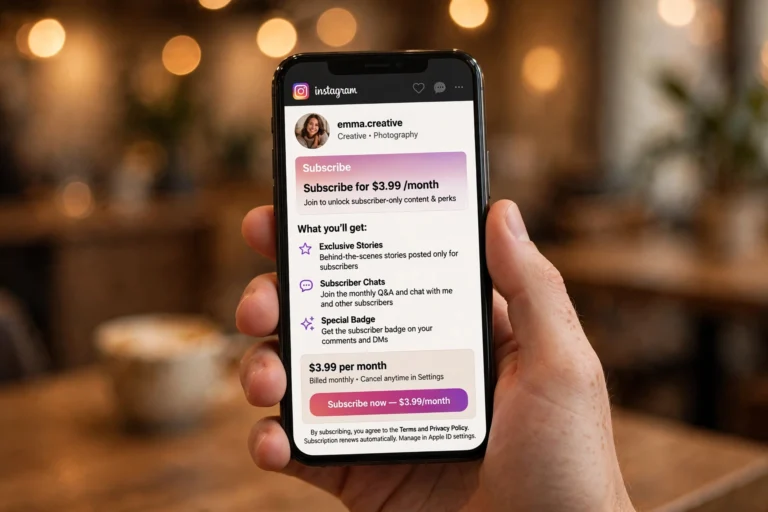
Instagram Plus costs $3.99 a month in the United States. That price was confirmed in Meta’s Meta One announcement of 15 September 2026, and it matches the price reported at launch by Engadget and Fox Business. Meta does not publish one global price list, so the amount you pay depends on your country and the price shown in your own app before you subscribe is the one that applies to you.
| Country or region | Instagram Plus per month | Reported by |
|---|---|---|
| United States | $3.99 | Meta, Engadget, Fox Business |
| Spain | €3.99 | El Espanol, June 2026 |
| India | Rs. 299 | LatestLY, June 2026 |
| Japan | ¥319 | Test pricing carried into launch |
| Mexico | MX$39 | Test pricing from March 2026 |
| Philippines | PHP 65 | Test pricing from March 2026 |
The test prices from Mexico, Japan and the Philippines came from the trial that ran before the global launch, so treat those as a guide rather than a promise. Prices can change, and Meta says plans, pricing and availability may vary by region, app and account. Always check the price on your own subscribe screen before you pay.
There are two bundle options if you want more than Instagram alone. Meta One Core costs $7.99 a month in the US and includes Instagram Plus, Facebook Plus and WhatsApp Plus features in one plan, plus extra Meta AI image, video and Restyle usage. Meta One Premium costs $19.99 a month and adds everything in Core for heavier AI users. If you only care about Instagram, the standalone $3.99 plan is the cheapest way in.
Payment goes through the App Store on iPhone or Google Play on Android, depending on your device. That also decides how you cancel later, which we cover below. At launch, Instagram Plus was only available inside the Instagram app for iPhone and Android, not on desktop, and it is still rolling out in stages, so some accounts may not see the option yet.

Instagram Plus Features: Everything You Get
Meta groups the Instagram Plus features into three sets: sharing and connecting with friends, Story insights and private viewing, and profile and app customization. Meta has added perks since launch, including custom DM and Story fonts, story view notifications and DM previews, and says more are on the way. Here is what each feature actually does in plain language.
Story Spotlight
Story Spotlight gives one of your Stories priority placement for your friends. Once a week, you can push a Story to the front of your friends’ Story tray so it is one of the first things they see. This is useful for an important update, a birthday, a big announcement or anything you do not want buried. It only works among people who already follow you, so it is a priority tool for your existing audience, not a way to reach strangers.
Story Extend: 48-Hour Stories
A normal Instagram Story lasts 24 hours. With Story Extend, a subscriber can set a Story to last 48 hours, giving the people who matter more time to see it. That extra day is genuinely useful when you post late at night, when your audience is in a different time zone, or when the information still matters the next day. You can keep a Story alive without Plus by saving it to a Highlight, but the official route keeps it in the Story tray where friends actually look.
Multiple Story Audiences
Free Instagram gives you one Close Friends list. Instagram Plus lets you create as many custom audience lists as you want beyond Close Friends, and share different Stories with different groups. Family gets one Story, coworkers get another, and your closest friends get a third, all without juggling multiple accounts. For anyone who uses one account for both personal life and work, this is one of the most practical features in the plan.
Story Preview: Watch Without Appearing in the Viewer List
Story Preview is the best-known Instagram Plus feature, and the most talked about. It lets a subscriber look at someone’s Story without appearing in that person’s viewer list. Meta describes it as a way to preview Stories without the pressure to react. The person who posted is not notified, and nothing on their end shows that a preview happened.
That cuts both ways, and you should know it before you subscribe. Your own viewer list is no longer complete either, because any subscriber can preview your Stories without leaving a trace. Story owners are told that previews may not show up in the viewer list. If you rely on viewer lists to know exactly who watched, Plus makes that list less reliable. The privacy angle has drawn the most criticism of the whole plan, and it is fair criticism. Preview is a comfort feature for the viewer, not a transparency feature for the poster.
Story Rewatch Insights and Search Viewer List
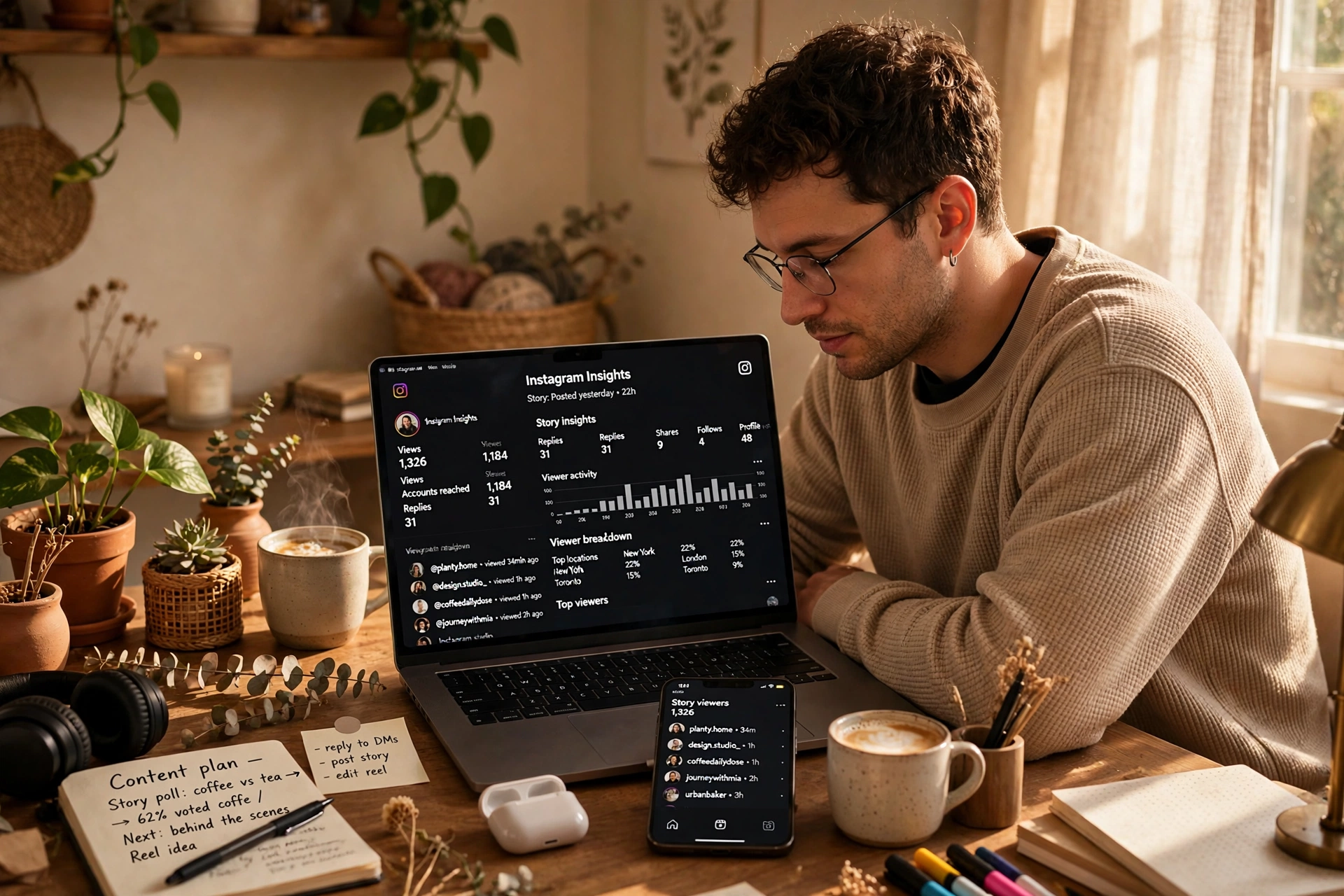
Instagram Plus shows you how many times your Story was rewatched in total, through Story Rewatch Insights. What it does not show is who rewatched it. Meta has confirmed that the paid tier shows only the total number of replays, not the names of the people who replayed. A Meta spokesperson confirmed that Plus gives no extra data about other people’s viewing habits. If you want to know whether a specific person watched at all, the Search Viewer List feature lets you search your viewer list by name instead of scrolling through hundreds of names. And if you want to know when particular people watch, you can turn on story view notifications for them. None of these tools tells you how many times one specific person rewatched your Story.
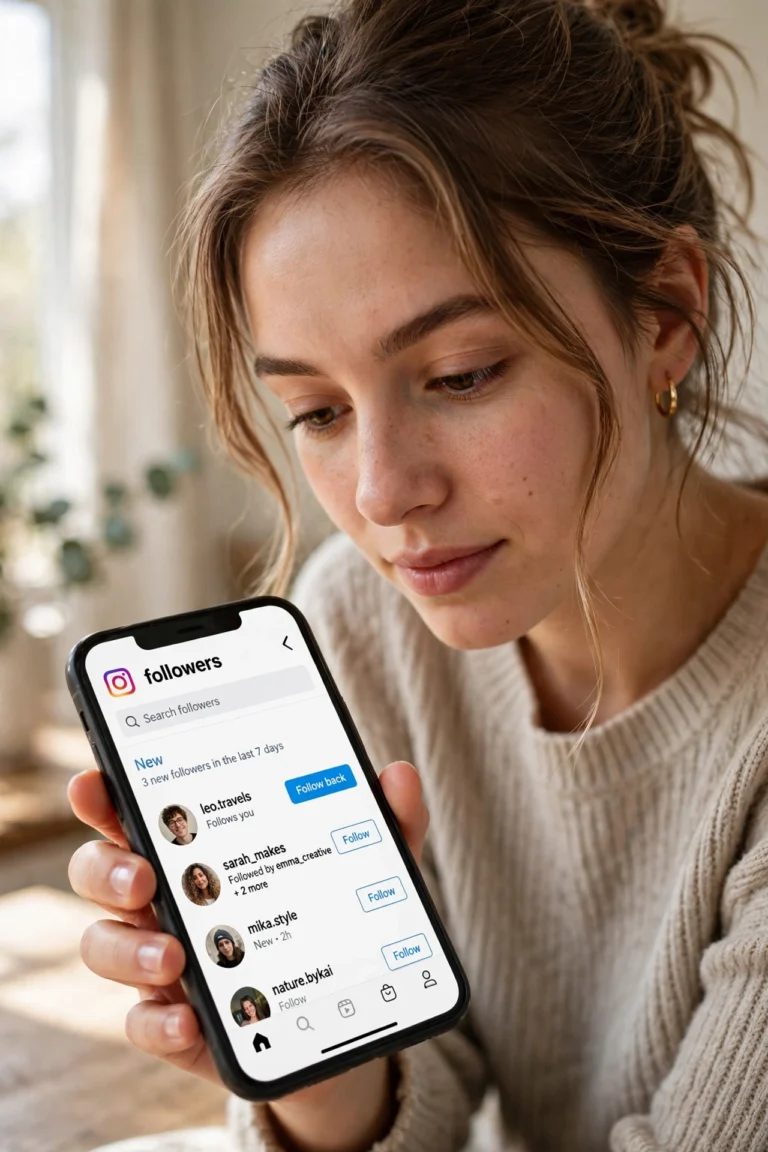
If you are trying to work out who keeps coming back to your Stories, the honest answer is that you can see the total rewatch count and you can check whether a named person viewed, but you cannot connect the two. Anyone who tells you otherwise is guessing. The Instagram Follower Tracker guide covers the tools that track followers instead of viewers.
Story View Notifications and Message Preview
Two quieter features arrived after launch. Story view notifications alert you when certain people view your Story, so you do not have to keep checking the list yourself. Message Preview, also called DM preview, lets you read a direct message without sending the seen receipt to the other person. Both are small quality-of-life upgrades, and both fit the same pattern as the rest of Plus: they give you more control over what other people can see about your activity.
Custom App Icons, Fonts and Profile Pins
The customization set is where Instagram Plus feels most like a fun extra. You can change the Instagram app icon on your home screen, use custom fonts in your bio, and use exclusive fonts in your Stories and DMs. You can also pin up to six posts to the top of your profile, double the standard limit of three. Six pins are genuinely useful for creators who want their best work, their offer and their proof visible the moment someone opens their profile. If you like playing with how your profile looks, our Instagram Fonts guide shows what is possible with fonts across the app, free and paid.
Post Directly to Profile and Super Hearts
Instagram Plus lets you add a post to your grid, or a Story straight to your Highlights, without pushing it into your followers’ feeds or Story tray. That is handy when you want your profile to show a complete set of work without notifying everyone each time. Super Hearts are animated reactions you can send on friends’ Stories, a small expressive extra that fits the same personal, friends-first spirit as the rest of the plan.
Instagram Plus vs Free Instagram
The table below puts the free app and the paid plan side by side, so you can see exactly what the $3.99 buys and what it does not.
| Feature | Free Instagram | Instagram Plus ($3.99/month) |
|---|---|---|
| Story length | 24 hours | Up to 48 hours with Story Extend |
| Story priority | Normal placement | Story Spotlight once a week |
| Story audiences | One Close Friends list | Unlimited custom audience lists |
| Story Preview | Not available | Watch Stories without appearing in the viewer list |
| Rewatch count | Not available | Total replays shown, names not shown |
| Viewer list search | Scroll only | Search by name |
| Story view notifications | Not available | Alerts for chosen people |
| Message Preview | Seen receipt always sent | Read DMs without sending seen |
| Custom app icon | Standard icon | Custom icons |
| Custom fonts | Standard fonts | Bio, Story and DM fonts |
| Profile pins | Up to 3 posts | Up to 6 posts |
| Post to profile quietly | Not available | Post without appearing in feeds |
| Verified badge | No | No |
| Removes ads | No | No |
| Extra reach to non-followers | No | No |
The last three rows are the ones most people get wrong. Instagram Plus does not include a verified badge, it does not block ads in your feed, and it does not put your content in front of new people. The ad-free subscription is a separate product, available in the EU and UK, and the verified badge comes with Meta Verified through the Meta One creator and business plans. If any page tells you Plus removes ads or grows your reach, it is describing a different product.
How to Subscribe to Instagram Plus
Subscribing takes about a minute, as long as the option has reached your account. If you do not see it yet, the rollout may not have reached your region or account, and there is no way to force it. Here are the steps.
- Open the Instagram app on your iPhone or Android phone and tap your profile picture.
- Look for Instagram Plus in the subscriptions section of your profile or in the main menu. You can also go to Settings and activity, then Accounts Center, then Instagram Plus.
- Review the plan details, the features included for your account, and the price shown on the screen.
- Tap Subscribe, or start the free trial if one is offered in your market.
- Confirm the payment through the App Store or Google Play. Your subscription starts immediately.
Two details matter here. First, the features and price shown during onboarding are the ones that apply to you. Meta says included benefits may vary by region and account, so do not rely on a price you saw on another website. Second, watch out for Instagram Plus APK downloads. Unofficial modded apps have used the Instagram Plus name for years. They are not Meta’s subscription, and installing them can put your account and device at risk. The only real Instagram Plus is the one you subscribe to inside the official Instagram app. If a download page promises Plus features for free, it is not selling you the real product.
How to Cancel Instagram Plus
Billing runs through your app store, so that is where you cancel. You cannot cancel from inside Instagram alone. Meta says you can cancel at any time from your Instagram settings, and you keep access through the end of your billing period.
- On iPhone: open Settings, tap your name, tap Subscriptions, tap Instagram Plus, then tap Cancel Subscription. Cancel at least 24 hours before your renewal date to avoid another month’s charge.
- On Android: open the Google Play Store, tap your profile icon, tap Payments and subscriptions, tap Subscriptions, tap Instagram Plus, then tap Cancel subscription. Cancel before the renewal date.
- From Instagram: go to Settings and activity, then Accounts Center, then Instagram Plus. Instagram sends you to your device’s subscription settings to finish the cancellation.
Since billing is tied to the store you paid through, you have to cancel from the same type of device you subscribed on. If you subscribed on an iPhone, cancel on an iPhone. If you need help finding a setting in the app, the Instagram Help Center guide walks through the support options inside Instagram step by step.

Instagram Plus vs Meta Verified vs Meta One
The three names sound similar and Meta now sells them under one roof, so here is the clean split. Instagram Plus is the personal-extras subscription described in this guide, $3.99 a month in the US. Meta One is the umbrella Meta announced on 15 September 2026. Its consumer tiers sit beside creator and business plans that start at $14.99 a month for Essential, which includes a verified badge and impersonation protection once verification succeeds, and run to $49.99, $149 and $499 for the higher tiers. Meta Verified is the feature set, the badge, impersonation protection and support, that now lives inside those creator and business plans.
| Plan | Price (US) | What it is for | Includes Instagram Plus features? |
|---|---|---|---|
| Instagram Plus | $3.99/month | Personal Story and profile extras | Yes, it is the plan itself |
| Meta One Core | $7.99/month | Instagram Plus, Facebook Plus and WhatsApp Plus, plus extra Meta AI use | Yes |
| Meta One Premium | $19.99/month | Everything in Core for heavy AI users | Yes |
| Meta One Essential | From $14.99/month per profile | Creators and businesses who want verification and impersonation protection | No, it is a different feature set |
| Meta One Advanced | From $49.99/month per profile | Professionals who need scheduling, links in posts and exportable analytics | No |
One practical note: Instagram Plus does not include scheduling, links in organic posts or professional analytics. Those are in the creator and business tiers. If you are choosing between plans, decide first whether your problem is personal convenience or professional growth, because the two product lines solve different problems and share almost no features.
Does Instagram Plus Increase Followers or Reach?
No, not to new people. Read the feature list again with one question in mind: does this feature show me to anyone who does not already know me? Story Spotlight prioritises your Story for your friends. Story Extend gives the same viewers more time. Multiple audiences narrow who sees a Story. Every growth-shaped feature on the list works inside your existing connections.
That can still be useful. A Story seen by more of your followers can mean more replies, and replies are a strong signal of closeness. But Instagram decides who sees your posts and Reels among people who do not follow you by watch time, likes and sends, and nothing in Plus touches those signals. Nothing Instagram has published says Plus subscribers are recommended more to non-followers. Paying Meta has never been the same as being recommended by it.
So if your goal is new followers, the $3.99 buys comfort for the audience you already have, not growth. The growth work stays the same: better content, consistent posting, and reaching the right new people. Our guide to Instagram Likes Free covers the free ways people try to grow engagement, and the Instagram Story Downloader guide is useful if you want to save Stories you like for reference. For posting from a computer instead of your phone, see Instagram on Web.
Is Instagram Plus Worth It?
It is worth it if you post Stories often and care about who is watching. It is probably not worth it if you mostly scroll, or if you need tools to grow a brand. Here is the honest split.
Instagram Plus is a good fit if you:
- Share Stories daily and want them to last 48 hours or occasionally show up first for friends.
- Want separate audiences for family, friends and work without juggling accounts.
- Like checking Stories and DMs without leaving a seen trace.
- Enjoy personalizing your profile and app with custom icons, fonts and six pinned posts.
- Post to your profile sometimes without notifying everyone’s feed.
Skip Instagram Plus if you:
- Want a verified badge or account protection. Look at Meta One Essential instead.
- Need scheduling, analytics or links in posts for a business account. Those are in the creator and business tiers.
- Rarely post Stories. Most of the value sits in Story tools, so a light Story user pays for features they will not open.
- Expect more followers or customers. None of the features reach new people, so put growth money where it puts you in front of people who do not know you yet.
- Want an ad-free feed. Plus does not remove ads. The ad-free subscription is a separate product.
At $3.99 a month, the price is low enough that the decision is really about use, not money. A daily Story poster who uses two or three of the features every week gets fair value. A casual scroller who opens Stories once a week does not. If you are unsure, check whether a free trial is offered in your market, try it for a month, and cancel before renewal if the features do not change how you use the app.
What Instagram Plus Means for Creators and Brands
Instagram Plus is not built for businesses, but it still affects them. Viewer lists are less reliable now, because subscribers can watch Stories without appearing, so view counts and viewer lists may undercount real interest. Story Spotlight competes for attention, because paying users can push a Story to the front of their friends’ Story tray once a week, which means more competition for the top spots. And audience segmentation is getting sharper, because fans with Plus can share your content to custom lists, which may make sharing more targeted and less public.
The bigger signal is the direction Meta is moving. With Meta One, some professional features, like links in organic posts and in-app Story scheduling, now sit behind a paywall. Creators should watch which features move there next, and check what they already have before paying for a Meta subscription to get professional features. The pattern is freemium: the free app stays usable, and the extras, first personal, then professional, move into paid tiers one by one.
Common Questions About Instagram Plus
Is Instagram Plus free?
No. It costs $3.99 a month in the US, with local pricing elsewhere. Free trials were offered during testing and may be available in some markets. The standard Instagram app is still free.
Does Instagram Plus give you a blue check?
No. The verified badge comes with Meta Verified and Meta One creator and business plans. Instagram Plus includes no badge, no impersonation protection and no human support line.
Can people see if you have Instagram Plus?
No. Instagram does not show a badge, label or icon for subscribers, and there is no list of who pays. You can only spot clues when someone uses a Plus-only feature, like a Story that is still up after 24 hours, a Super Heart reaction, a custom bio font, or more than three pinned posts. None of these proves anything on its own, and someone who only uses Story Preview or Message Preview leaves no visible sign at all.
Can you see who rewatched your Story with Instagram Plus?
You can see the total number of rewatches, but not who exactly rewatched it. Meta has confirmed the rewatch count is an aggregate number only.
Does Instagram Plus remove ads?
No. The ad-free subscription is a separate product, available in the EU and UK. Instagram Plus changes Stories and profile tools, not the ads in your feed.
Can business accounts get Instagram Plus?
Business accounts are generally not eligible to sign up. Instagram Plus is designed for personal use, and business tools sit in the Meta One creator and business plans instead.
Is Instagram Plus the same as Meta One?
No. Instagram Plus is one of the plans inside Meta One. Meta One also includes bundles like Core and Premium, and creator and business plans like Essential and Advanced.
Is there an Instagram Plus APK?
There is no official Instagram Plus APK from Meta. The real product is a subscription inside the official Instagram app. Modded apps that use the Instagram Plus name are unofficial, and installing them can risk your account and your device. Only subscribe through the official app.
Final Verdict
Instagram Plus is a small, honest subscription. For $3.99 a month it gives daily Story users longer Stories, priority placement, private viewing, better audience control and a more personal profile, all without changing the free app for everyone else. It does not give you a badge, it does not remove ads, and it does not grow your audience. Buy it for comfort and control over the audience you already have. Skip it if what you actually want is reach, verification or business tools, because those live in different plans. Check the price and features shown in your own app before you subscribe, try a free trial if one is offered, and cancel from your app store if the features do not earn their keep.