
Instagram Profile Picture Viewer: View Full Size DP Free (2026)
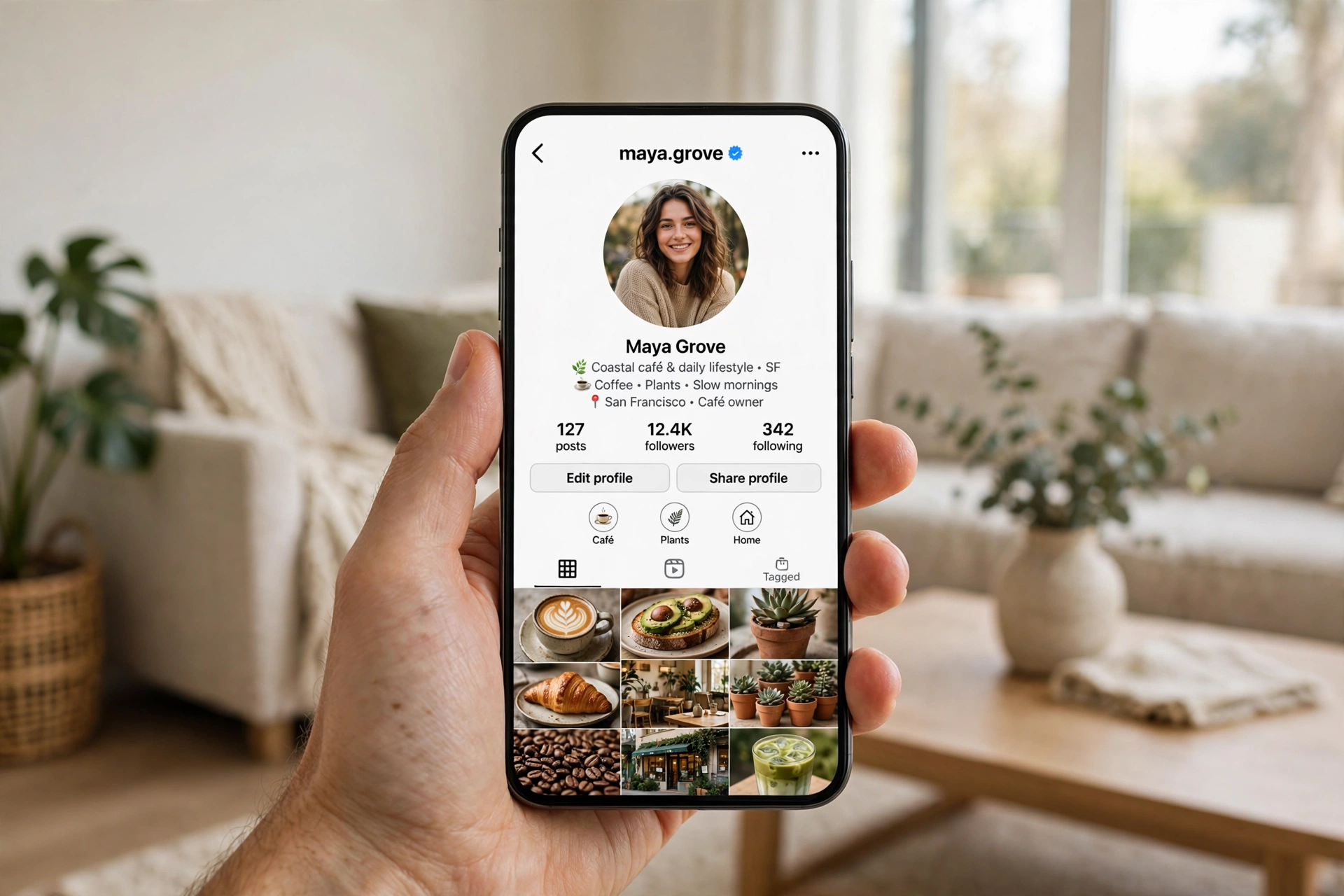
You open an Instagram profile and the photo in the circle is so small you can barely tell who it is, a face half hidden behind a story ring, a logo you cannot read, a picture you want to see properly before you follow, message, or work with that account. Instagram gives you no way to tap the photo and open it bigger, so you end up pinching the screen, taking a blurry screenshot, or guessing from a thumbnail that is only 110 pixels wide on your phone. An instagram profile picture viewer fixes this exact problem: you paste a public username or profile link, and it shows you the full profile photo at the size Instagram actually serves, up to 1080 by 1080 pixels, with no login, no app install, and no message sent to the account owner. This guide explains how an instagram profile picture viewer works, how to view any public profile photo in full size on iPhone, Android, and PC, which free viewers are worth using in 2026, what resolution you really get, and where the privacy and safety limits sit.
What Is an Instagram Profile Picture Viewer?
An instagram profile picture viewer is a free online tool that opens the full-size version of a public Instagram account profile photo. Instagram stores every profile photo as a regular image file on its own servers, usually at 320 by 320 pixels and often at up to 1080 by 1080 pixels when the owner uploaded a high-quality photo. The app only ever shows you a tiny cropped circle of that file, but the viewer asks Instagram for the original file and displays it to you without the crop, so you see the whole picture at its real size.
Using one is simple. You type the username, with or without the @ sign, or paste the full profile link, and the viewer fetches the photo in a few seconds. The picture opens on its own result page, often with the account name and the real pixel dimensions printed underneath. Most viewers add a download button, so you can save the image as a JPG file to your phone or computer. No Instagram account is needed, and no password is ever asked for, because a public profile photo is public information that Instagram already serves to anyone who visits the profile.
People call the same tool by several names, and they all mean the same thing. DP viewer, short for display picture viewer, is the most common alternative name, especially in India and Pakistan. PFP viewer, short for profile picture viewer, is the name younger users and gamers use. Insta DP viewer and Instagram DP viewer are the same tool with a shorter label. If you search for any of these names, you land on the same kind of page: a box for a username, a view button, and a full-size photo result.
An instagram profile picture viewer is built for one job only: the profile photo at the top of an account. It does not show stories, posts, Reels, highlights, or anything behind the profile header. If you need to save a photo from a feed post instead, that is a different tool. An instagram profile picture viewer is not the right tool for feed photos, and a photo downloader is not the right tool for a profile picture, so keep the two jobs separate and you will get the right file every time.
Why Instagram Shows Only a Tiny Circle
Instagram crops every profile photo into a circle and shrinks it to fit the layout of the app. On a phone the circle is about 110 pixels across, and on desktop web it is about 180 pixels across. That is fine for recognising a friend in your feed, but it is useless when you need detail: a business logo becomes unreadable, a face in a group photo cannot be identified, and a picture with text in it turns into a blur.
There is no tap-to-enlarge option in the Instagram app, and that is a deliberate design choice, not a missing feature. Instagram treats the profile photo as an identity badge, not as content to browse. Tapping it opens the story viewer if the account has an active story, or does nothing at all if there is no story. Long-pressing it does nothing either. The full photo file exists on Instagram servers, but the app interface never gives you a path to it.
The gap is bigger than most people realise. Instagram accepts profile photos up to 1080 by 1080 pixels, and it serves visitors the size that was uploaded, up to that limit. That means the file behind the tiny circle is often ten times wider than the circle you see. A viewer simply asks for that file directly, and the difference is immediate: a logo you could not read becomes sharp, a face you could not identify becomes clear, and a photo you could not judge becomes easy to evaluate.
Screenshots are the workaround most people try first, and they are the worst option. A screenshot of a 110-pixel circle gives you a 110-pixel image, and zooming it only makes the blur bigger. An instagram profile picture viewer gives you the real file instead, which is why it has become the standard tool for this job. The same logic applies to feed content: an instagram profile picture viewer will not help with a Reel, and a screenshot will not help with a profile photo, so use the tool that matches the file you want.
How to View an Instagram Profile Picture in Full Size
Viewing a profile photo in full size takes less than a minute, and the steps are the same on every good viewer. First, open Instagram and find the account whose photo you want to see. Copy the username exactly as it appears, including any dots, underscores, or numbers, because one wrong character points the viewer at a different account or at no account at all. If you are on the profile page in a browser, you can copy the full profile link instead, which removes any chance of a typing mistake.
Next, open your instagram profile picture viewer in a browser tab and paste the username or the link into the input box. Tap or click the View button and wait a few seconds while the viewer requests the photo file from Instagram. The full picture opens on a result page, usually with the account name and the real dimensions printed below it. From there you can zoom in with the Enlarge option, or save the file with the Download button. On a phone, the download lands in your Downloads folder or your gallery, depending on the browser.
Three details make the difference between a clean result and a failed lookup. First, the account must be public. A private account does not expose its profile photo file to a viewer, and any tool that claims to show a private photo is either lying or asking you to install something unsafe. Second, the username must be exact. Display names do not work, because many accounts share the same display name, and only the username identifies one account. Third, wait for the preview. Some viewers take a few seconds on a slow connection, and tapping View twice can start two lookups at once and confuse the result.
If the viewer shows an error, the cause is usually one of four things. The username is misspelt, the account is private, the account was deleted or renamed, or Instagram is rate-limiting the viewer for a short while. Check the spelling first, then open the profile in Instagram itself to confirm it is public and still exists. If the profile is fine and the viewer still fails, try a different viewer, because the problem is usually on the tool side, not yours. Stories work differently from profile photos, so if your goal is a story rather than a photo, an instagram profile picture viewer is the wrong tool, and a story saver is what you need instead.

Best Free Instagram Profile Picture Viewers in 2026
Not every viewer delivers the same result. Some return the full 1080-pixel file, some return only the smaller 320-pixel version, and some wrap the tool in pop-up ads that make it hard to use. The viewers below are the ones that rank at the top of Google for this keyword in November 2026, and each one was checked for what it actually returns, whether it needs a login, and whether it costs anything. All of them are free for basic lookups, and none of them should ever ask for your Instagram password.
IGRecent, at igrecent.com, is the top result and the most polished of the free tools. Its DP viewer shows the profile picture without the circular crop, prints the real pixel dimensions, and lets guests look up one account per day per IP address. In its own published example, a lookup of the NASA account returned a 320 by 320 pixel image, and the tool explains plainly that the size depends on the file Instagram serves for that account. It needs no login for a guest lookup, and it is upfront about its limits, which is a good sign. Signed-in accounts get more lookups per day, and extra lookups cost credits, so the free tier is best for occasional checks.
Verniera, at verniera.com, is the strongest option if you want the largest file. It requests the biggest profile image Instagram publishes for the account, up to 1080 by 1080 pixels, and prints the real dimensions under every photo. The page was updated in September 2026 after the makers measured that Instagram serves up to 1080 pixels, correcting their own earlier claim of a 320-pixel maximum. That kind of correction is a good sign, because it shows the tool is tested against real Instagram behaviour. It is free, needs no login, and the account owner is told nothing about your lookup.
ToolSti, at toolsti.com, is a simpler DP viewer that extracts the profile photo URL and shows a preview with copy, open, and download actions. It works in an automatic mode that tries the most direct Instagram endpoint first, then falls back to reading the Open Graph image from the public profile page. When both a standard URL and an HD URL are available, it prefers the HD one. It is built for fast checks and everyday social media work, and it is honest about its limits: if Instagram returns a challenge page or a rate-limit response, it shows a clear message instead of guessing.
Xnspy takes a different approach. Its guide to the seven best profile picture viewers is a review article rather than a free tool, and it tested browser-based viewers against eight sample accounts, four public and four private. Its top picks were Save Insta Free for clear downloadable profile pictures, Insta Saver for consistent view-and-download flow, and Social Dawn for quick no-login checks, though Social Dawn output measured only 320 by 320 pixels. Xnspy itself is a parental monitoring app that starts at 4.99 dollars a month and works at the device level, so it is not a free viewer, but its testing method is useful: image resolution counted for 40 percent of the score, and lookup reliability for 30 percent.
| Viewer | Max size returned | Login needed | Price | Best for |
|---|---|---|---|---|
| IGRecent | Up to 1080 x 1080, depends on account | No for guest lookup | Free, 1 lookup per day per IP | Clean results with real dimensions shown |
| Verniera | Up to 1080 x 1080 | No | Free | Largest file and clear download button |
| ToolSti | HD URL when available | No | Free | Fast checks with copy and open options |
| Save Insta Free | Clear HD viewing and download | No | Free | Downloadable profile pictures |
| Social Dawn | 320 x 320 measured | No | Free | Quick low-effort checks |
| Xnspy | Device-level screenshots | Yes, app install | From $4.99 per month | Parental monitoring, not a free viewer |
The practical advice is simple. Start with Verniera if you want the biggest file, or IGRecent if you want the clearest result page. Keep ToolSti as a backup when the first one fails, because different viewers hit different Instagram endpoints and one may work while another is rate-limited. Avoid any viewer that asks for your Instagram password, asks you to install an app, or shows a download button that opens a different site. A real viewer shows the photo on its own page and lets you save it directly.
How to View a Profile Picture on iPhone
On iPhone, the whole job happens in Safari or Chrome, and you do not need to install anything. Open Instagram, go to the profile you want to check, and copy the username from the top of the page. Switch to Safari, open your instagram profile picture viewer, and paste the username into the box. Tap View, wait for the picture to load, and then tap the Download button under it. Safari will ask whether to download the file. Choose Download, then tap the download arrow in the address bar to open the image, and use the share button to save it to Photos.
Two iPhone details are worth knowing. First, Safari sometimes opens the JPG in a viewer instead of downloading it. If that happens, long-press the image in the viewer and choose Save to Photos, or use the share sheet to save it. Second, the photo you save is the file Instagram serves, so its size depends on what the account owner uploaded. If the result is 320 by 320 pixels, that is the largest file Instagram has for that account, and no viewer can invent a bigger one. Trying a second viewer will return the same file, so do not waste time hunting for a sharper version that does not exist.
How to View a Profile Picture on Android
Android is the easiest device for this job, because Chrome handles image downloads cleanly. Open Instagram, copy the username from the profile, then open Chrome and go to your instagram profile picture viewer. Paste the username, tap View, and wait for the full photo to appear. Tap Download, and Chrome saves the JPG straight to your Downloads folder. Most gallery apps pick the new file up within seconds, so you will find the photo in your gallery without moving it by hand.
If the photo does not appear in your gallery, open the Files app, go to Downloads, and tap the file once to open it. Some Android phones hide the Downloads folder from the gallery until the media scanner runs, and opening the file once fixes that. Also check that Chrome has storage permission if the download never starts. The permission lives in your phone settings under Apps, then Chrome, then Permissions. The same method works for saving other Instagram content too, though video needs its own tool: an instagram profile picture viewer only handles the profile photo, while a Reel downloader handles video clips.
How to View a Profile Picture on PC
On a computer, the viewer works the same way, and you get one extra option: you can check the real file size before you save it. Open the profile on instagram.com in your browser and copy the username from the address bar. Open your instagram profile picture viewer in a new tab, paste the username, and click View. The full photo opens on the result page, usually with its dimensions printed underneath. Right-click the image and choose Save Image As to pick the folder yourself, or use the Download button the viewer provides.
PC users sometimes try a shortcut: opening the profile page source and searching for the profile picture URL. That works, but it is slow and fragile, because Instagram changes its page code often and the URL is buried in a long block of data. A viewer does the same lookup in seconds and shows you the image directly, so there is no reason to dig through page source unless you enjoy that kind of work. The viewer also handles the size choice for you, preferring the HD file when Instagram offers one.

What Resolution Do You Really Get? 320 vs 1080 Explained
The most confusing part of profile picture viewers is the resolution, because the number changes from account to account. Instagram accepts profile photos up to 1080 by 1080 pixels. When someone uploads a sharp, high-quality photo, Instagram stores that large file and serves it to viewers that ask for it. When someone uploads a small or heavily compressed photo, Instagram stores only the smaller version, and no viewer can make it bigger.
In practice, most accounts return one of two sizes. Newer accounts and accounts that uploaded a good photo recently usually return the 1080-pixel file. Older accounts, and accounts that set their photo years ago from a low-quality image, often return only the 320-pixel file. IGRecent measured a 320 by 320 result for the NASA account in October 2026, which shows that even a huge, well-run account can have a small profile file. Verniera has measured 1080 by 1080 files for other accounts, and also 400 by 400 files, which proves the size depends entirely on the upload, not on the viewer.
That is why honest viewers print the real dimensions under the photo. If a viewer promises HD for every account, it is overselling, because the file it returns is limited by what Instagram stores. A 320-pixel photo is still three times wider than the 110-pixel circle in the app, so it is a real improvement, and it is sharp enough to identify a person or read a simple logo. A 1080-pixel photo is the best case, and it is sharp enough to print or to use as a reference image. Judge the viewer by whether it shows you the real size, not by whether it claims HD on every lookup.
| Where you see the photo | Size shown | Can you save it |
|---|---|---|
| Instagram app, phone | About 110 pixels wide | No, screenshot only |
| Instagram web, desktop | About 180 pixels wide | No, screenshot only |
| Viewer, 320-pixel file | 320 x 320 pixels | Yes, as a JPG file |
| Viewer, 1080-pixel file | 1080 x 1080 pixels | Yes, as a JPG file |
| Screenshot of the circle | 110 pixels, blurry when enlarged | Yes, but low quality |
Instagram Profile Picture Viewer vs Other Methods
A viewer is not the only way to see a profile photo bigger, but it is the only one that gives you the real file without a login. The alternatives all have a catch. A screenshot gives you a 110-pixel image that turns to blur when you zoom it. Zooming in the app is impossible, because Instagram never built that gesture for profile photos. Third-party Instagram apps sometimes offer a profile photo zoom, but they ask for your Instagram login, and handing your password to an unknown app is how accounts get stolen.
Some people use the browser trick of opening the profile page and zooming the whole page. That enlarges the circle, but it enlarges the blur with it, so you gain nothing. Others search Google Images for the username, which occasionally finds a copy of the photo, but only if the account is famous enough for its photo to be indexed elsewhere. For ordinary accounts, Google Images has nothing to show. The viewer wins on every count: no login, no app, no password, and the real file at its real size.
The one job a viewer cannot do is show a private account photo. Private accounts do not expose their profile picture file to public lookups, and the viewer will return an error or a blank result. That is a privacy limit built into Instagram, not a flaw in the tool. If you follow a private account, you can see its photo in the app at the normal small size, because you are an approved follower. An instagram profile picture viewer cannot bypass that, and any site that says it can is trying to trick you into installing something or paying for something that does not work.
Is an Instagram Profile Picture Viewer Safe and Legal?
A viewer is safe when it is a plain website that asks only for a username. It does not need your Instagram password, your email, or any app install, and it does not store your inputs. The warning signs are clear: a site that asks you to log in with Instagram, a site that asks you to install an app or a browser extension, a download button that opens a different website, or a page covered in pop-ups that block the photo itself. Close any viewer that shows those signs and use a different one. The good viewers, IGRecent, Verniera, and ToolSti, all show the photo on their own page and ask for nothing else.
Legally, viewing a public profile photo is the same as visiting a public profile. The photo is public information that Instagram already serves to anyone who opens the profile, and the viewer only shows you the same file at a larger size. Downloading the photo for personal use, such as checking who someone is before you follow them, is normal use. Using someone photo for your own profile, your own posts, or a commercial purpose without permission is a different matter, and it can break Instagram rules and copyright law. The tool is neutral; what you do with the file decides whether it is fine.
Privacy works both ways here. The account owner is not told when you view their profile photo through a viewer. Instagram does not report profile visits to anyone, and a viewer makes no contact with the account at all. At the same time, the viewer cannot see anything the owner kept private. It cannot view stories, posts, or anything behind the profile header, and it cannot recover a photo the owner deleted. If a site claims to show private content or deleted photos, it is a scam, and the safest response is to leave the page at once.

Common Problems and Quick Fixes
Most viewer problems have a simple cause, and the fix takes seconds. If the viewer says the user was not found, check the spelling of the username first, because one wrong letter is the most common cause. Usernames can contain dots, underscores, and numbers, and a missing dot points at a different account. Copy the username from the profile page instead of typing it from memory, and the error usually disappears.
If the viewer shows a blank result or an old photo, the account may have changed its picture recently, or the viewer may be showing a cached copy. Wait a few minutes and try again, or try a different viewer, because each viewer fetches the file on its own schedule. If the viewer says the account is private, there is no fix, because private photos are not exposed to public lookups. Open the profile in Instagram itself to confirm it is private, and respect that limit.
If the download button does nothing on your phone, the cause is usually the browser, not the viewer. On iPhone, Safari sometimes opens the JPG in a viewer instead of downloading it, and long-pressing the image and choosing Save to Photos fixes it. On Android, check that Chrome has storage permission in your phone settings. If a viewer shows a pop-up ad when you tap Download, close the pop-up and tap the real download button on the result page, not the ad. A viewer that hides its real download button behind ads is a viewer worth replacing.
If the photo comes back small, at 320 pixels or less, that is the largest file Instagram stores for that account, and no viewer can improve it. The owner uploaded a small photo, or set it years ago from a low-quality image. Trying five more viewers will return the same file, because they all ask Instagram for the same picture. Accept the size you get, or check back later in case the owner uploads a better photo.
When a Profile Picture Viewer Is Actually Useful
The tool sounds simple, but it solves real problems. Before you follow or message a new account, a full-size photo tells you whether it is the real person or a fake account using a stolen picture. Before you work with an influencer or a seller, it lets you check their logo and branding clearly. Before you accept a follow request, it helps you recognise who is asking. Parents checking a new account their child follows, recruiters checking a candidate, and small businesses checking a supplier all use the same quick lookup for the same reason: a clear photo beats a tiny circle.
It also helps with everyday mix-ups. Many accounts share similar names, and two profiles can look identical at thumbnail size. A full-size photo separates them in seconds. Highlight covers and story rings can hide part of the circle too, so the viewer is the only way to see the photo underneath. And when you need the photo as a file, for a contact card, a reference image, or your own records, the viewer gives you a clean JPG instead of a screenshot with the app interface baked into it. Highlights are a separate feature with their own tools, so if your goal is a saved story collection rather than a photo, an instagram profile picture viewer is the wrong tool, and a highlight viewer is the one to open.
| Use case | What the viewer gives you | What it cannot do |
|---|---|---|
| Check a new follower | Full-size photo to recognise the person | Cannot show private account photos |
| Spot a fake account | Clear photo to compare with the real one | Cannot prove identity on its own |
| Read a business logo | Sharp logo at up to 1080 pixels | Cannot improve a low-quality upload |
| Save the photo as a file | Clean JPG without app interface | Cannot save stories or posts |
| Tell two similar accounts apart | Full photo without the story ring | Cannot show the account bio or posts |
Frequently Asked Questions
Can I view an Instagram profile picture in full size without logging in?
Yes. An instagram profile picture viewer needs only a public username or profile link, and it shows the full photo without any login. Any viewer that asks for your Instagram password is unsafe, because a real viewer has no use for your login details.
Does the account owner know I viewed their profile picture?
No. Instagram does not report profile visits to anyone, and a viewer makes no contact with the account. The owner sees nothing about your lookup, and no notification is sent.
Can a profile picture viewer show a private account photo?
No. Private accounts do not expose their profile photo file to public lookups, so a viewer returns an error or a blank result. Any site that claims to show private photos is a scam, and you should leave it at once.
What is the biggest size an Instagram profile picture can be?
Instagram accepts profile photos up to 1080 by 1080 pixels, and a viewer returns the largest file Instagram stores for that account. Many accounts return only 320 by 320 pixels, because that is the size of the photo the owner uploaded, and no viewer can invent a bigger file.
Is it free to use an Instagram profile picture viewer?
Yes, the good ones are free for basic lookups. IGRecent gives guests one lookup per day per IP address, Verniera and ToolSti are free without a stated daily limit, and none of them charge for viewing or downloading a public profile photo.
Why is the photo I got only 320 pixels wide?
That is the largest file Instagram stores for that account. The owner uploaded a small photo, or set it years ago from a low-quality image. Every viewer asks Instagram for the same file, so trying another viewer returns the same size.
Can I download the profile picture to my phone?
Yes. Most viewers have a Download button under the photo that saves the JPG file to your phone or computer. On iPhone, use the share sheet to save it to Photos if Safari opens it in a viewer instead of downloading it. On Android, Chrome saves it to your Downloads folder.
Final Words
Instagram hides every profile photo behind a tiny circle, and it gives you no way to open the picture bigger. An instagram profile picture viewer closes that gap in under a minute: paste a public username, view the full photo at up to 1080 pixels, and save it as a clean JPG file, with no login and no app to install. Start with Verniera for the largest file or IGRecent for the clearest result page, keep ToolSti as a backup, and never trust a viewer that asks for your password. Use it to check a new follower, spot a fake account, read a business logo, or tell two similar profiles apart, and remember its limits: it works on public accounts only, it returns the size the owner uploaded, and it shows the profile photo and nothing else. For feed photos, videos, Reels, stories, and highlights, use the matching tool for each job, and the profile picture viewer will keep doing the one job it was built for.

2 Comments