Instagram Hacked: How to Recover Your Account and Secure It Fast
Your Instagram password stopped working overnight, your profile photo changed, and your followers are getting strange crypto messages from your account. That is what an Instagram hacked account looks like in real life, and the first hour after you notice it decides whether you get the account back in minutes or spend weeks proving it is yours. The fix starts at one place only: Instagram’s own recovery page at instagram.com/hacked, where you choose “My account was hacked” and follow the route that matches your situation. This guide walks you through every recovery route step by step, shows you how to tell a hack from a suspension, and ends with the lockdown checklist that stops the same hacker from walking back in.

How to Tell If Your Instagram Account Was Hacked
A hacked account rarely announces itself clearly. Most people first notice one small thing that feels wrong, then find three more once they look. Check the signs below before you start any recovery step, because the route you take depends on what the hacker has already changed.
- Your password no longer works even though you are sure it is correct.
- You get an email from Instagram saying your email address, phone number, or password was changed, and you did not make that change.
- Posts, Stories, Reels, comments, or DMs appear on your account that you did not create.
- Your username, name, bio, profile photo, or website link changed without you touching it.
- Your friends report spam links, crypto investment messages, or requests for money coming from your account.
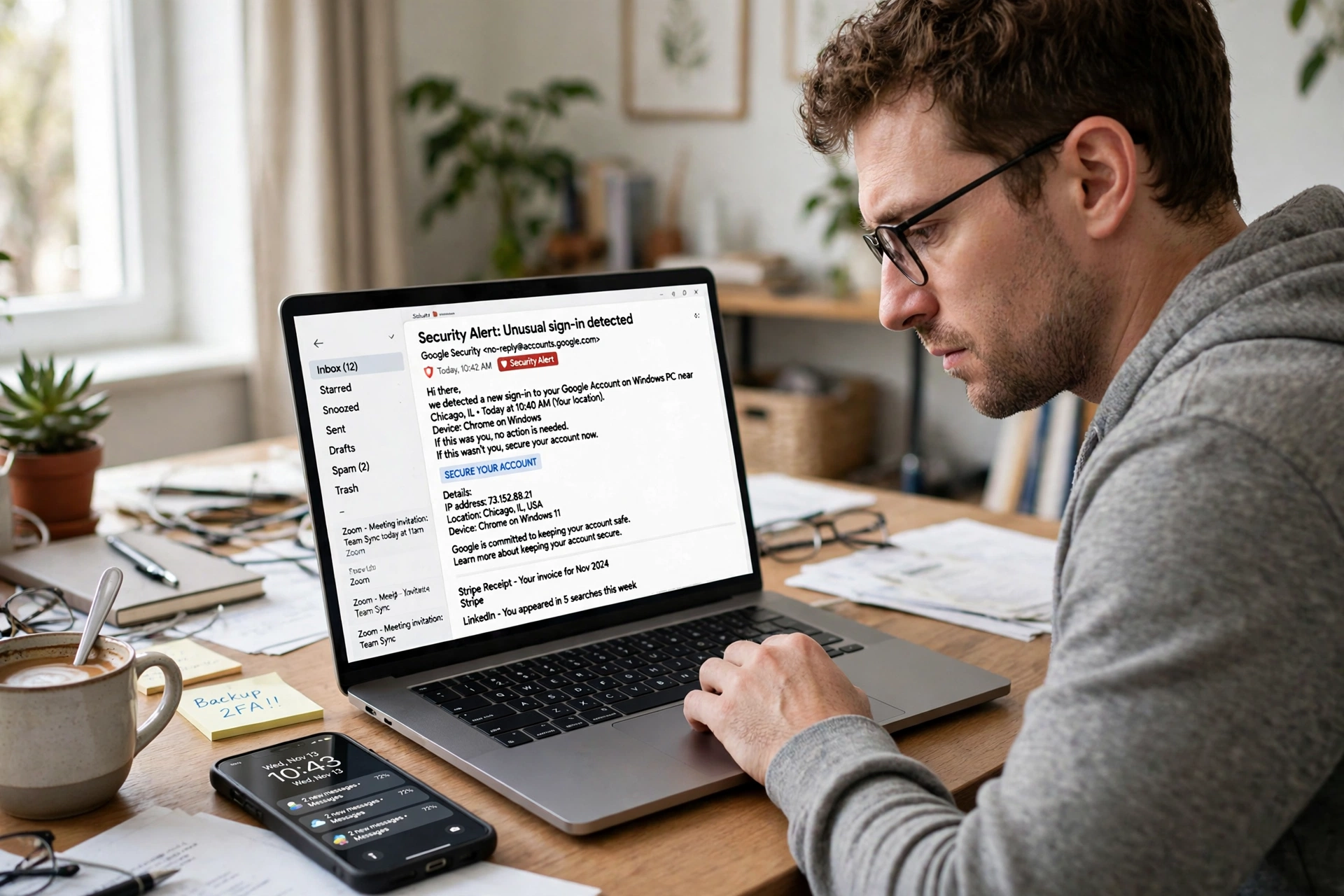
- You see a login alert from a device, city, or country you do not recognize.
- You were suddenly logged out on every device at the same time.
- New accounts appear in your following list, or accounts you followed are gone.
One sign on its own can have an innocent explanation. A wrong password can mean a typing mistake, and a sudden logout can mean an app glitch. Two or more signs together, especially a changed email plus posts you did not make, almost always mean someone else has your account. Instagram does not show you a list of profile visitors, and how to see who views your instagram profile explains what the app actually reveals, so do not waste time hunting for a visitor list when you should be starting recovery.
What to Do First in the Next 10 Minutes
Speed matters more than anything else right after a takeover. In the first hour, hackers usually change the password, swap the email address, and start messaging your followers with scam links sent in your name. Do these three things before anything else, in this order.
- Check your email inbox, including spam. When the email address on an Instagram account changes, Instagram sends a message to the old address from security@mail.instagram.com. That message has a link to undo the change, and it is the fastest way back in. If you find it, tap the revert option right away.
- Secure your email account. If the hacker controls your email, they can reset your Instagram password again after you recover it. Change your email password first, turn on two-factor authentication on the email account, and sign out other devices there.
- Open instagram.com/hacked in your browser. Type the address yourself instead of following a link from a message or a search ad. Choose “My account was hacked” and follow the route that fits your situation. Recovery through Instagram is free, and there is no official phone support or paid recovery service.
Do not pay anyone who offers to recover your account, and do not share your password or any verification code with a person who contacts you in DMs. Instagram never contacts users through DMs about recovery, and every legitimate recovery step happens on instagram.com or inside the official Instagram app. Anyone promising instant or guaranteed recovery for money is running a second scam on top of the hack.
| Your situation | Fastest route | What you need |
| You can still log in | Change password in Settings, then turn on two-factor authentication | Access to the account |
| Password changed, email and phone still yours | Forgot password, then login link or security code | Access to the linked email or phone |
| Email or phone changed by the hacker | instagram.com/hacked, then video selfie identity check | A familiar device, your username, a photo ID if asked |
| Account disabled after the hack | Appeal through the Help Center, stating the account was hacked | Your username and proof of ownership |
| Two-factor code not arriving | Backup codes, or a device Instagram already trusts | Backup codes saved when you set up two-factor authentication |
If you are not sure which row fits you, start with the email check. The security email from Instagram tells you exactly what changed and when, and that answer picks the right route for you. Guessing the wrong route is the most common reason recovery takes days instead of minutes.
How to Recover a Hacked Instagram Account
Instagram recovery is not one process. It is a different route for each situation, and using the wrong route is the reason most recovery attempts fail. Find your situation below and follow only that route. Submit one recovery request at a time, because sending several requests from different devices can trigger Instagram’s bot detection and slow everything down.
Route 1: You can still log in
If the hacker has not changed your password yet, you do not need the recovery flow at all. Act now, because the hacker may still be logged in on another device.
- Open Instagram, go to your profile, tap the menu, then go to Settings, Accounts Center, Password and security.
- Change your password to a new one you have never used anywhere else.
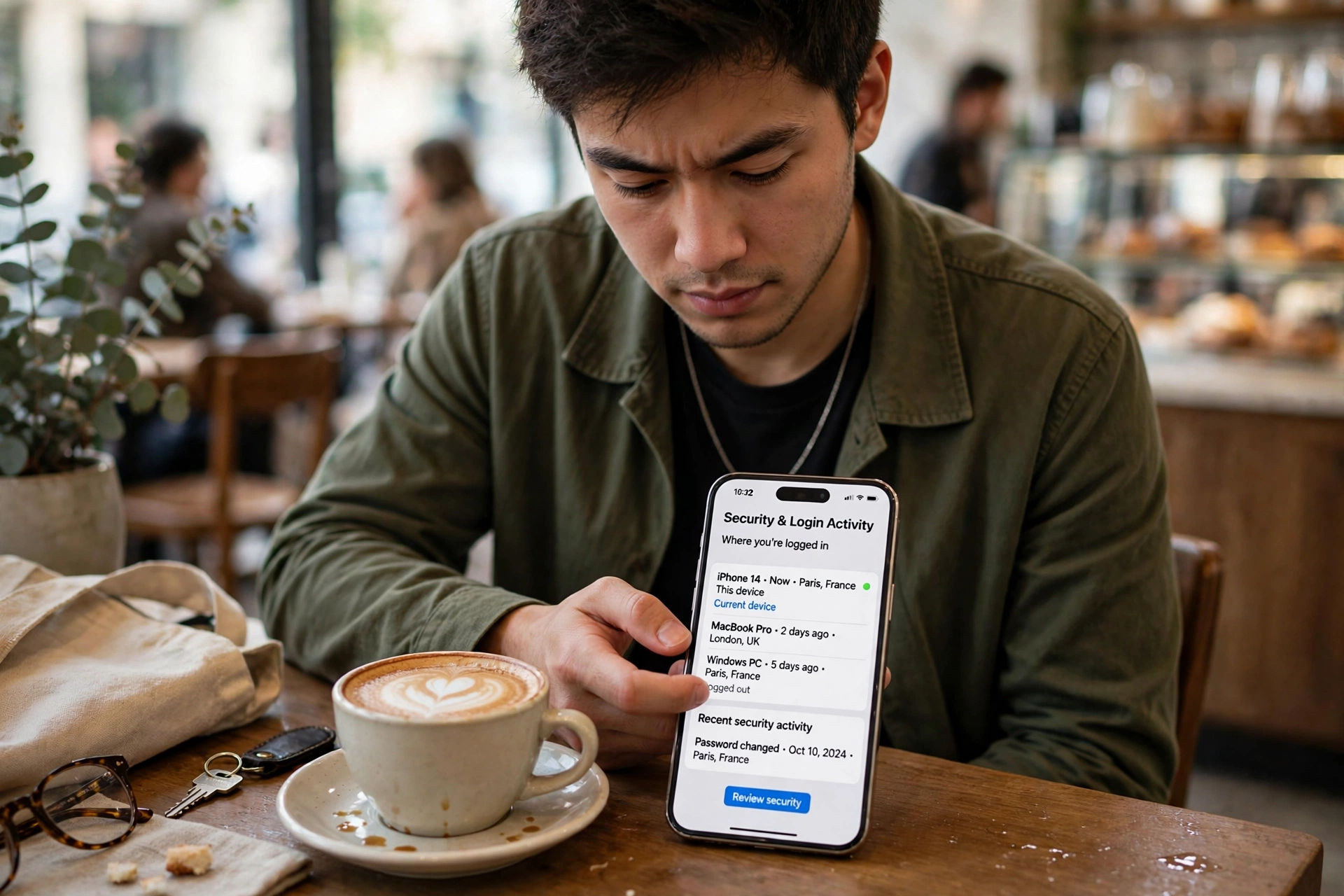
- Go to Where You’re Logged In and log out every session you do not recognize, then log out all sessions to be safe.
- Turn on two-factor authentication with an authenticator app, not SMS.
- Check your linked email and phone number, and remove any contact detail you do not recognize.
- Delete any posts, Stories, or messages the hacker sent, and check your bio and link in bio.
Changing your password logs out every device signed in to the account, which cuts the hacker’s session off at once. That is why the password change comes first, before you spend time cleaning up posts.
Route 2: Your password was changed but your email and phone are still yours
This is the most common case, and it is usually the fastest to fix. The hacker changed the password, but your email and phone number are still linked to the account.
- On the Instagram login screen, tap Forgot password on iPhone or Get help logging in on Android.
- Enter your username, email address, or phone number.
- Ask for a login link or a security code, and open the link that arrives by email or text.
- Once you are back in, change your password immediately and turn on two-factor authentication.
- Go to Where You’re Logged In and remove every unfamiliar device.
If the reset email does not arrive, check your spam folder and confirm you are using the original email address on the account. Wait a few minutes before asking again instead of requesting many codes in a row, because repeated requests can lock the flow temporarily.
Route 3: The hacker changed your email and phone number
When both contact details are gone, the normal password reset cannot reach you. Instagram then has to verify that you are the real owner, and the video selfie check is the main way it does that.
- Open instagram.com/hacked in a browser on a phone or computer you have used with the account before. A familiar device helps Instagram recognize you.
- Choose “My account was hacked” and enter your username.
- When Instagram asks for a contact you can access, choose the option saying you cannot access the email or phone on the account.
- Follow the identity check. Instagram may ask you to record a short video selfie, turning your head in different directions, so it can match your face against photos on the account.
- Enter an email address you control now, and wait for Instagram’s reply with a password reset link.
The video selfie check is a real, automated identity check run by Instagram, not a scam, and for a fully locked-out account it is currently the fastest way back in. The response usually takes from 24 hours to a few days. If the hacker changed your username too, write your original handle in the form, because Instagram can usually trace it and restore it. Old usernames stay reserved for 14 days, which is often enough time to recover before the handle is lost.
Route 4: Your account was disabled after the hack
Sometimes the hacker uses your account to send spam, and Instagram disables it for breaking the rules. A disabled account needs an appeal, not a password reset, and the login notice tells you which case you are in. A locked account means Instagram suspects a hack and asks you to prove who you are. A disabled account means Instagram decided the account broke its rules. Start at the Help Center, choose Login, Recovery and Security, then Account Recovery and Login, then Hacked Instagram Account, and state clearly in your appeal that the account was hacked. The same steps are listed in the instagram help center guide if the form does not load for you.
How to Use instagram.com/hacked Step by Step
The hacked-account page brings all of Instagram’s recovery options together in one place. Recovery is easier from a browser, and instagram on web gives you the full desktop version of the login and recovery pages, which is useful when the app keeps looping you back to the login screen.
- Type instagram.com/hacked into your browser yourself. Do not follow a link from a message, a comment, or a search ad, because fake recovery pages are one of the main ways hackers steal accounts a second time.
- Select “My account was hacked”.
- Enter your username, email address, or phone number.
- Pick the option that matches what happened: password changed, email or phone changed, or you cannot access the account at all.
- Request a login link or a security code, sent to whichever email or number Instagram still has on record for you.
- If Instagram offers the identity check, complete the video selfie and wait for the reply.
- When you get back in, change the password, log out all sessions, and turn on two-factor authentication before you do anything else.
Most accounts that still have a working email or phone are back within minutes to a few hours. Cases that need the full identity check commonly take one to two weeks, and complex cases with disputed ownership can take up to 30 days. That timeline is normal, and it is not a reason to pay a stranger who promises to speed it up. No one outside Instagram can speed it up.
The Video Selfie Identity Check: What to Expect
The video selfie is the step most people hesitate on, and it is also the step that gets locked-out accounts back. Instagram asks you to record a short video turning your head left, right, and up, following the on-screen prompts. It compares the video against photos already on the account to confirm you are the real owner. The video is used only for that check, and the process feels strange the first time, but it is one of the few reliable ways Instagram can tell you apart from someone trying to claim your handle.
- Record the video in good light, with your face clearly visible and no sunglasses or hat.
- Follow the head movements exactly as shown, and keep your face inside the frame.
- Use a phone or computer you have logged in from before, because a familiar device strengthens your case.
- Submit only once, then wait. Sending the request again from another device can slow the review down.
- If Instagram also asks for a government ID, upload a clear photo of it through the official form only.
If the video selfie is rejected, try again with better light and slower movements. If it keeps failing, use the Help Center appeal route and mention that the video check failed, so a human reviewer can look at the case. Do not send your video or ID to any person or support account that contacts you in DMs. Instagram only collects them through its own forms.
How Hackers Get Into Instagram Accounts
Most hacked Instagram accounts are not broken into by breaking Instagram itself. They are taken through the owner’s own habits: a weak password, a fake login page, or an app that should never have had access. Account takeover is now the most common form of identity misuse reported by consumers, according to the Identity Theft Resource Center, and Instagram accounts are a prime target because a trusted account can scam hundreds of followers at once.
| How the hacker gets in | How it works | How to stop it |
| Phishing messages and fake login pages | You get a DM or email about a copyright strike or a prize, and log in on a fake Instagram page that records your password | Never log in through a link in a message. Type instagram.com yourself |
| Weak or reused passwords | Your password leaks from another site, and the hacker tries it on Instagram | Use a unique password for Instagram, and a password manager to remember it |
| Hacked email account | The attacker controls your email, so they reset your Instagram password and change the email on the account | Secure your email first, with its own strong password and two-factor authentication |
| Untrustworthy third-party apps | Apps that promise followers, likes, or profile viewers ask for your login, then misuse it | Remove apps you do not trust, and never give your password to a follower app |
| Public Wi-Fi interception | Login details are intercepted on an unsecured network | Avoid logging in on public Wi-Fi, or use a VPN on untrusted networks |
| SIM swap and SMS code theft | The attacker takes over your phone number and intercepts SMS codes | Use an authenticator app for two-factor authentication, not SMS |
| Linked Facebook account | If your Facebook is hacked, the attacker can reach Instagram through the linked login | Secure Facebook with its own two-factor authentication, or unlink the accounts |
Phishing is the single most common route. The messages usually create urgency: your account will be locked, you violated copyright, you won a prize, or a brand wants to work with you. Real Instagram warnings appear inside the app and in emails from Instagram’s own domains, never in a DM asking you to log in somewhere. If a message pressures you to act in minutes, treat it as a trap.

How to Secure Your Instagram Account After Recovery
Getting back in is only half the job. A takeover can leave behind a changed email, a stranger’s device, a connected app, or a business partner with access, and any of them can lose you the account again. Work through this lockdown list the same day you recover the account.
- Turn on two-factor authentication with an authenticator app. Apps like Google Authenticator or Microsoft Authenticator generate codes on your device, so a stolen phone number cannot intercept them. SMS codes are the weakest form of two-factor authentication because of SIM swap attacks. Save your backup codes somewhere safe, like a password manager, so you are not locked out if you lose your phone.
- Use a strong, unique password. Make it long, mix letters, numbers, and symbols, and never reuse it on another site. A password manager makes this easy, and it also protects you when another site leaks its passwords.
- Check Where You’re Logged In. Go to Accounts Center, Password and security, Where You’re Logged In, and log out every device and location you do not recognize. Then log out all sessions once, so every old session is dead.
- Check your contact details. Make sure the email and phone number on the account are yours and that you can access both. Change your email password too, since a hacked email is the easiest way back in for the attacker.
- Review connected apps and linked accounts. Remove every third-party app you do not trust, especially follower, liker, and viewer apps. Check which Facebook profile and other accounts are linked in Accounts Center, and remove anything unfamiliar.
- Clean up the damage. Delete posts, Stories, and messages the hacker sent. Check your username, bio, profile photo, and link in bio, and restore anything that changed. If you run a business or creator account, instagram insights can show you which posts went out while the account was compromised, so you know exactly what to delete.
- Warn your followers. Post a Story saying your account was hacked, and tell people to ignore any messages, links, or money requests that came from it while you were locked out. Your followers are the hacker’s next targets.
- Check login alerts going forward. Turn on login alerts in your security settings, so Instagram tells you the moment a new device signs in. A fast alert is what turns a future hack into a password change instead of a lost account.
Meta Verified subscribers can also reach a real support agent for account access and security problems, which is the closest thing Instagram has to live support. The paid plans behind that support are covered in our guide to instagram plus, so you can decide whether it is worth it for your account. For everyone else, the in-app help and instagram.com/hacked remain the official routes.
Instagram Hacked Recovery Scams to Avoid
A hacked account attracts a second wave of scammers, and they are often faster than the real recovery process. After a hack, you will see ads, comments, and DMs from people who promise to get your account back. Every one of them is a scam.
- Paid recovery services. Recovery through Instagram is free. Anyone asking for payment, crypto, or a gift card to recover your account is stealing from you.
- “Meta support” accounts in DMs. Instagram will never contact you through DMs about recovery. Any account claiming to be Meta support in your inbox is fake.
- Fake support phone numbers. Instagram does not have a customer support phone number. Any number you find online claiming to be Instagram support is a scam.
- People asking for your verification code. Never share a login code or password reset code with anyone, even if they claim to be helping you. A code in the wrong hands is a login.
- Fake recovery pages. Only use instagram.com/hacked, typed by you into the browser, or the official Instagram app. Copycat pages rank in search ads and steal your login the moment you type it.
- Recovery through a hacker tool or app. No third-party app can recover an Instagram account. Apps that claim they can are either stealing your login or installing malware.
If you already paid someone or shared a code, change your passwords immediately, starting with your email, and report the payment to your bank or payment service. Then report the scammer’s account from a friend’s account, so Instagram can remove it before it targets someone else.
What If You Cannot Recover Your Account?
Sometimes recovery fails, especially when the hacker changed both the email and phone number and Instagram cannot verify who you are. If that happens, do not give up after one try. Try the identity check again from a device you have logged in from before, with better light for the video selfie, and mention in your appeal that the hacker disabled two-factor authentication or changed the username. Instagram’s review team prioritizes cases where the account shows rapid security changes, because that pattern points to a hack.
While you wait, protect everything linked to the account. Secure your email and Facebook, change any password you reused on other sites, and warn your followers from another account or platform so the hacker cannot keep scamming them in your name. Report the hacked account and any impersonation of it, so your followers get a warning when they visit the profile.
Starting a new account is the last resort, and only after every recovery route has failed. If you do start over, you will need to go through instagram sign up again with a new email address, use a fresh strong password, turn on two-factor authentication from day one, and tell your contacts about the new handle from your other platforms so they know the old account is not you.
FAQs
Can I get my hacked Instagram account back?
Yes, in most cases. If you can verify your identity through the linked email, a familiar device, or a video selfie, Instagram can restore access. Use only instagram.com/hacked or the in-app help, and ignore anyone who offers paid recovery.
What should I do first if my Instagram was hacked?
Check your email for the security message from security@mail.instagram.com and use its link to undo any email change. Then secure your email account, and open instagram.com/hacked to start the recovery route that fits your situation.
What if the hacker changed my email on Instagram?
Use the “revert this change” link in the security email Instagram sent to your old address. If that link has expired, go to instagram.com/hacked, say you cannot access the email or phone on the account, and complete the video selfie identity check.
How long does it take to recover a hacked Instagram account?
It depends on what the hacker changed. If only the password changed, a login link can get you back in within minutes. If the email and phone were changed, the video selfie identity check usually takes from a few hours to a couple of days, and complex cases can take one to two weeks.
Does Instagram have a phone number for hacked accounts?
No. Instagram does not offer a public phone helpline for hacked accounts. Support numbers posted in comments or ads are scams. Recovery happens through the app and instagram.com/hacked only. Meta Verified subscribers can reach a support agent through the app.
How do I know if my Instagram was hacked or just disabled?
If your account still exists, other people can find it, and you simply cannot log in, it was most likely hacked. If Instagram shows you a clear notice that the account was disabled for breaking the rules, it was disabled, and you need to appeal instead of resetting the password.
Can someone hack my Instagram through a DM?
A DM alone cannot hack your account, but links inside DMs can. Phishing links that look like copyright warnings, prize offers, or brand deals take you to fake login pages that steal your password the moment you type it. Never log in through a link in a message.
Should I pay someone to recover my hacked Instagram account?
No, never. Recovery through Instagram is always free, and there is no paid recovery service. Anyone charging money for it is running a scam, and sharing your password or verification code with them hands your account over a second time.
What is the video selfie check on Instagram?
It is Instagram’s identity check for accounts where the email and phone were changed. You record a short video turning your head as instructed, and Instagram compares it with photos on the account to confirm you are the real owner. It is a real check run by Instagram, not a scam.
How can I prevent my Instagram from being hacked again?
Turn on two-factor authentication with an authenticator app, use a unique password you do not reuse anywhere, keep your email secure, remove untrustworthy third-party apps, and never log in through links in messages. Check Where You’re Logged In regularly and turn on login alerts.
Final Verdict
An Instagram hacked account feels like a disaster in the first hour, but most accounts do come back when you act fast and use only Instagram’s own tools. Start with the security email in your inbox, then go to instagram.com/hacked and follow the route that matches your situation. If the hacker changed your email and phone, the video selfie check is your way back, and it works if you give it a fair try from a familiar device. Once you are back in, lock the account down the same day: authenticator app two-factor authentication, a unique password, all unknown sessions logged out, and every shady app removed. The hack is a warning, not a sentence, and the account that comes back stronger is the one that never gets taken twice.