Instagram Follower Count: How to Check Anyone’s Followers + Hide Your Count (2026 Guide)
Every Instagram profile shows a follower count, and people check it constantly: brands vetting creators before a collaboration, users comparing two accounts, or someone simply curious about how big an account really is. The same number creates the opposite problem for others who want their own Instagram follower count hidden from strangers, exes, or recruiters. This guide covers both sides of the follower count in 2026: how to check the Instagram follower count of any public account on the app and on a computer, how to see the exact unrounded number Instagram hides behind abbreviations like 10.2K, and what actually works when you want to hide your own count from specific people or from everyone outside your approved followers.
Instagram Follower Count at a Glance
- Checking is simple: open any public profile and the follower count sits at the top, between the post count and the following count, on both the app and the website.
- Exact numbers are hidden on big accounts: Instagram shortens the follower count above 10,000 (12,400 shows as 12.4K), but there are ways to see the full figure.
- You cannot delete the number itself: there is no setting that removes the follower count while keeping a public profile. You can only control who sees the list behind it.
- Private accounts limit the audience: switching to private hides your follower list from everyone who is not an approved follower, though the follower count number itself stays visible.
How to Check the Instagram Follower Count of Any Account
Instagram puts the follower count in the same spot on every profile, so once you know where to look you can check your own count or anyone else’s in seconds. The layout is nearly identical on phones and computers, with only small differences in where the buttons sit.
Check the follower count on the Instagram app
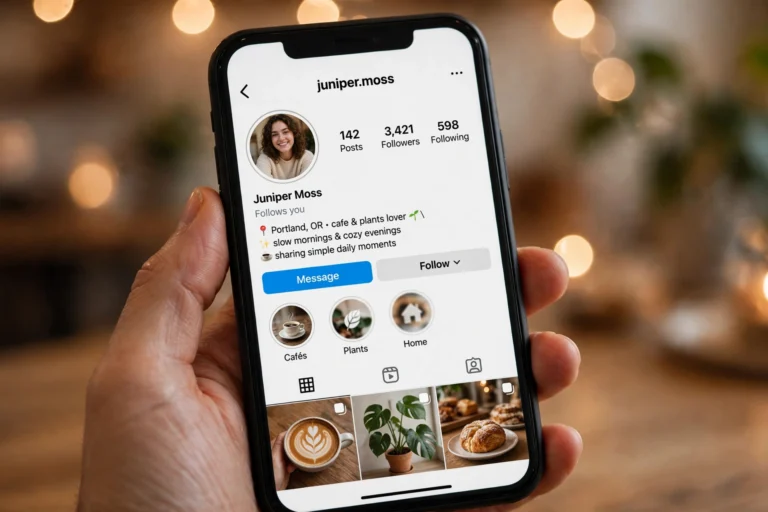
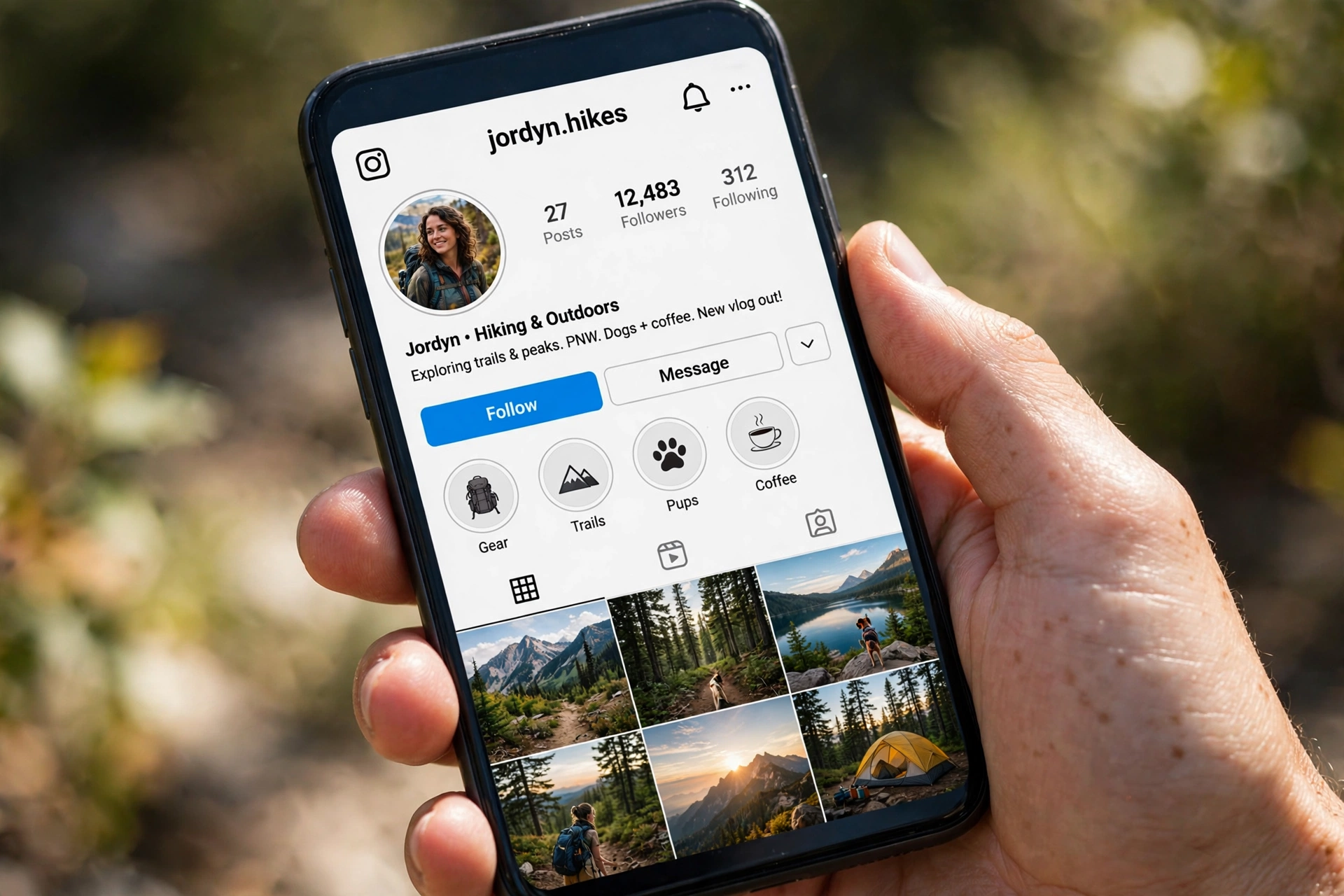
To see your own Instagram follower count, tap your profile picture in the bottom-right corner of the app. Your profile opens with three numbers across the top: posts, followers, and following. The middle number is your follower count. To check someone else’s count, tap the search icon, type their username, and open their profile. The same three numbers appear in the same order at the top of their profile.
Tapping the followers number opens the full follower list on a public account, which is handy when you want to see not just the count but who those followers are. If you want to watch the number move over time instead of checking it once, an instagram follower tracker records gains and losses so you can spot growth spikes or sudden drops without refreshing the profile yourself.
Check the follower count on a computer
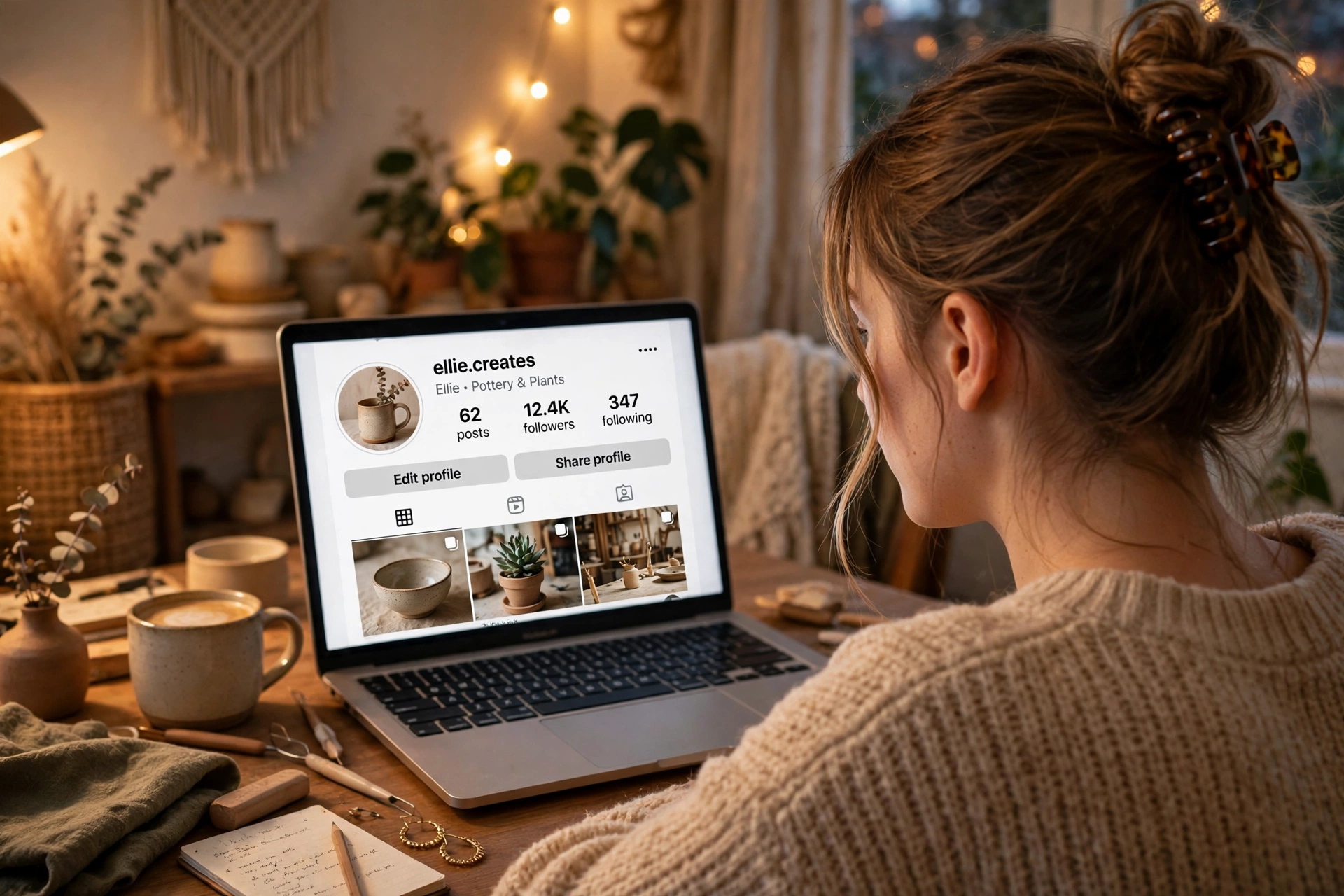
Open instagram.com in a browser and log in. Click your profile picture in the bottom-left menu and choose Profile to see your own Instagram follower count at the top of the page. For another account, use the search bar at the top, type the username, and open the profile. The follower count appears in the same header row as on the app, and clicking it opens the follower list in a pop-up window. The desktop view is useful when you are researching several accounts at once, because you can open multiple profiles in separate tabs and compare their follower count figures side by side.
What the three numbers on a profile mean
New users sometimes mix these up, so here is the quick breakdown. The first number counts posts, Reels, and videos the account has published. The middle number, the follower count, counts how many accounts follow this profile. The third number, following, counts how many accounts this profile follows back. The ratio between the second and third numbers tells you a lot at a glance: a brand with 200K followers and 300 following is broadcasting to an audience, while an account following 5,000 people back is probably doing heavy follow-for-follow networking.
One exception: on private accounts, you only see the full picture if you are an approved follower. Visitors who are not following a private account see the follower count number and the bio, but the follower list itself stays locked. Some people try an anonymous instagram viewer to get around this, but these tools only work with public profiles, so sending a follow request is the only real way to see inside a private account.
Why Instagram Shows Rounded Follower Counts
If you have ever wondered why a big account shows 12.4K instead of 12,438, that is Instagram’s formatting, not a bug. Instagram displays the Instagram follower count in full below 10,000 and shortens it above that threshold: 12,438 becomes 12.4K, 1,250,000 becomes 1.25M. The app also caches the number, so the figure you see can lag a few minutes behind the real total, especially right after a post goes viral or a shoutout lands.
This rounding matters more than it looks. Brands negotiating paid posts, creators tracking milestones, and users comparing accounts all need the real figure, because 12.4K could mean 12,401 or 12,449, a gap of nearly fifty followers. Rounding also hides small daily changes, which is why growth-focused users pair the profile view with tools that log the exact Instagram follower count every few hours and chart the trend.
How to See the Exact Instagram Follower Count (Unrounded)
When the rounded figure is not enough, three methods reveal the exact Instagram follower count down to the last follower. Each one suits a different situation, so pick the method that matches whether you are checking your own account, someone else’s, or tracking changes over time.
Method 1: Use Instagram Insights for your own account
If you have a professional (creator or business) account, Instagram Insights shows your exact follower count with no rounding. Go to your profile, tap the menu, then Insights, then look at the audience section for the total followers figure. Insights also breaks the count down by growth over the last 7, 30, or 90 days, so you can see exactly how many followers you gained or lost and on which days. Switching to a professional account is free and takes under a minute in Settings, and it unlocks this data permanently.
Method 2: Use a live follower counter tool
Live counter tools pull the current follower count for any public account and display it in full, updating every few seconds while the page is open. You type a username, and the tool returns the exact number plus extras like the following count, post count, and daily gain or loss history. These tools are the go-to option for checking someone else’s account, because Insights only works for your own profile. They are free, need no login, and the only limitation is that private accounts return limited data since their profile details are restricted.
Method 3: Check on desktop for the fullest view
The desktop version of Instagram sometimes displays the exact follower count where the app shows a rounded one, particularly for accounts sitting just above the 10,000 threshold. Open the profile on instagram.com in a browser and read the number in the header. It is not guaranteed for every account size, but it takes five seconds and works often enough to be worth trying before reaching for a third-party tool.
| Method | What you get | Cost | Best for |
|---|---|---|---|
| Instagram Insights | Exact Instagram follower count plus growth history | Free | Your own account (professional accounts) |
| Live counter tool | Exact count for any public account, updates live | Free | Checking other accounts or tracking over time |
| Desktop profile view | Sometimes the full number instead of the rounded one | Free | A quick check without extra tools |
Exact counts are most useful when you are comparing accounts. Brands routinely compare instagram followers of two creators before deciding who gets a sponsorship, because a 2,000-follower gap looks identical when both profiles show the same rounded figure. Exact numbers also reveal drops: if your Instagram follower count falls overnight, an instagram unfollow checker helps you find out whether real people left or Instagram simply purged bot accounts from your list.
Can You Hide Your Instagram Follower Count?
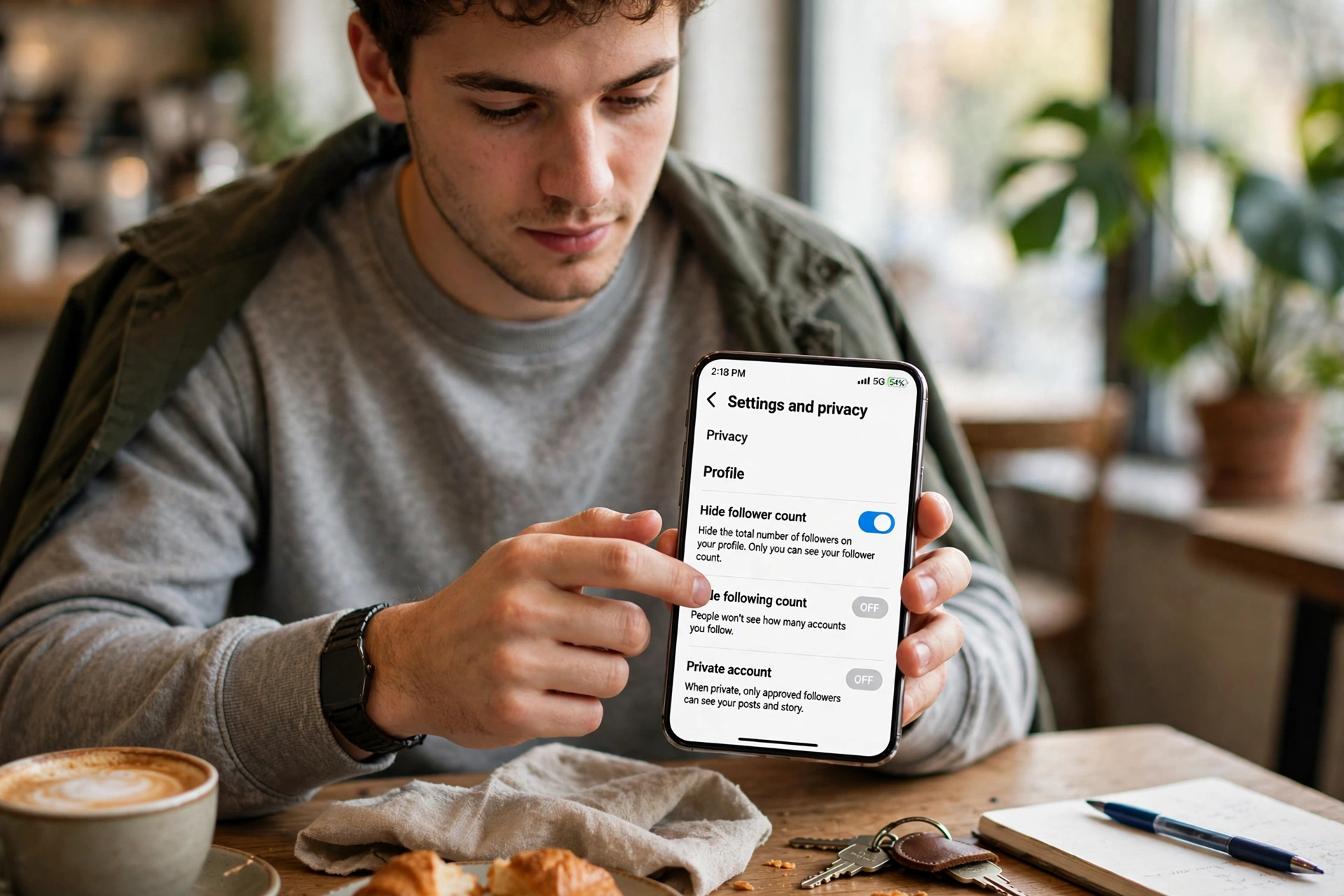
Here is the honest answer most guides bury: you cannot hide the Instagram follower count number itself while keeping a public profile. Instagram shows the count on every profile, public or private, and there is no toggle to remove it. What you CAN control is who gets to open the follower list behind that number, and that distinction decides which privacy moves are worth your time.
Option 1: Switch to a private account
A private account is the only built-in way to hide your follower and following lists from people who do not follow you. Strangers still see the Instagram follower count number on your profile, but tapping it shows them nothing, and your posts, Reels, and Stories become invisible to non-followers as well. To switch, open your profile, tap the menu, go to Settings and activity, open Account privacy, and turn on Private account. New followers must then send a request that you approve or decline. The trade-off is reach: private accounts do not appear in Explore or hashtag pages for non-followers, so creators and businesses usually skip this option.

Option 2: Remove, block, or restrict specific people
If the problem is one person rather than everyone, targeted actions beat locking the whole account. Removing a follower is silent: open your Followers list, find the person, tap Remove, and they are gone from your audience without a notification. Blocking goes further and hides your entire profile, posts, and both lists from that person completely, and Instagram even offers to block any new accounts they create. Restricting is the softest option: it limits their comments and messages without changing what they can see, so it does nothing for hiding your follower count or list.
None of these options hide the number from the general public, and none changes what your existing approved followers can see. If your real frustration is a messy following list built up over years of follow-backs, a mass unfollow instagram cleanup trims the accounts you follow without touching your Instagram follower count at all, which is often the cleaner fix.
One warning worth repeating: apps and websites that promise to hide your follower count or follower list on a public account do not work. Instagram’s own app has no such setting, so no third-party tool can flip a switch that does not exist. Most of these apps just want your login details, and handing them over is the fastest way to get your account flagged or stolen.
Instagram Follower Count Problems and How to Fix Them
Most Instagram follower count issues fall into a few familiar patterns. The table below covers the ones users report most often, what usually causes them, and the fix that actually works.
| Problem | Likely cause | Fix |
|---|---|---|
| Count frozen or not updating | Instagram caches the follower count; the app also rounds above 10,000 | Force-close and reopen the app, or check the exact number with a live counter tool |
| Count dropped overnight | Instagram purged spam or bot accounts from your followers | Check your follower list for removed accounts; focus on real engagement going forward |
| Count stuck at the same rounded figure for weeks | Small daily gains are hidden by rounding (12.4K hides a range of 49 followers) | Track the exact follower count in Insights or a tracker to see the real trend |
| Count differs between app and desktop | Different cache times on each platform | Wait a few hours; both settle on the same number |
| Someone else’s count looks fake | Bought followers inflate the number without real engagement | Compare likes and comments per post against the follower total to spot the gap |
The fake-follower problem deserves a closer look, because the Instagram follower count alone can mislead you. An account with 100K followers and 200 likes per post almost certainly bought its audience, while an account with 10K followers and 1,500 likes per post has a genuinely engaged community. That is why experienced marketers never judge an account by the follower count alone: pairing it with an instagram likes viewer reveals whether the engagement matches the audience size, which is the real signal brands pay for.
Why Your Instagram Follower Count Still Matters in 2026
People sometimes claim follower counts no longer matter, but the number still drives real decisions. Social proof is the simplest one: visitors judge an unfamiliar profile in about two seconds, and a healthy follower count is the fastest trust signal on the page. Brands use count thresholds to filter creators, with 10K unlocking swipe-up style link features historically and 100K marking the line where serious sponsorship money starts flowing.
The count also feeds Instagram’s own systems. Accounts with steady follower growth get more distribution in Explore and suggested profiles, because growth signals that people find the content worth following. That creates a compounding effect: a rising follower count earns more visibility, which earns more followers. The practical takeaway is to protect the number you have (avoid bot purges by never buying followers) and grow it with content people actually want, since every shortcut eventually shows up as a dead audience.
FAQs About Instagram Follower Count
Can I hide my Instagram follower count from everyone?
No. Instagram shows the follower count number on every profile, public or private, and offers no setting to remove it. Going private hides your follower list from non-followers, and blocking hides your whole profile from one specific person, but the number itself stays visible to anyone who can open your profile.
Why does my Instagram follower count show 10.2K instead of the exact number?
Instagram shortens the follower count once it passes 10,000: 12,438 displays as 12.4K and 1,250,000 displays as 1.25M. To see the full figure, check Instagram Insights if it is your own professional account, or use a live counter tool for any public profile.
How often does the follower count update?
The underlying follower count updates in near real time, but the number displayed in the app can lag a few minutes because of caching. Live counter tools refresh every few seconds and show changes as they happen, which is why trackers are better for watching growth during a viral post.
Can I check the Instagram follower count of a private account?
You can see the follower count number on a private profile, since the number is public, but you cannot open the follower list unless you are an approved follower. Third-party tools cannot bypass this either; they only return full data for public accounts.
Why did my Instagram follower count drop suddenly?
Sudden drops are usually Instagram removing spam, bot, or inactive accounts from your followers in a purge, not real people unfollowing you all at once. If the drop keeps happening daily, check for individual unfollows or review whether recent content changed enough to push real followers away.
Does Instagram notify someone when I check their follower count?
No. Opening someone’s profile and looking at their follower count or follower list never sends them a notification. Instagram only notifies users about direct interactions: likes, comments, follows, and mentions. The one exception is Stories: if you watch someone’s Story, your username shows up in their viewer list for 24 hours. Checking the count itself is completely private, so you can research competitors or satisfy your curiosity without anyone knowing.
Final Words
The Instagram follower count is simple to check and impossible to hide completely, and understanding both sides puts you ahead of most users. Check any public account in seconds from the app or desktop, use Insights or a live counter when you need the exact unrounded number, and choose private, remove, or block based on whether your privacy concern is everyone or one person. Keep the number honest by growing it with real content instead of bought followers, and it will keep working for you as social proof, brand currency, and a true measure of your audience in 2026.
Bookmark this guide for the next time you need the exact number fast or want to tighten your privacy settings. The steps above match the current version of the Instagram app and website, covering how to check the Instagram follower count, see the unrounded total, and control exactly who gets to look behind the number.