
Instagram Highlight Viewer (2026): How to View Highlights Anonymously, Best Tools & Privacy Rules
Some of the best content on Instagram never appears in the feed. A brand hides its full price list, shipping policy, and customer reviews inside its Highlights. A creator saves a year of travel stories, tutorials, and Q and A sessions in a row of small circles under the bio. The problem is that most people only know one way to open those circles: tap them in the Instagram app while logged in, which is slow for research, impossible without an account, and not private at all. The solution is an instagram highlight viewer: the Instagram app itself for everyday viewing, plus no-login web viewers for public profiles when you want to browse without an account or without your name landing in a viewer list. This guide explains what an Instagram highlight viewer actually is, how to view Highlights on mobile and desktop, how anonymous viewing really works, which tools are worth using in 2026, and the privacy rules that decide whether the account owner can see you.
Quick Answer: Instagram Highlight Viewer at a Glance
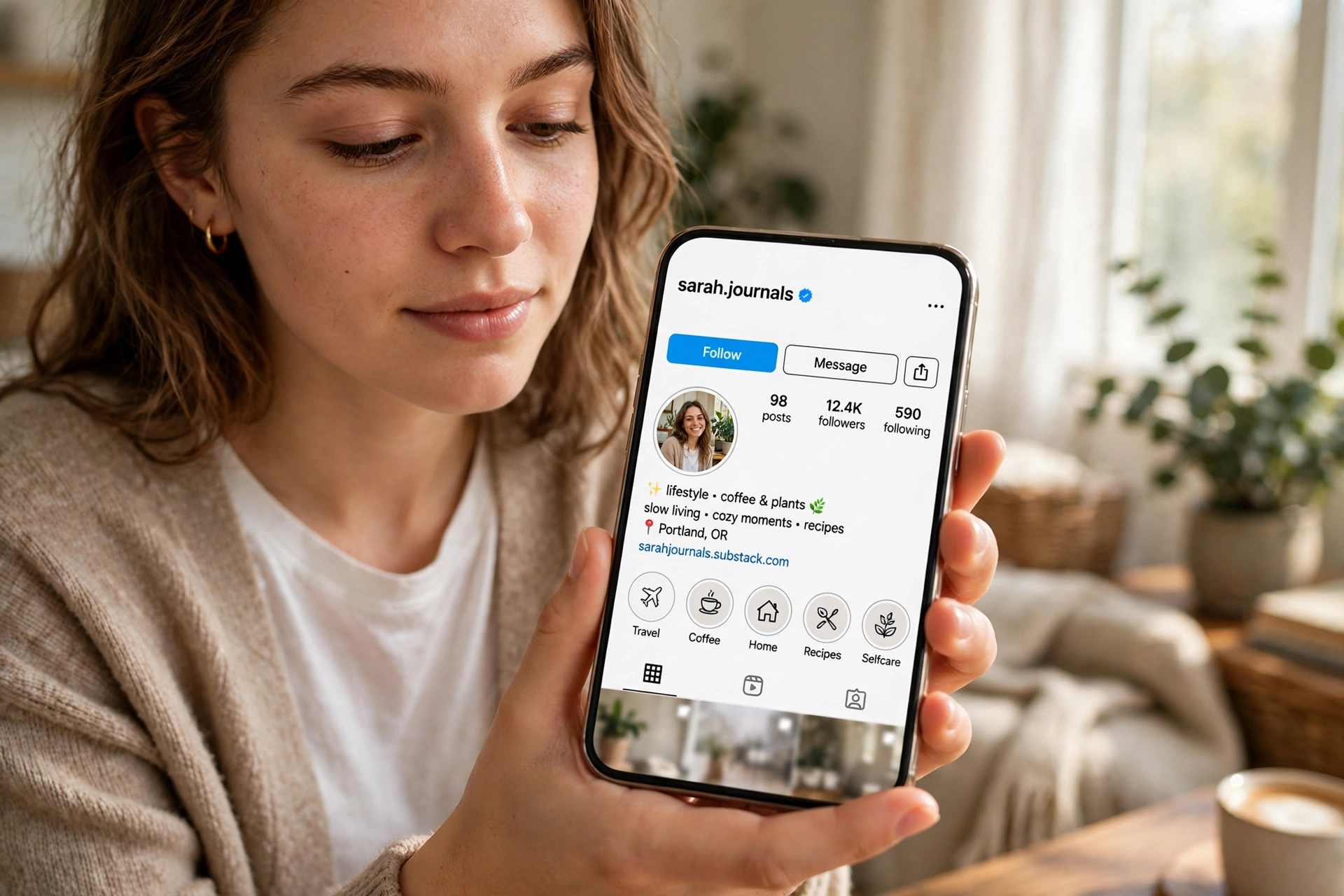
An Instagram highlight viewer is any method that lets you watch Instagram Highlights, the saved Story collections pinned to a profile under the bio. Instagram itself is the main highlight viewer: open any profile you can access, tap a Highlight circle, and the saved Stories play in order. Third-party highlight viewers are websites that load the same public Highlights in your browser without asking you to log in, which is why they are also called anonymous instagram highlight viewer tools. They only work for public profiles. No legitimate viewer can open a private account’s Highlights, a Close Friends Story, or a Story that was never saved to a Highlight and has already expired. If a tool promises private access or asks for your Instagram password, close it.
Whether the account owner can see that you viewed a Highlight depends on timing. Instagram shows the viewer list for a Story for about 48 hours after the Story was posted, even after that Story is added to a Highlight. Once that window closes, later Highlight views are no longer listed for the owner. A third-party viewer never connects to your Instagram account, so it adds nothing to any viewer list in the first place. That is the whole privacy logic in one paragraph, and the rest of this guide fills in the details.
What Is an Instagram Highlight Viewer?
Instagram Highlights are collections of Stories that an account owner chooses to save, name, and pin to the top of their profile. A normal Story disappears after 24 hours. A Story added to a Highlight stays visible until the owner removes it, which is why brands use Highlights as a permanent menu: FAQs, reviews, products, pricing, tutorials, and behind-the-scenes clips all live there. The circles you see under a bio are not decorations. They are the account’s hand-picked best content.
The phrase instagram highlight viewer covers three different things, and mixing them up is where most confusion starts. First, it means the built-in viewer inside the Instagram app and website, the circles and the full-screen player you already have. Second, it means third-party websites that fetch public Highlights and play them in your browser with no login. Third, it is sometimes used for monitoring tools that track profile activity such as unfollows and engagement, which is a different job entirely. This guide covers the first two, because those are what you need to actually watch Highlights.
A real highlight viewer, whether official or third-party, does the same basic job: it shows you the Highlight tray, lets you tap a cover, and plays the saved Stories inside it in order. A good one also lets you move forward and back, pause a Story, and see the title and cover of every Highlight on the profile. What it cannot do is show you content Instagram itself would not show you. Private accounts, blocked accounts, and Close Friends Stories stay closed, no matter what a tool’s landing page claims.
How to View Instagram Highlights on the Instagram App
For everyday viewing, the Instagram app is still the most reliable instagram highlight viewer. It works for every account you can access, it always shows the newest version of a Highlight, and it never asks for a password beyond your own login. The steps are the same on Android and iPhone.
- Open the Instagram app and search for the profile you want to view.
- Open the profile page and look under the bio, where the Highlight circles sit in a horizontal row.
- Tap any Highlight circle to start playing the saved Stories inside it.
- Tap the right side of the screen to move forward, the left side to go back, and hold to pause.
- Swipe down or tap the close button to exit the Highlight and return to the profile.
If a profile has many Highlights, swipe the tray sideways to see the rest. Highlights are ordered by the owner, not by date, so the first circle is usually the one the owner considers most important. Brands often put “Start Here”, “Reviews”, or “Shop” first for exactly this reason. When you are checking a business, read the tray from left to right the way the owner arranged it, because that order is itself information about what they want you to see first.
How to View Instagram Highlights on Desktop
Desktop viewing works the same way and is better for research, because you can compare several profiles side by side and take notes while you watch. Go to instagram.com, log in, search for the profile, and click the Highlight circles under the bio. Use the on-screen arrows or your keyboard to move through Stories. One honest limit: if you are not logged in, Instagram often blocks browsing after a few profiles and pushes you to sign in. That login wall is the main reason people look for a no-login viewer in the first place.
Desktop viewing also helps when you want to study how an account presents itself. Open the profile, read the bio, then work through the Highlights in order and note which topics get a Highlight and which do not. A shop with Highlights for “Sizing”, “Shipping”, and “Reviews” is answering the three questions buyers ask most. A creator with only travel Highlights and no FAQ Highlight is probably not selling anything yet. The tray is a strategy document, and desktop makes it easier to read.

How to View Instagram Highlights Anonymously
Anonymous viewing is the part of this topic where most guides either overpromise or get the facts wrong, so here is the clean version. Instagram has no built-in anonymous mode. If you open a Highlight inside the Instagram app while logged in, and the original Story is still inside its roughly 48-hour viewer window, your username can appear in the owner’s viewer list. After that window closes, later views of the Highlight are not listed. That timing rule is the single most important fact in this whole guide.
A third-party anonymous instagram highlight viewer works differently. It loads the public profile on its own server, not through your Instagram account, so your account is never involved and nothing is recorded against your name. That is why these tools can honestly call themselves anonymous for public profiles. It is also why they stop at public profiles: a server with no login to the account has no way to see private content, and any tool claiming otherwise is lying.
Method 1: Use a No-Login Highlight Viewer Website
This is the only method that is genuinely anonymous and reliable. Open the viewer site in your browser, type the public username with or without the @ sign, and the site loads the profile’s Highlight tray. Tap a cover and the saved Stories play in a story-style player. You never sign in, never enter a password, and never connect your Instagram account. Tools in this category include StoryNavigation, Dumpor, Klupt, PvGram, and SaveStories, which are reviewed below. Pick one with few ads, no login prompt, and a clear statement that it only works for public profiles.
Method 2: View Without an Instagram Account
You can view some public Highlights on instagram.com without an account, but Instagram limits this heavily and usually pushes you to log in after a few profiles. A no-login viewer site removes that friction, which is the practical difference between the two methods. Viewing without an account is not the same as viewing anonymously inside the app, because the app always knows which account is watching. If privacy matters, use a third-party viewer rather than a logged-out browser tab on Instagram itself.
Method 3: A Secondary Account (and Why It Is Not Anonymous)
A second or “burner” account hides your real name, but it does not hide the view. The burner account’s name still appears in the viewer list during the 48-hour window, and the owner can tap it, see it is empty, and guess what happened. It is a mask, not invisibility. Use a secondary account when you want to keep your main profile separate from your research, not when you need a view to leave no trace at all.
Myths That Do Not Work Anymore
- Airplane mode: this only worked when Stories were fully preloaded, and Instagram now checks views on its servers more strictly. Do not rely on it.
- Blocking the account after viewing: this does not reliably erase your name from a viewer list the owner already saw.
- Watching through a friend’s phone: the friend’s account is recorded, which puts the trace on them instead of you.
- Any app that promises private account access: Instagram’s API does not expose private Highlights to third parties, and it has not since the API restrictions of 2018. These apps usually show fake viewer lists, harvest logins, or install junk.
If you already use an instagram story downloader to save public Stories for reference, the same safety rules apply here: public content only, no login, no password, and no tool that asks for more access than viewing requires. Our guide to the instagram story downloader explains the same public-only boundary in detail.
Best Instagram Highlight Viewer Tools in 2026
The tools below are the ones competitors and review sites mention most consistently for Highlights specifically, not just Stories. All of them work for public profiles without an Instagram login. None of them can open private accounts. Free tiers change often, so treat pricing notes as a snapshot from October 2026 and check the tool’s own page before you rely on a paid feature.
| Tool | Highlights Viewer | Anonymous Viewing | Download Highlights | Price |
|---|---|---|---|---|
| Inflact | Yes | Yes | Yes | Free + paid plans |
| StoryNavigation | Yes | Yes | Yes | Free |
| Dumpor | Yes | Yes | Yes | Free |
| InstaSuperSave | Yes | Yes | Yes | Free |
| AnonStories | Yes | Yes | Yes | Free |
| IGComment | Yes | Yes | Yes | Free |
| UpGrow | Yes | Yes | Yes | Free |
| Klupt | Yes | Yes | Premium | Free covers, premium viewing |
| PvGram | Yes | Yes | Yes | Free |
| SaveStories | Yes | Yes | Yes, as ZIP | Free |
1. Inflact: Best Full Suite
Inflact is the most consistently referenced complete option. It has a dedicated Highlights viewer page positioned as anonymous and usable without registration, plus a wider suite of Stories and profile tools. The trade-off is limits: the free tier has daily caps, and the full feature set sits behind paid plans. Pick Inflact if you want one tool for many jobs and you are willing to pay for the extra capacity.
2. StoryNavigation: Best for Quick Competitor Scans
StoryNavigation states its Highlights support directly, which matters because many “story viewers” only handle live Stories. It shows profiles, posts, Stories, and Highlights anonymously, with downloads, in a simple paste-username flow. For a fast check of a competitor’s Highlight tray before a campaign call, this is the least friction option on the list.
3. Dumpor: Best Fast No-Login Check
Dumpor positions itself as a viewer and downloader for Stories, Highlights, Reels, and profile photos with no login and public profiles only. It is a good second option when your first-choice tool is down, which happens often with free viewers. Keep two tools bookmarked, because free viewer sites go offline or break after Instagram changes something far more often than the Instagram app does.
4. InstaSuperSave: Best for Saving Highlights
InstaSuperSave is the clearest “view plus download” tool on this list. You browse Stories, Highlights, and public Reels anonymously and save the media you need for reference. Use downloads for your own research notes and mood boards, not for reposting someone else’s content without permission. Saving a public Story for study and reposting it as your own are very different acts.
5. AnonStories: Best Minimal Interface
AnonStories is a lightweight viewer that explicitly mentions Highlights support alongside Stories, with downloads and no account required. It is the right pick when you want the tray and the player and nothing else. Minimal tools also tend to break less, because there is less surface for Instagram’s changes to break.
6. IGComment, UpGrow, and Klupt: Solid Alternatives
IGComment runs a Highlights-focused page with a clean viewer and downloads. UpGrow offers a dedicated highlight viewer page from a recognizable marketing brand, with anonymous viewing and downloads for public profiles. Klupt is the most polished of the three: it shows every Highlight on a public profile with covers and titles, plays them full screen, and downloads in original quality, but watching and downloading sit behind a premium plan from about $0.77 per week on the yearly plan, while browsing covers is free. If you only need to see what Highlights exist, the free tier is enough. If you need to watch and save them regularly, Klupt’s premium or a fully free tool like Dumpor fits better.
7. PvGram and SaveStories: Best for Full Profile Browsing
PvGram loads Stories, Highlights, posts, and Reels from public profiles, shows Highlights with their original posting dates, and keeps a watchlist in your own browser storage. SaveStories adds one genuinely useful extra: you can pack a whole Highlight album into a single ZIP download instead of saving files one by one. Both are free, require no account, and state the public-only limit clearly. PvGram’s dated Highlights are handy for research, because you can see when a brand first posted the Story that now sits in its “Reviews” Highlight.
When you compare these tools, judge them on four things and ignore the rest: do they actually load Highlights and not only Stories, do they ask for a login, do they clearly say public-only, and do they work without a download or browser extension. Any tool that fails one of those four is not worth your time, no matter how good its landing page looks. For the deeper anonymous-viewing picture beyond Highlights, our guide to the anonymous instagram viewer covers Stories, profiles, and Reels in the same framework.

Can Someone See That You Viewed Their Instagram Highlights?
This is the most searched question in this topic, and the answer has two halves. First, for your own Highlights: you can see who viewed a Story, but only for about 48 hours after that Story was posted, not from the moment you added it to the Highlight. Tap your Highlight, swipe up on a Story inside it, and the viewer list shows while the window is open. After the window closes, the names disappear for good, and no legitimate tool brings them back. To keep a record, screenshot the viewer list while it is still live.
Second, for other people’s Highlights: the same 48-hour rule decides whether your view is visible. Watch a Highlight inside the Instagram app during that window and your username can appear in the owner’s list. Watch the same Highlight after the window, or through a third-party viewer at any time, and nothing is recorded against your account. There is no app that shows an owner who viewed their Highlight after the window closed, because Instagram’s API simply does not expose that data to third parties. Any app claiming to show it is showing fake or random names.
Business and Creator accounts get one extra layer that personal accounts do not: Instagram Insights. Switching to a Professional account is free and reversible, and it adds aggregate Highlight data that survives the 48-hour window, including reach, impressions, navigation taps such as forward, back, and exits, and profile visits after a Highlight view. Insights show counts, not names, so they answer “how many people watched” long after the viewer list is gone, but never “who exactly”.
Can You Download Instagram Highlights?
Yes, for public profiles, through the tools listed above. Open the Highlight in the viewer, use its download button to save each photo or video, or use SaveStories to grab a full album as one ZIP. Download quality is usually the original file Instagram serves, with no watermark, on the better tools. Two limits apply. First, you can only download what is public; private Highlights and Close Friends Stories are out of reach. Second, downloading is not a license to reuse. Keep downloads for personal reference, research notes, or your own Highlights, and ask permission before reposting someone else’s content.
Your own Highlights are easier: open your profile, tap a Highlight, tap the three dots, and you can download, edit, or delete individual Stories inside it. Owners should also keep a local backup of Highlights that matter for their business, because a deleted Story inside a Highlight is gone from the Highlight too, and Instagram does not keep a public archive for you.
Instagram Highlight Viewer for Competitor and Brand Research
Highlights are the most honest part of a profile, because the owner chose what to keep. A feed shows what an account posted. A Highlight tray shows what it considers worth keeping. That difference makes a highlight viewer a genuine research tool for marketers, shop owners, and creators, not just a curiosity.
When you review a competitor’s Highlights, look for patterns instead of copying content. Note which Highlight appears first, because that is the owner’s priority. Note which questions get a Highlight of their own: a shop with “Sizing”, “Shipping”, and “Returns” Highlights is answering the three objections that block its sales. Note how reviews are presented, whether influencer content appears, and how often the tray looks updated. If every competitor in your niche has a reviews Highlight and you do not, adding one is a faster trust win than a new ad campaign. If you track who engages with your own profile over time, an instagram follower tracker pairs well with Highlight research, because it shows which followers stay active while your Highlights do the convincing.
For influencer checks, Highlights beat the feed. A feed shows recent posts. Highlights show past campaigns, brand collaborations, audience Q and A sessions, testimonials, and travel or event coverage, all in one place. Before paying a creator, work through their Highlights and ask whether sponsored content feels natural or forced, whether the audience questions match your buyer, and whether the creator’s niche expertise is real or just a bio claim. Ten minutes in a Highlight tray can save a bad partnership.
How to Use an Instagram Highlight Viewer Safely
- Never enter your Instagram password into a viewer site. A viewer needs a username, not your login.
- Never install a browser extension or app just to view Highlights. Browser viewing should need nothing installed.
- Skip any tool that promises private account access, 100 percent anonymity with no explanation, or viewer lists after the 48-hour window. All three claims are false.
- Check for a privacy policy and a clear public-only statement before you trust a tool with regular use.
- Keep two bookmarked tools, because free viewers break often when Instagram changes something.
- Do not pay before the tool explains exactly which features are paid. Klupt is transparent about this; many copycat sites are not.
The same caution applies to accounts that look too good to be true. If a tool asks you to complete surveys, install apps, or “verify” yourself before showing a Highlight, it is monetizing your attention, not showing you content. Close it and use a simpler tool. And if a viewer ever asks for your login “to unlock private Highlights”, treat that as a phishing attempt: real viewers never need it, and giving it away can get your account flagged or stolen. For a broader safety picture on accounts and logins, see how to use instagram, which covers account basics and security settings in one place.
Common Problems When Viewing Instagram Highlights
- Highlights do not appear: the account is private, you are blocked or restricted, or the owner deleted the Highlight.
- Highlight opens but a Story is missing: that Story was deleted or expired inside the Highlight, and the owner has to re-add it.
- Viewer site shows nothing: the tool may be down, Instagram may have changed its access, or the username was typed wrong. Try a second tool before assuming the account is private.
- Instagram asks you to log in on desktop: the logged-out browsing limit kicked in. A no-login viewer site removes this wall for public profiles.
- Highlights load slowly or freeze: update the Instagram app, check your connection, or try another device. App updates fix most playback glitches.
- Old Highlights look outdated: that is the owner’s problem, not yours. Outdated Highlights hurt trust, which is why good brands prune theirs regularly.
How to Make Your Own Highlights Easier to View
Viewing Highlights is only half the job. If you run an account, your own Highlight tray is a navigation menu for visitors, and most trays are a mess. Put the most important Highlights first, starting with “About”, “Shop”, “Services”, or “Start Here”. Use short titles that read clearly on a phone screen. Keep covers visually consistent so the tray looks designed rather than accidental. Group content by topic instead of mixing FAQs, reviews, and promotions in one Highlight. Remove outdated Stories regularly, because an expired offer sitting in a Highlight confuses buyers and costs trust. And add a call to action where it fits, such as “DM us” or “Shop now”, so a visitor who finishes a Highlight knows what to do next.
Good Highlights also pair with good profile basics. A clear bio, a consistent posting rhythm, and a Highlight tray that answers real questions will convert more profile visitors than any single viral post. If your profile needs a visual refresh alongside the tray cleanup, our guide to instagram fonts shows how to style bios and Story text without breaking readability. And if you notice followers disappearing while you rework your profile, an instagram unfollow checker tells you exactly who left and when.

Frequently Asked Questions
What is an Instagram highlight viewer?
An Instagram highlight viewer is any method or tool that lets you watch Instagram Highlights, the saved Story collections pinned under a profile bio. Instagram itself is the main viewer, and third-party websites offer the same viewing for public profiles without a login.
Can you view Instagram Highlights anonymously?
Yes, for public profiles, through a third-party highlight viewer that does not connect to your Instagram account. Inside the Instagram app there is no anonymous mode, and your username can appear in the viewer list during the roughly 48-hour window after the original Story was posted.
Does Instagram show who viewed your Highlights?
Only for about 48 hours after the original Story was posted. After that window, the viewer names disappear for good, and Business or Creator accounts only see aggregate Insights counts such as reach and impressions, never names.
Can you view Highlights without an Instagram account?
Sometimes on instagram.com, but Instagram limits logged-out browsing and usually pushes you to sign in. A no-login highlight viewer site is the reliable way to view public Highlights without an account.
Do highlight viewers work on private accounts?
No. Legitimate viewers only work for public profiles. Any tool claiming private access is untrustworthy, and it usually wants your login credentials or payment for something it cannot deliver.
Can you download Instagram Highlights?
Yes, for public profiles, using tools such as InstaSuperSave, Dumpor, or SaveStories, which can save a full Highlight album as individual files or one ZIP. Download for personal reference, and ask permission before reposting someone else’s content.
Is it legal to use an Instagram highlight viewer?
Viewing publicly available content through a no-login viewer is different from accessing private data, and rules vary by platform terms and local law. The safe approach is a tool that requires no login, works only for public profiles, and never asks for your Instagram credentials.
Why are someone’s Highlights not showing?
The most common reasons are a private account, a block or restriction, a deleted Highlight, or a viewer site that is temporarily down. Try a second viewer tool and check whether the profile is public before assuming anything else.
What is the difference between a highlight viewer and a story viewer?
A story viewer handles live Stories that disappear after 24 hours. A highlight viewer handles saved Story collections that stay on a profile until the owner removes them. Good tools cover both, but always check that Highlights are explicitly supported before you rely on a tool.
Can third-party apps show who viewed your Highlight after 48 hours?
No. Instagram’s API does not expose that data to third parties, and it has not since the 2018 API restrictions. Apps claiming to show post-window viewer lists are showing fake names, and many of them are phishing for logins.
Final Verdict: Which Instagram Highlight Viewer Should You Use?
For everyday viewing, use the Instagram app. It is always current, always complete, and always free. For anonymous viewing of public profiles, use a no-login web viewer: StoryNavigation or Dumpor for quick checks, InstaSuperSave or SaveStories when you also want downloads, and Klupt when you want the most polished player and do not mind a premium plan. Skip anything that asks for your password, promises private access, or claims to reveal viewer lists after the 48-hour window. Highlights are public content that owners chose to keep, so view them with a tool that respects the same boundary Instagram itself sets: public means viewable, private means closed, and your account stays yours.


2 Comments