How to See Recent Followers on Instagram: Newest Followers and Recently Followed Accounts (2026 Guide)
Your follower count went up overnight and you want to put a name to every new face, or you want to figure out who someone recently followed on Instagram to understand their latest connections. The honest answer in 2026 splits in two: your own recent followers are easy to review inside the Instagram app through your Followers tab and follow notifications, while someone else’s recently followed accounts are no longer shown in order, because Instagram now sorts every Following list with a ranking system built on mutual connections and engagement instead of time. Below you will find exactly what works for both cases, what stopped working after Instagram’s recent sorting changes, and the safe methods creators use to keep track of new followers week after week.
What Does “Recent Follower” Mean on Instagram?
When people search for “recent follower,” they almost always mean one of two things. The first is personal: the newest people who just followed your own account. The second is investigative: the newest accounts that someone else recently followed. Instagram treats these two cases very differently, and that difference is the source of almost all the confusion around this topic.
Years ago, both cases were simple. Instagram displayed follower and following lists in chronological order, so the top of the list was always the most recent follower. That era ended in stages. Instagram first moved away from strict chronological lists around June 2021, and by September 2026 the ordering of someone else’s lists had become fully algorithmic. The only list that still shows a usable sort option is your own Following list, where Instagram lets you choose “Date Followed: Latest” for yourself. Everything else you see on another person’s profile is ordered for relevance, not for time.
So the practical meaning of “recent follower” in 2026 is this: for your own account, it means the accounts at the top of your Followers tab plus your follow notifications. For someone else’s account, it means the newest entries you can identify yourself by comparing their list over time, because Instagram will not hand you that order directly.

How to See Your Own Recent Followers on Instagram
Checking your own recent followers is the easy half of this topic, and you can do it entirely inside the official app. Instagram gives you several overlapping signals, and combining two of them removes almost all guesswork.
Method 1: The Followers tab (fastest)
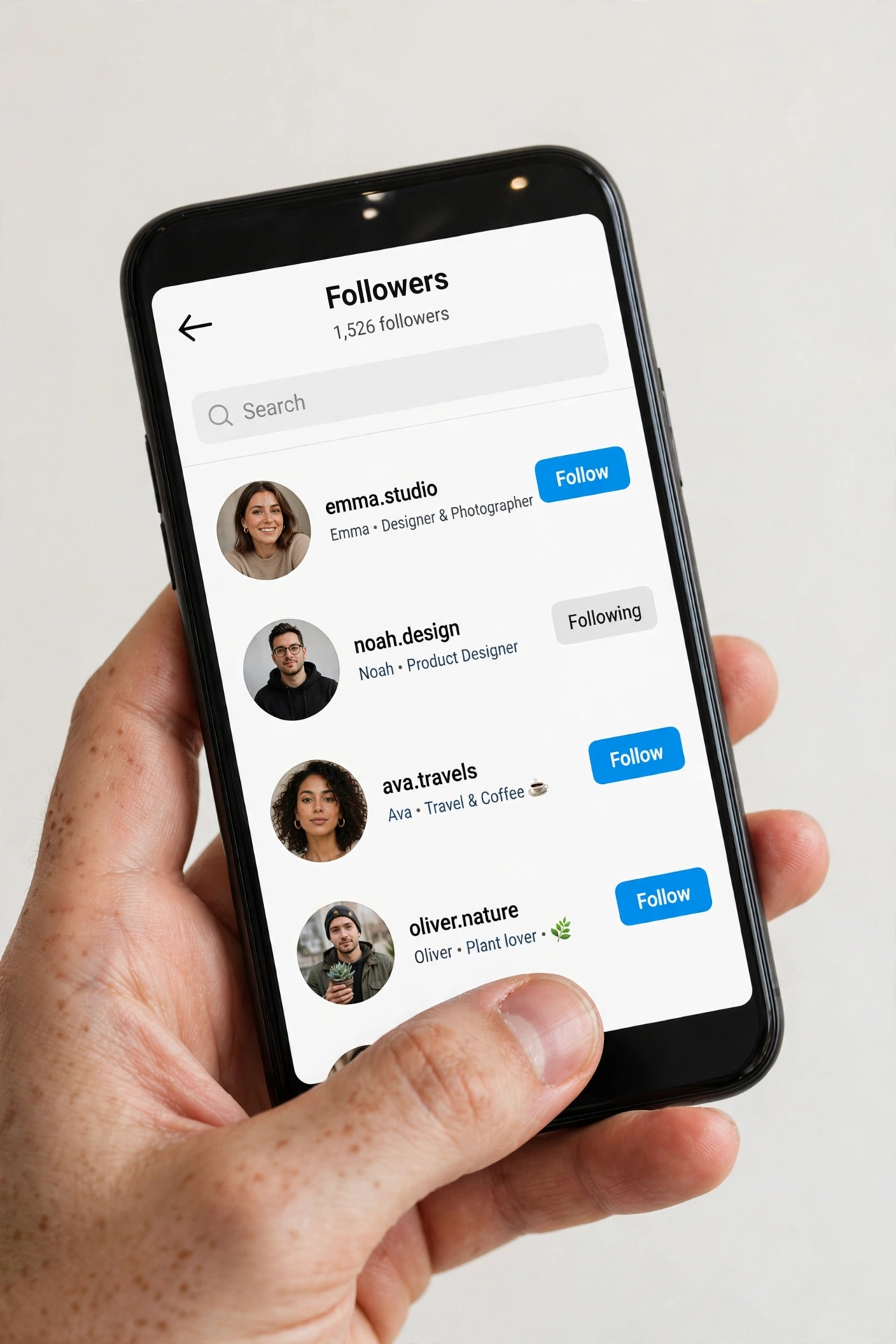
Open the Instagram app, tap your profile picture in the bottom-right corner, then tap the Followers count at the top of your profile. The list that opens is the fastest way to scan your recent follower names. On most accounts, especially smaller and mid-sized ones, the newest followers appear near the top of this list. The order is not a guaranteed timeline, so treat the top of the list as a strong hint rather than a legal record, but in practice the last few dozen names you see there are your latest arrivals.
Method 2: Follow notifications (most accurate for timing)
When your account is public, Instagram sends you a notification each time someone follows you. Tap the heart icon at the top of your home screen to open your activity feed, and you will see these follow events grouped with their timestamps. This is the most accurate way to know not just who your recent follower is but exactly when they arrived. If you have notifications turned off at the phone level, the in-app activity feed still keeps this history, so check there before anything else.
Method 3: Sort your own Following list by date
This one surprises people: tap your profile, tap your Following count, then tap the sort icon (two arrows) at the top of the list and choose “Date Followed: Latest.” Instagram reorders the list so the accounts you followed most recently sit at the top. This only works on your own profile, never on someone else’s, but it is perfect when you are trying to remember which account you followed last week.
Method 4: Creator and business account Insights
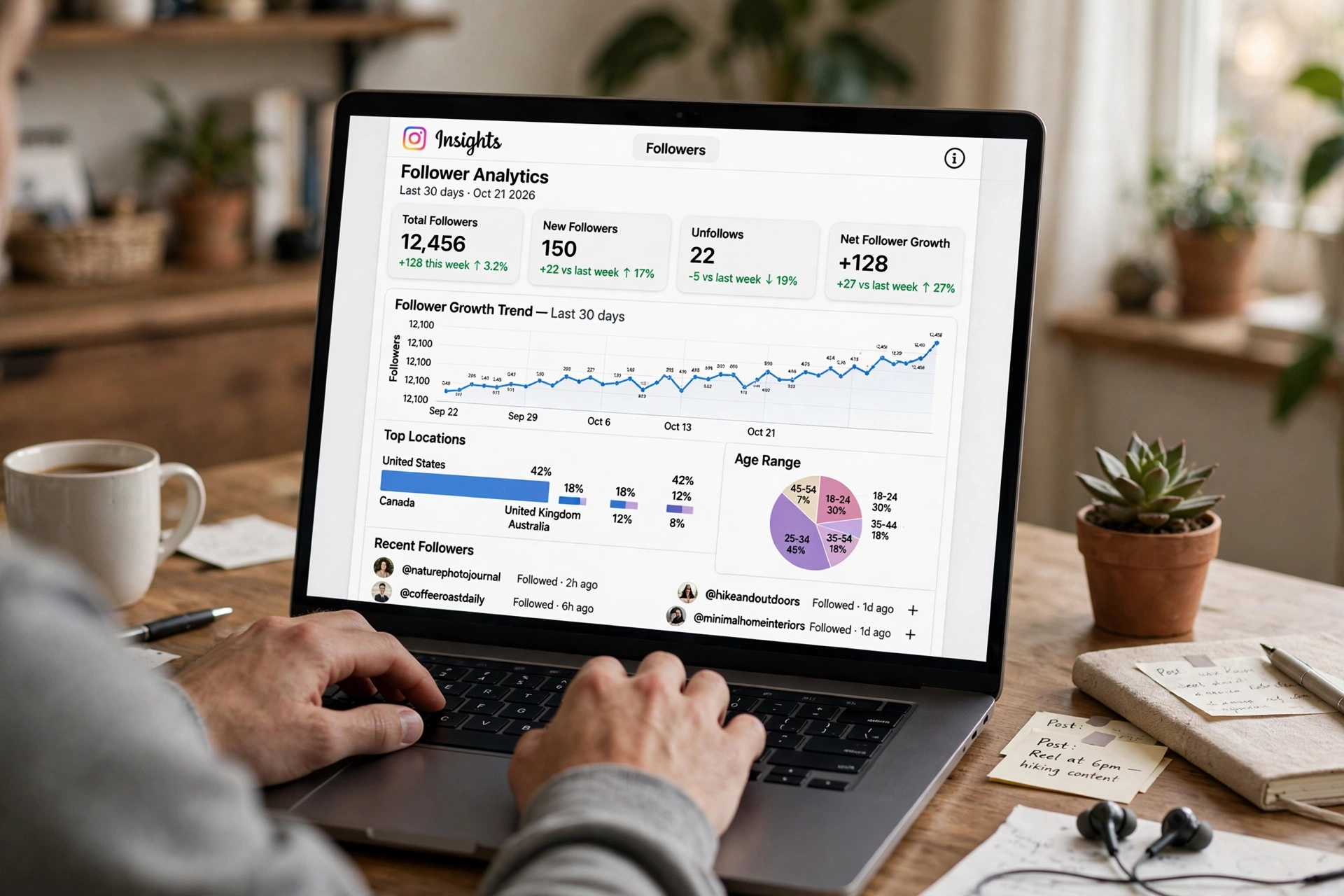
If you run a creator or business account, tap the professional dashboard on your profile and open Insights. The follower growth charts show you how many people followed and unfollowed you each day, which turns your recent follower question into a numbers game you can track properly. Pair this with the names from the Followers tab and you have both the count and the faces.
| Method | What it shows | Best for |
|---|---|---|
| Followers tab | Names, newest near the top | Quick daily scan of who just followed |
| Activity feed notifications | Exact follow events with time | Pinpointing when each recent follower arrived |
| Sort Following by date | Accounts you followed, newest first | Remembering your own recent follows |
| Professional Insights | Daily follower growth numbers | Tracking trends on creator accounts |
One useful habit: once a week, scroll your Followers tab top to bottom and note any names you do not recognize. If you are serious about growing, this small routine connects your content to your audience, which is exactly why guides on how to increase instagram followers always start with knowing who is already following you.
How to See Who Someone Recently Followed on Instagram
This is the half of the recent follower question where expectations crash into reality. Instagram does not give you a “recently followed” feed for another person, and since the sorting change of September 2026, the position of an account in someone’s Following list tells you nothing about when they followed it. An account at the top could have been followed yesterday or two years ago. Anyone who promises you a one-tap native way to see this is selling something that does not exist.
That said, you can still build a picture with honest manual methods. Here is what actually works, ranked from most to least reliable.
Method 1: Scan the Following list yourself
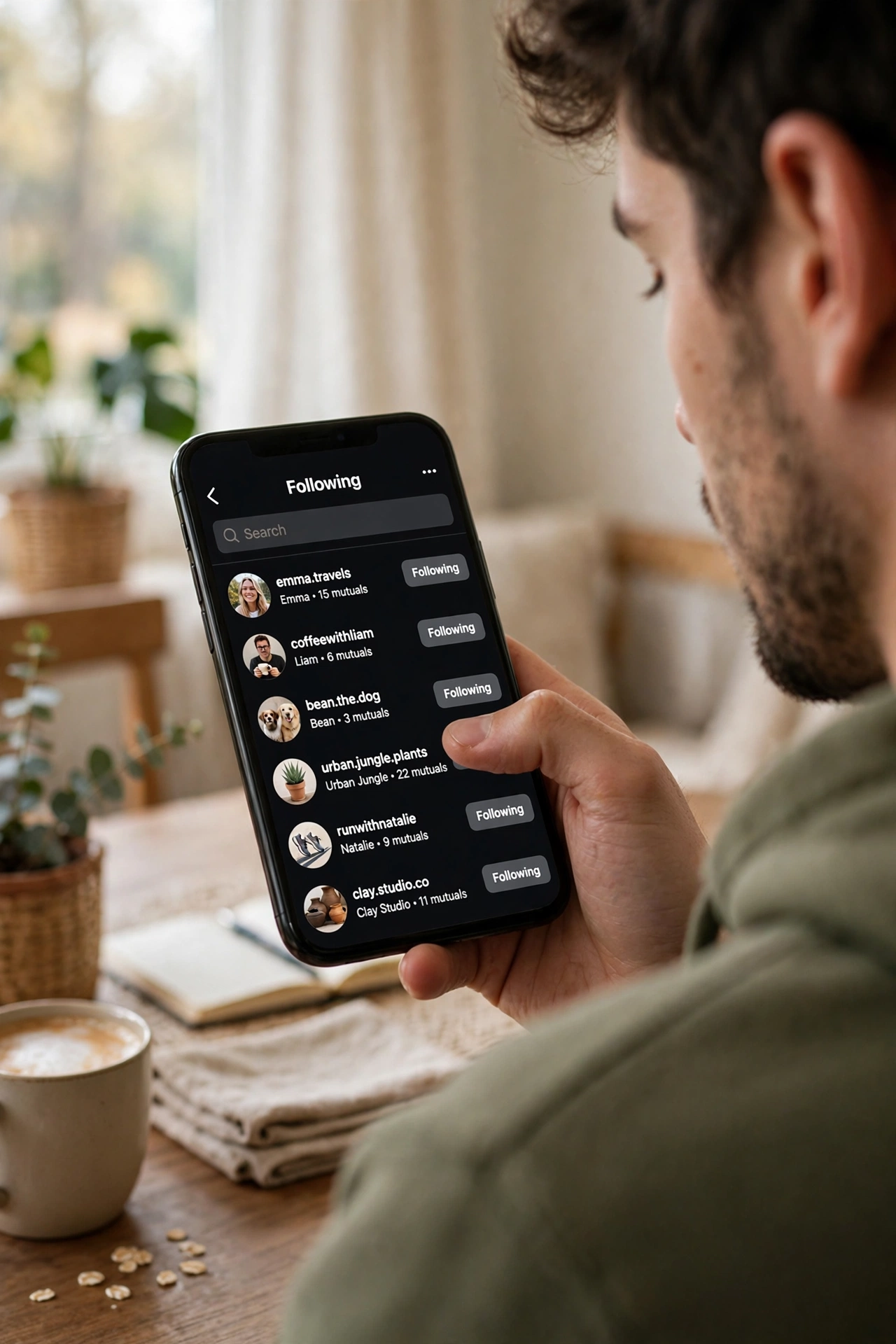
Open the person’s profile, tap their Following count, and read through the list. You will see every public account they follow, just not in chronological order. The order you see is personalized for you: Instagram ranks it using mutual followers between you and each listed account, how often you interact with those accounts, and relevance signals it does not publish. Write down or screenshot the first screen of names, then repeat the check a week later. Any new names that were not there before are, by definition, recent follows. On accounts that follow a few hundred people, this takes ten minutes. On accounts that follow thousands, it is tedious but still the only fully honest manual method.
Method 2: Compare snapshots over time
The snapshot method is simply Method 1 with discipline. Take a full screenshot series of the Following list today, date the images, and compare them against a new series next month. The difference between the two sets is your recent follower data, and unlike any guesswork, it is provably accurate because you collected it yourself. Creators who vet collaboration partners use exactly this technique before paying for shoutouts.
Method 3: Read the engagement signals
When someone follows a new account, they usually start engaging with it right away. Check the public likes and comments on the person’s recent activity, and look for unfamiliar names or a sudden shift in niche, for example a fitness creator suddenly liking travel pages. This only suggests recent follows, it never confirms them, but for marketers studying a competitor’s direction it is often enough. A structured version of this kind of checking exists: an instagram follower tracker built for public profiles does the watching for you and dates each change the day it first appears.
| What you want | What Instagram actually gives you |
|---|---|
| Who someone recently followed, in order | Not available; Following list is ranked by relevance, not time |
| Follow timestamps on another person’s profile | Not available anywhere in the app |
| Full list of accounts they follow | Available on public profiles, unordered by date |
| Your own recent follows, sorted by date | Available via “Date Followed: Latest” on your own list |
| Proof of change between two dates | Possible with your own dated snapshots |
Why Instagram Stopped Showing Follows in Chronological Order
Instagram did not remove chronological follow lists by accident. The change rolled out in stages because three pressures kept growing: privacy, misuse, and the platform’s shift to algorithmic feeds.
Privacy came first. A public, time-ordered follow history let anyone reconstruct exactly when a person connected with someone, which exposed relationship timelines people reasonably expect to keep private. Removing the order made casual tracking much harder without removing the lists themselves.
Misuse came second. Chronological lists made it trivial to build stalker-style monitoring, where one person watches another’s every new connection in real time. Instagram’s product teams have repeatedly said that reducing this kind of surveillance improves safety, especially for younger users.
The third pressure was architectural. Modern Instagram barely uses chronological order anywhere. Your home feed, the Explore page, and now the follower and following lists are all ranked by predicted relevance. A “recent follower” sort would be the odd one out in a system that otherwise never shows raw timelines. The September 2026 sorting change simply finished a transition that started back in 2021.
There is also a business reason nobody talks about: chronological lists were easy to scrape. Bot farms harvested follow timestamps to map social graphs at scale, and removing the time signal broke a whole category of cheap data extraction. Every change that makes your recent follower history less machine-readable makes the platform harder to exploit.
The Only Reliable Way to Track Recent Followers Over Time
If the native app will not give you a timeline, you have to build one. The reliable approach is tracking: record the state of a list today, record it again later, and the difference is your recent follower history. This works for your own account and for any public account you are allowed to view.
For your own account, the simplest tracking system needs no tools at all. Every Sunday, open your Followers tab and screenshot the top of the list, then save the screenshots in a dated folder. After a month you will have four data points, and comparing them shows you exactly who arrived in each week. Pair this with your activity feed notifications and you will rarely miss a name.
For public accounts you follow for research, the manual version of the same routine works but scales badly. This is the one case where a dedicated tracker earns its place: instead of you screenshotting hundreds of names, the tool polls the public list on a schedule and reports the delta. When you evaluate one, look for three things: it must work without asking for your Instagram password, it should date each new follow by the day it was first detected, and it should be honest that it cannot reconstruct history from before you started tracking. A tool that claims to show you someone’s follows from six months ago, before it ever watched the account, is inventing data.
Whatever system you choose, start tracking before you need the answer. No method, manual or automated, can recover a recent follower timeline retroactively with confidence. The list you build from today forward is the only one you can trust.
Recent Follower Apps and Websites: What Really Works
Search for “recent follower” and you will find apps and websites promising to reveal anyone’s newest follows in seconds. Treat every one of these claims with the same skepticism, because the honest ones and the dangerous ones look identical at first glance. Here is how to tell them apart.
Legitimate trackers work on one principle: they watch a public profile over time and report what changed. They do not need your Instagram login, they only work on public accounts, and they are upfront that tracking starts the day you add the account, not before. These tools are genuinely useful for the snapshot method described above, because they automate the boring part. Before you use one, read its privacy policy and check whether it stores your searches; a tool that demands your Instagram password or asks you to log in through a lookalike login page is a phishing risk, not a tracker.
The dangerous category is larger. These apps promise real-time recent follower histories for any account, including private ones, or claim to show you follows from months before you ever used them. No third-party service has that access. At best they show you fabricated lists designed to look plausible; at worst they harvest your credentials, spam your contacts, or get your Instagram account flagged for violating the platform’s automation rules. Instagram actively suspends accounts that hand their login to scraping services, and recovering a banned account takes far longer than any “recent follower” answer is worth.
A safer adjacent category is the family of tools that analyze your own followers rather than someone else’s. An instagram unfollow checker shows you who left your follower list, which is the mirror image of tracking who joined it. If your goal is audience quality rather than surveillance, comparing lists is more useful anyway: compare instagram followers style checks help you see whether your newest followers are real people or empty accounts. And if your weekly scan turns up a wave of obvious bots, the practical fix is to clean house, which is exactly what a careful mass unfollow instagram routine is for.
The rule of thumb is simple. If a tool only looks at public data, never asks for your password, and admits its limits, it can be part of your workflow. If it promises secrets Instagram itself does not expose, walk away.
How Creators Check Recent Followers with Instagram Insights
Creators and brands care about the recent follower question for a different reason: every new follower is feedback on their latest content. Instagram Insights turns that feedback into numbers you can act on, and it is built into every professional account for free.
Open your profile, tap the professional dashboard, then go to Insights and look at the followers section. The growth chart breaks your audience change down by day, so you can see exactly which days brought new followers and which days lost them. Now match those spikes against your posting calendar. If a reel went up on Tuesday and Wednesday shows your biggest follower gain of the week, you have just identified the content your recent follower wave came for. Do more of that.
Insights also shows you the demographics of your audience: age ranges, gender split, top cities, and the hours your followers are most active. When your recent follower mix starts shifting, for example a sudden influx from a new city after a collaboration, the demographic panels usually show it before the names do. This is also where the raw number matters: watching your instagram follower count trend over weeks tells you more about your growth health than any single day’s list of names.
For businesses, the most valuable recent follower metric is not the count but the conversion: how many of this week’s new followers watched your stories, visited your profile link, or messaged you. Insights tracks profile visits and website taps alongside follower growth, so you can see whether your new audience is actually engaging or just passing through.
Recent Follower Problems and How to Fix Them
The Followers tab order looks random. It is not random, it is ranked. Instagram orders the list using signals like mutual connections and your interaction history with each account. For a rough newest-first view, rely on your activity feed notifications instead, and remember that your own Following list has the one true date sort in the app.
You cannot see someone’s Followers or Following list at all. If the account is private and you are not an approved follower, Instagram hides both lists from you completely. No app or website can legally bypass this. If the account is public but the lists will not load, try the mobile app instead of the web version, which sometimes renders these lists more reliably.
New followers are not showing up. Give it a few minutes; the list refreshes on Instagram’s schedule, not yours. If a follower still does not appear after an hour, check whether the account was removed or deactivated, because Instagram drops deleted accounts from lists silently. A sudden drop in your visible list usually means a cleanup wave, not a bug.
Your recent followers are all spam accounts. Viral posts attract bot waves. Switch your account to private temporarily to stem the flow, remove the obvious fakes from your follower list manually, and review any third-party apps connected to your account under Settings, then revoke the ones you do not recognize. Spam followers inflate your count while destroying your engagement rate, so removing them is always worth the effort.
A tracker shows different results than the app. Trackers detect changes on their own polling schedule, so a follow that happened an hour ago may not appear until the next poll. Also remember that a tracker only knows about changes since you started watching the account. Discrepancies in the first few days of tracking are normal; persistent wild differences mean the tool is unreliable.
FAQs About the Recent Follower List
Can I see exactly who followed me most recently on Instagram?
Yes, for your own account. Open your Followers tab for the names and your activity feed for the exact timing. The newest followers appear near the top of the list on most accounts, and each follow event in your notifications carries a timestamp, so combining the two gives you a precise recent follower record.
Can I see who someone else recently followed, in order?
No, not natively. Instagram sorts another person’s Following list by relevance signals like mutual followers and engagement, not by time, and this has been the case since the September 2026 sorting change. The honest workarounds are comparing dated snapshots of their list or using a tracker that watches the public profile over time.
Does Instagram notify me when someone new follows me?
Yes, if your account is public you get a follow notification in your activity feed, and optionally as a phone notification. For private accounts you get a follow request instead, which you approve or decline. If notifications seem missing, check the activity feed inside the app before assuming anything is broken.
Why does the order of my followers list keep changing?
Because Instagram re-ranks the list continuously based on your recent interactions. Someone you messaged yesterday may jump above someone who followed you this morning. This is personalization, not a timeline, which is why the list order alone can never prove who your most recent follower is.
Are “recent follower” apps safe to use?
Some are, most are not. Safe ones never ask for your Instagram password, only analyze public accounts, and admit they can only track changes from the day you start. Unsafe ones promise impossible histories, demand your login, or claim to work on private accounts. Never enter your Instagram credentials into a third-party tool.
How often should I check my recent followers?
For personal accounts, whenever curiosity strikes is fine. For creators and businesses, once a week is the sweet spot: frequent enough to connect follower spikes to specific posts, but not so frequent that daily noise drowns the trend. Save the weekly screenshots and you will build a useful history without any paid tool.
Conclusion: What to Do This Week
The recent follower question has a clean split, and now you know both sides. For your own account, your Followers tab plus your activity feed notifications give you names and timestamps today, with no tools needed. For someone else’s account, accept that Instagram will not hand you a chronological list, and build the answer yourself with dated snapshots or an honest tracker that watches a public profile over time. Start this week: screenshot your Followers tab on Sunday, repeat next Sunday, and you will have the beginning of a recent follower history you can actually trust. Everything else, the apps promising secret histories and the lists that look chronological but are not, is noise. Your own data, collected consistently, beats all of it.